The template is chosen, but the room photos are not shot yet, the service names are not settled, and the person who approves is away on a trip. Any one of these is enough to stall the schedule. So how long a template website takes depends on your materials and approvals, not just on the technical work.
Quick summary
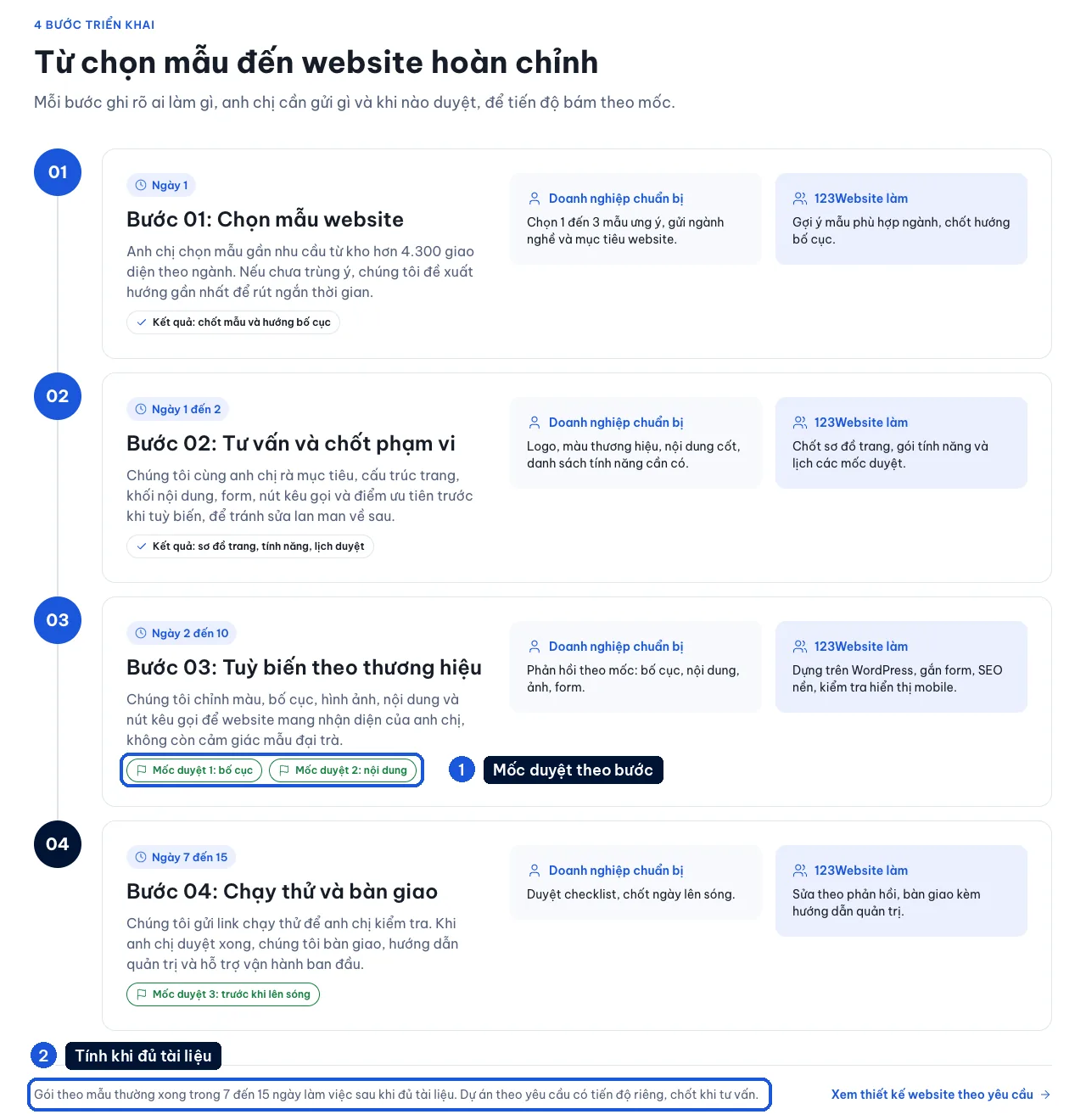
- Reference window: 7 to 15 working days, counted once the materials are complete and the scope is agreed.
- What slips most often: real photos and copy are not ready, and comments arrive in pieces from several people.
- How to unblock it: group the photos, name one person for the final approval, and say early which date the site needs to be live.
In 123Website’s current guide, the reference window for a template website is 7 to 15 working days, counted once the materials are complete and the scope is agreed. The window for each project is locked in the delivery process. It is not counted from the day you ask for a price.
Steps that have to move together
- Before the build: choose the template, agree which pages you need, and name who approves.
- Build and add the content: put the logo, photos and copy into the interface, and check the forms and how it looks on a phone.
- Approval: send the review version and finish working through the comments.
- Go live: point the domain, test again, and hand over.
Not every task sits on the technical side.
Example: you have not decided whether to publish prices, or to take quote requests through a form. Until then, the copy and the contact method cannot be settled either.
If photos are missing, solve that before the visual polish
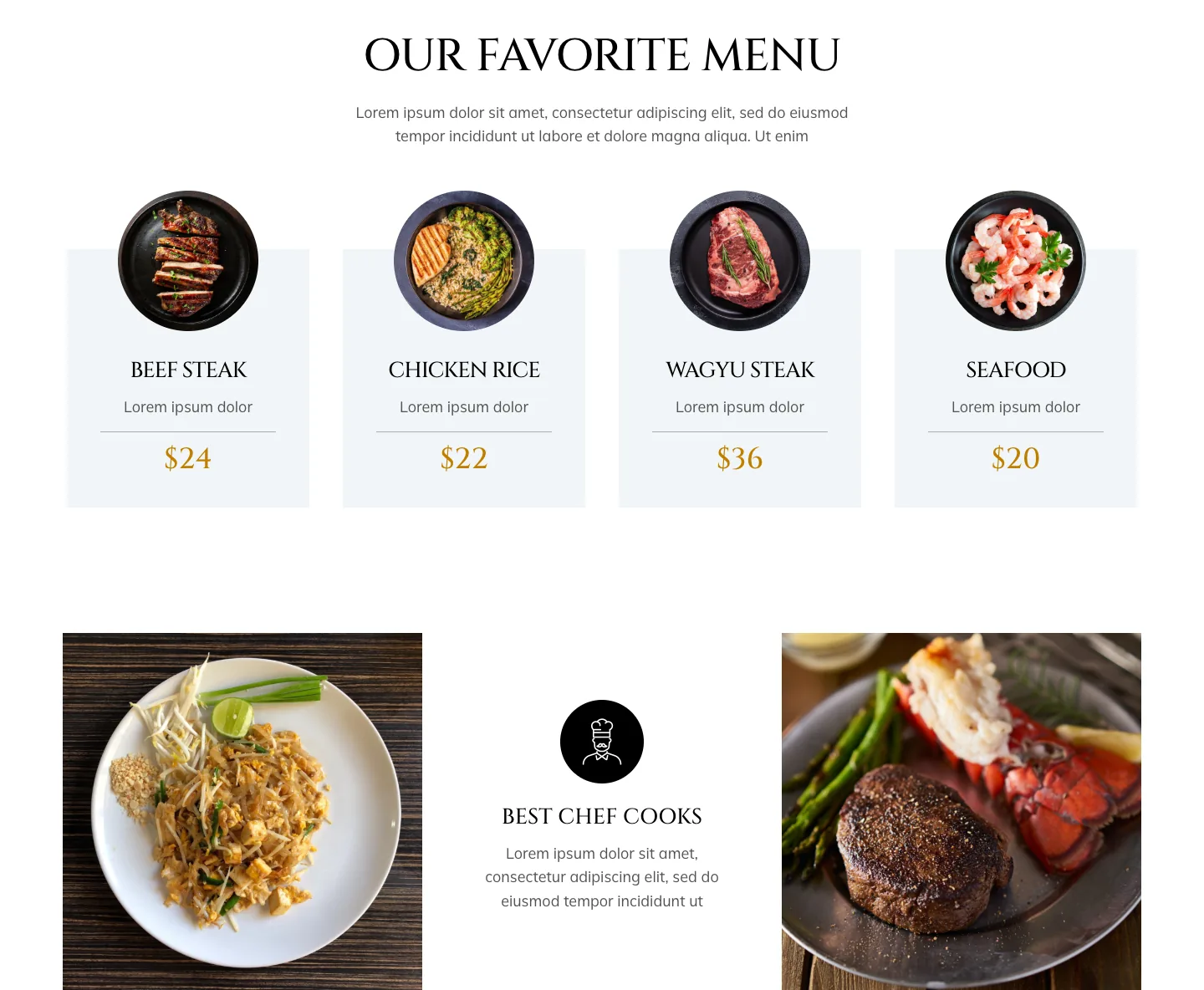
A hotel needs room photos, a restaurant needs photos of the dishes and the space, and a workshop needs photos of the products or the machines. Photos in the demo only help you picture the layout. They cannot replace real photos of your own premises.
- Group them: label which room, dish or project a photo belongs to, so the wrong one is not used.
- Shoot in parallel: if new photos are needed, schedule the shoot while you choose the template. Do not wait until the build is finished.
- Filter before you send: one link full of hundreds of unfiltered files does not help much.
One person with the authority to approve
Who comments, and who gives the final approval, should be named at the start. Feedback should arrive as one list, page by page: what is wrong, what it should say, and which photo replaces which.
Scattered messages from several people easily contradict each other, so one item gets revised again and again.
Note: changing the template when the content is already nearly in place can mean rebuilding the layout. Adding a language, a landing page or an integration also changes the scope. Both sides need to agree the time and the cost before the work continues.
See also what an all-inclusive package includes.
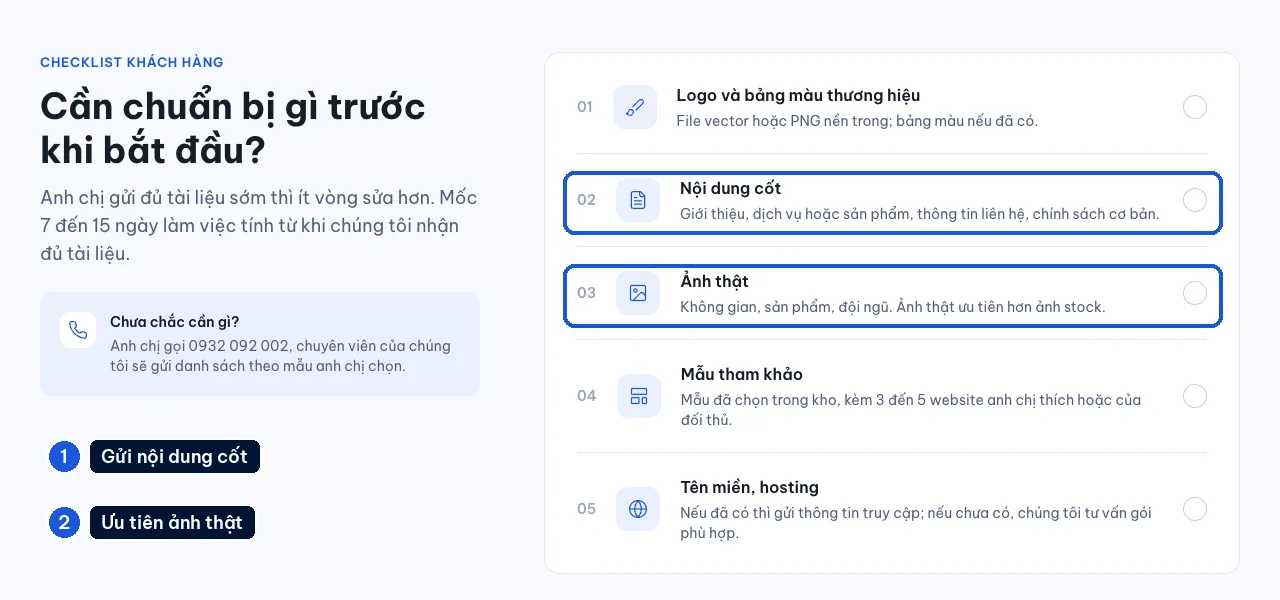
What should you send so work can start?
- Identity: the logo, brand colors, and the template you have chosen.
- Copy: a page list, with short copy for each page.
- Photos: selected photos, labeled or sorted into folders.
- Prices: prices, service names, and the conditions that need to be public.
- Contact: phone number, Zalo (Vietnam’s most widely used messaging app), the email that receives form submissions, the address, and support hours.
- Domain: who manages it, and how you will coordinate pointing the DNS.
- Approval: who approves, and the date the website needs to be live.
If the materials are not complete, say clearly what is still missing and who will add it. Once the gaps are clear, both sides can decide what to tackle first.
If it has to be ready for an opening
Tell us the event date when you discuss the scope. Leave time for approval, pointing the domain, and testing the form before you print a QR code or turn ads on.
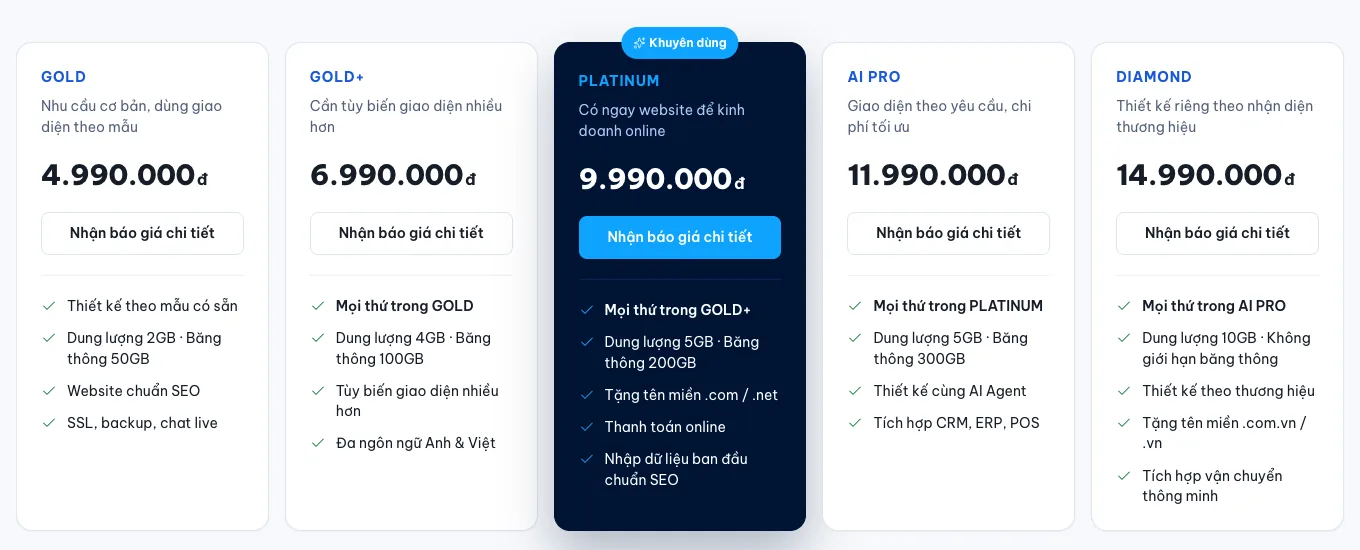
The GOLD package is listed at VND 4,990,000 on the 123Website price list. The price and the handover date are two things to agree separately, against the scope.
After launch, you can use the first-month checklist to track enquiries and the copy that still needs adding.
Choose a template while you prepare the materials
You do not have to wait for every photo before you look at interfaces. Compare the templates below with the way you want to present the service. Then list the photos each slot needs.



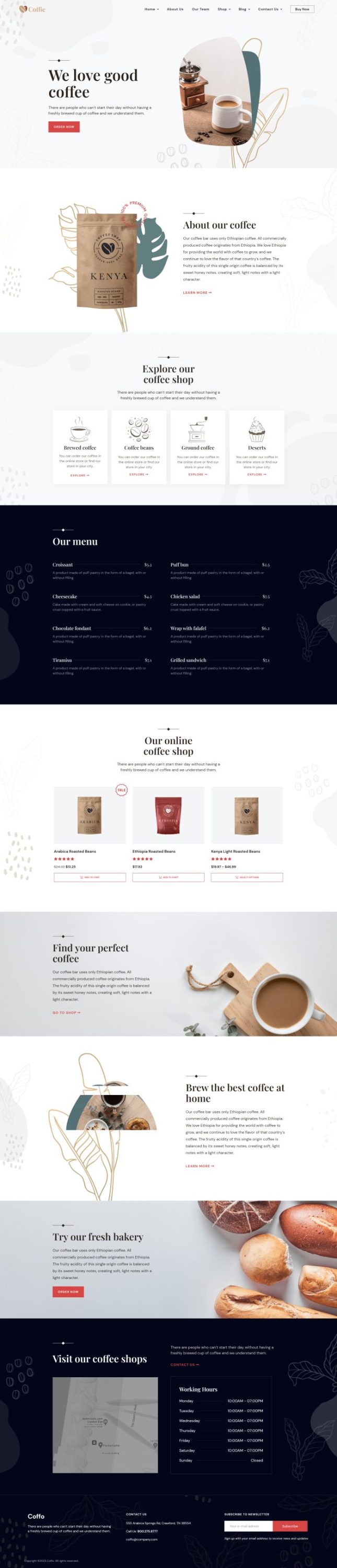

The industry template library has more choices beyond the cafe group. When you send a request, include the industry, the template you are considering, the materials you already have, and the date the site needs to be live. With that information, we can give you a realistic answer on how long a template website takes.
The 123Website team. We have designed websites and business software since 2013, with 2,000+ projects delivered.