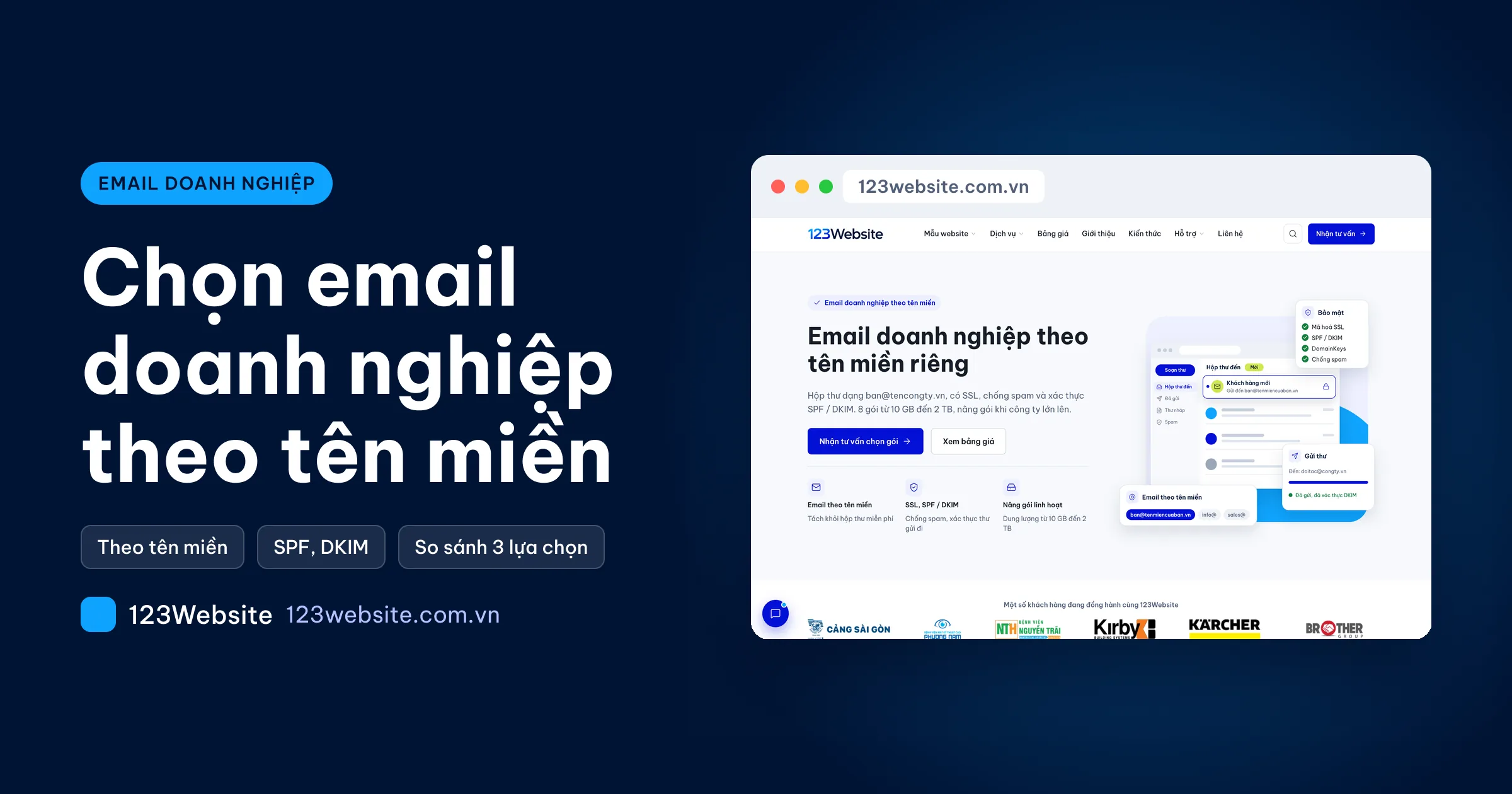
A quote sent from a personal Gmail account is easy for a customer to ignore, and it sometimes lands in spam. That is usually when a company starts looking at business email on its own domain, such as name@yourcompany.vn. This article is about picking the right type for the company you actually have.
In short
- You only need a mailbox on the company domain: an email server sold by storage size is enough.
- The team already lives in Docs and Drive: Google Workspace means less change to how people work.
- The team already lives in Word, Excel, and Outlook: Microsoft 365 is the closer fit. Both vendors charge per user, per month.
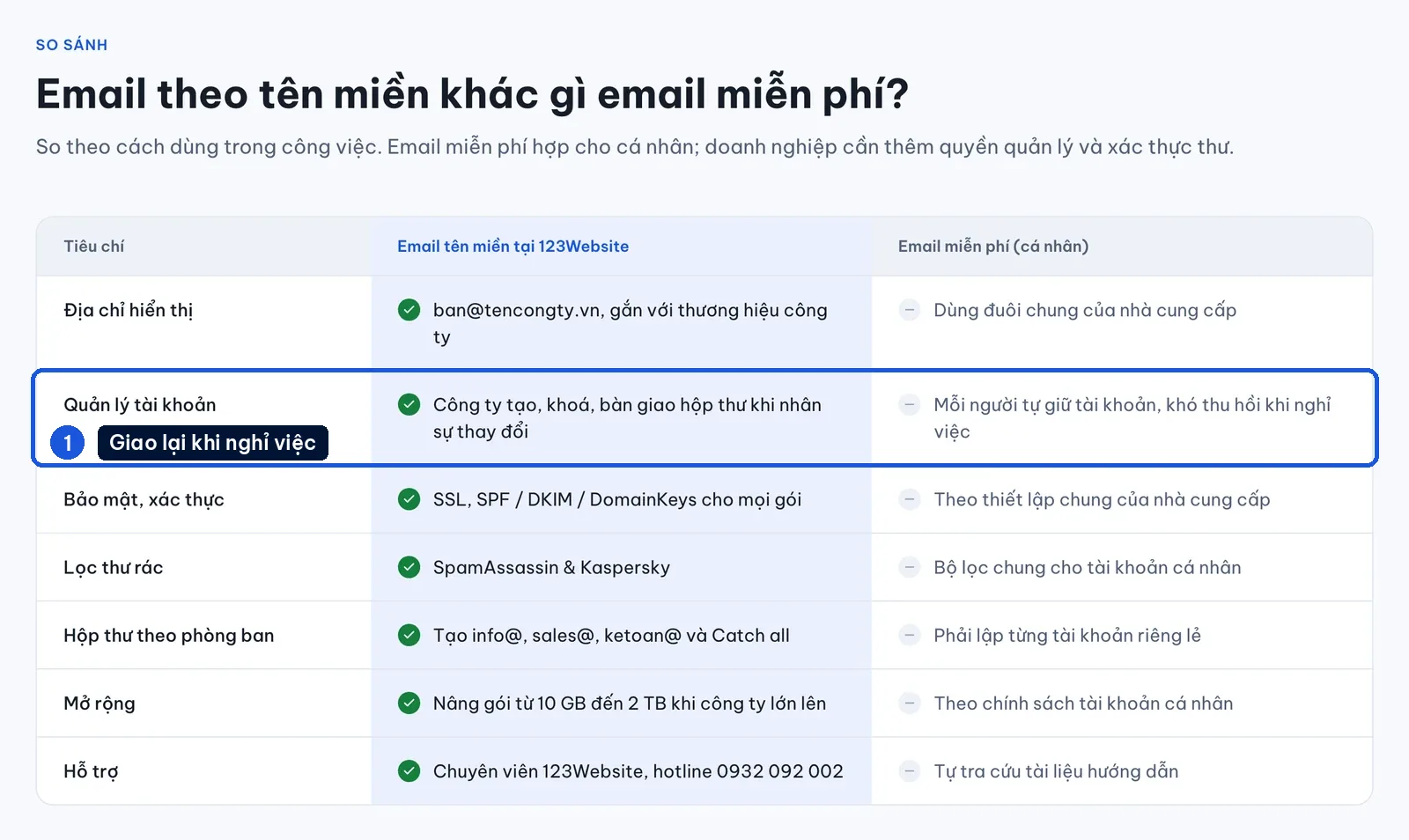
How business email differs from a personal Gmail account
A mailbox on your domain gives you three things a personal Gmail account does not:
- Trust: a quote from ketoan@yourcompany.vn (ketoan means accounting) is easier to trust than a Gmail address someone made up.
- Authentication: mail on your domain can carry SPF and DKIM, so it is less likely to be filtered as spam and harder to forge.
- The mailbox stays when staff leave: lock the account, change the password, and hand it to the next person. Shared addresses such as info@ and sales@ stay as they are.
The mailbox uses the same domain as the website. If you do not have one yet, register a domain first. A domain at another registrar is fine. You only add MX, SPF, and DKIM records.
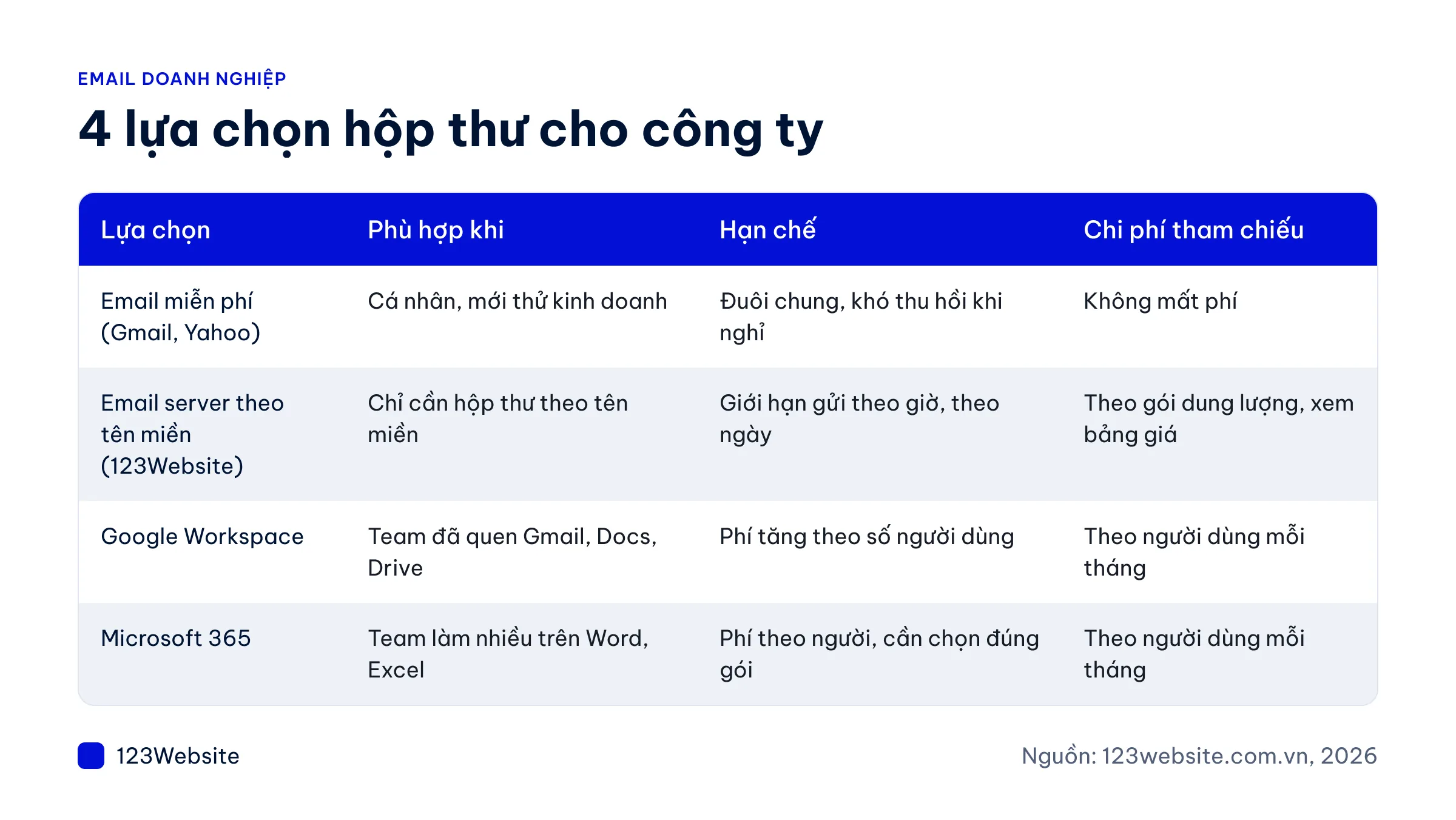
Four business email options, side by side
| Option | Fits when | Limit | How it is priced |
|---|---|---|---|
| Free email (Gmail, Yahoo) | An individual, or a business just starting out | A generic address (@gmail.com), hard to take back when an employee leaves | No fee |
| Email server on your domain (123Website) | You only need mailboxes on your domain | Sending limits per hour and per day | By storage plan |
| Google Workspace | The team already uses Gmail, Docs, and Drive | The fee rises with the number of users | Per user, per month |
| Microsoft 365 | The team does most of its work in Word, Excel, and Outlook | A per-user fee, and you need the right plan | Per user, per month |
The table does not rank one option above another. The next three sections follow the situation you are in.
A company of a few people, just starting
Using Gmail for a while after you incorporate is not a mistake. The more customers you have, the more work it is to tell all of them about a new address. Moving earlier is easier.
- You only need to send and receive mail: a small email server plan, about 10 to 30 GB, is enough. When the team grows, move up a plan. You do not change systems.
- Everything already happens in Google Docs, Sheets, and Drive: Google Workspace is a reasonable fit, with the fee charged per person.
A company of a few dozen people, several departments
Once there are more people, the way the fee is calculated matters more than the feature list. With Google Workspace or Microsoft 365, every extra person is another monthly charge.
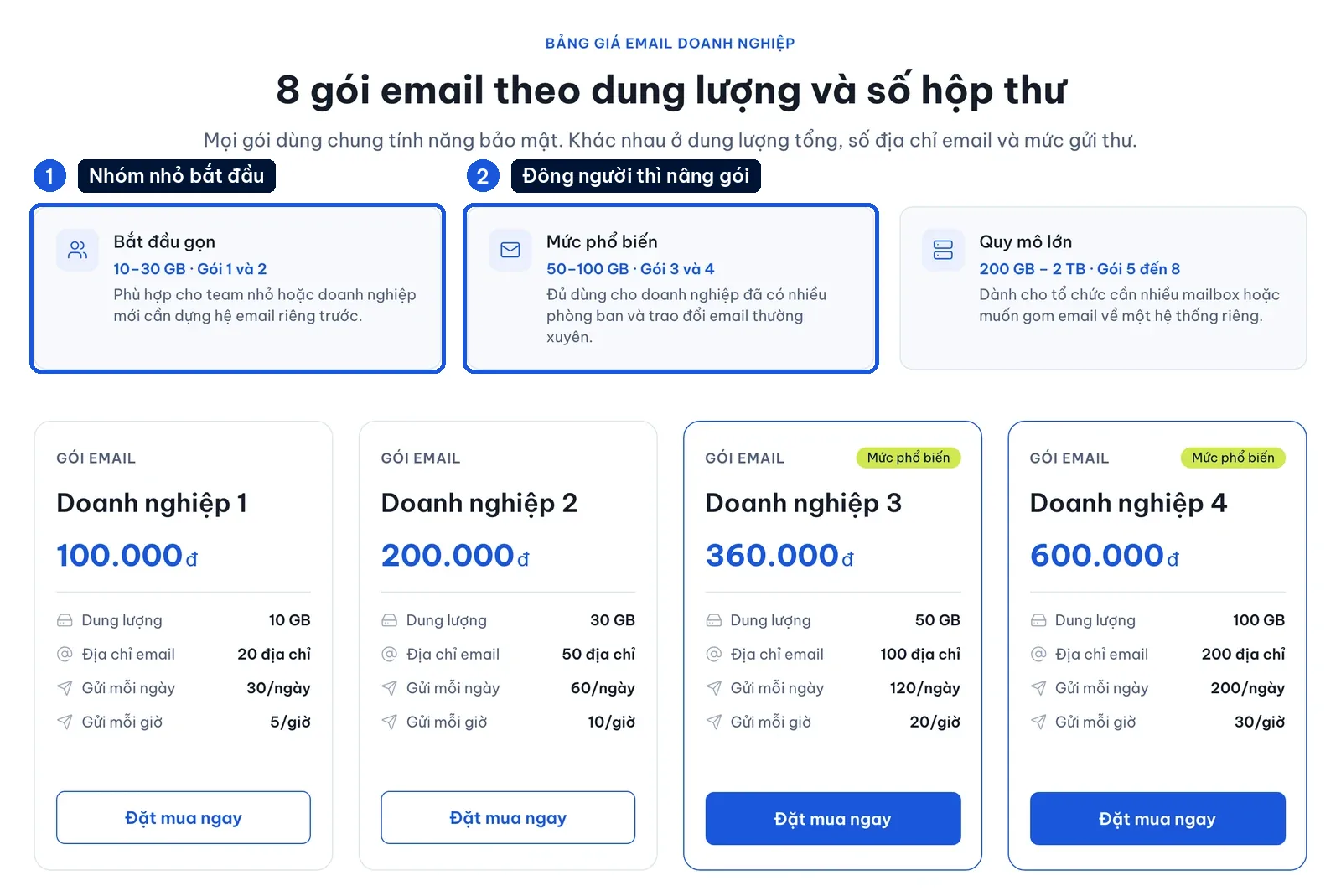
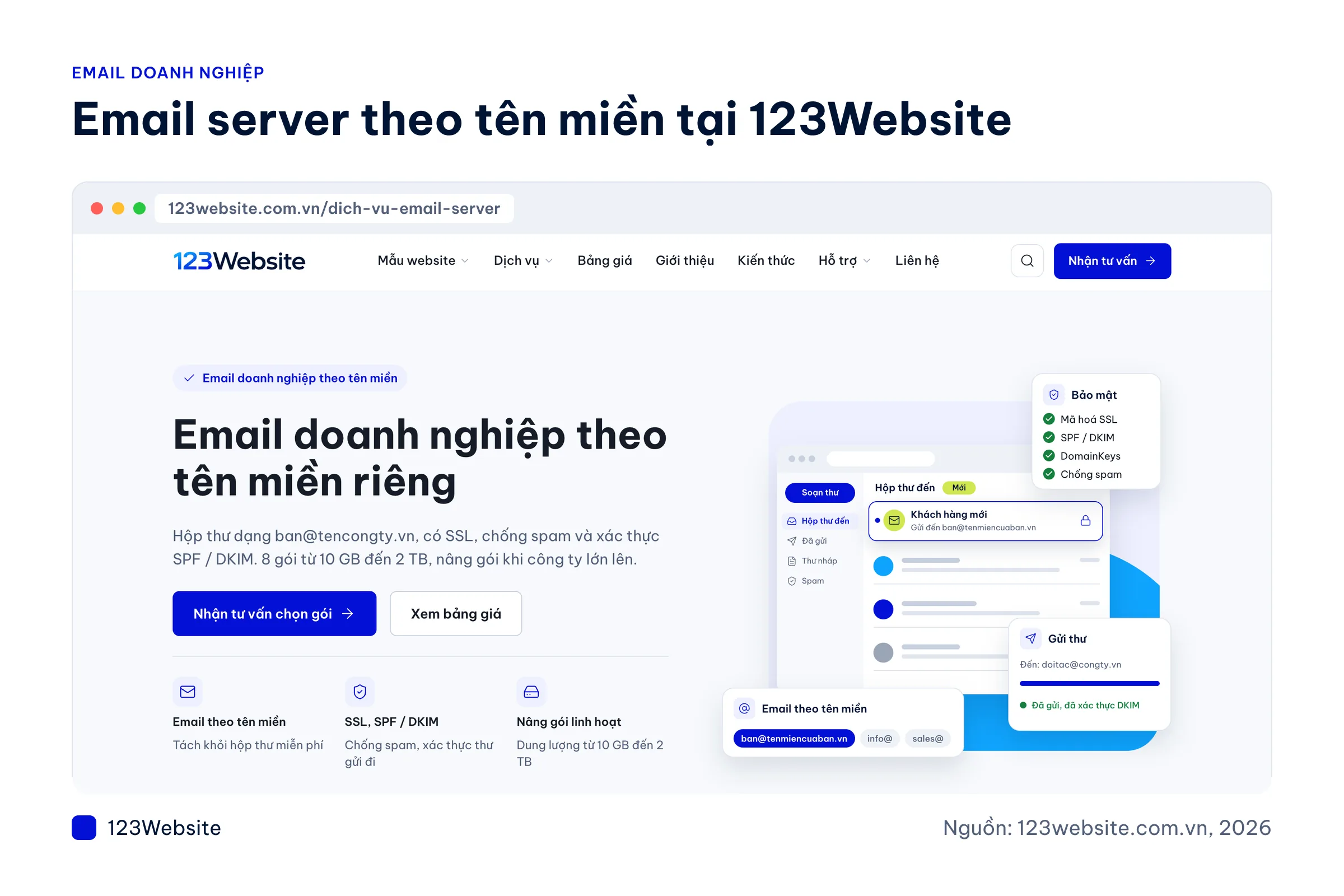
An email server is priced by storage plan and number of addresses, which is easier to forecast when most staff only send and receive mail (a warehouse, a shop). A common choice is 50 to 100 GB. The email server service page lists what every plan includes:
- Mailboxes on your domain: such as name@yourcompany.vn, with SSL encryption.
- Authentication on outgoing mail: SPF, DKIM, and DomainKeys.
- Spam filtering: SpamAssassin and Kaspersky.
- Shared mailboxes: info@, sales@, ketoan@, and a catch-all.
- 8 plans from 10 GB to 2 TB: they differ in storage, number of addresses, and sending limits.
Note: an email server plan is mailboxes only. It does not include office apps. Each plan has an hourly and a daily sending limit, so use it for work mail, not for bulk newsletters.
A company already working in Word, Excel, and Outlook
When accounting and admin have used Word and Excel for years, the useful question is whether you want to keep that way of working. In the two suites below, the mailbox is only one part of the plan.
Microsoft 365
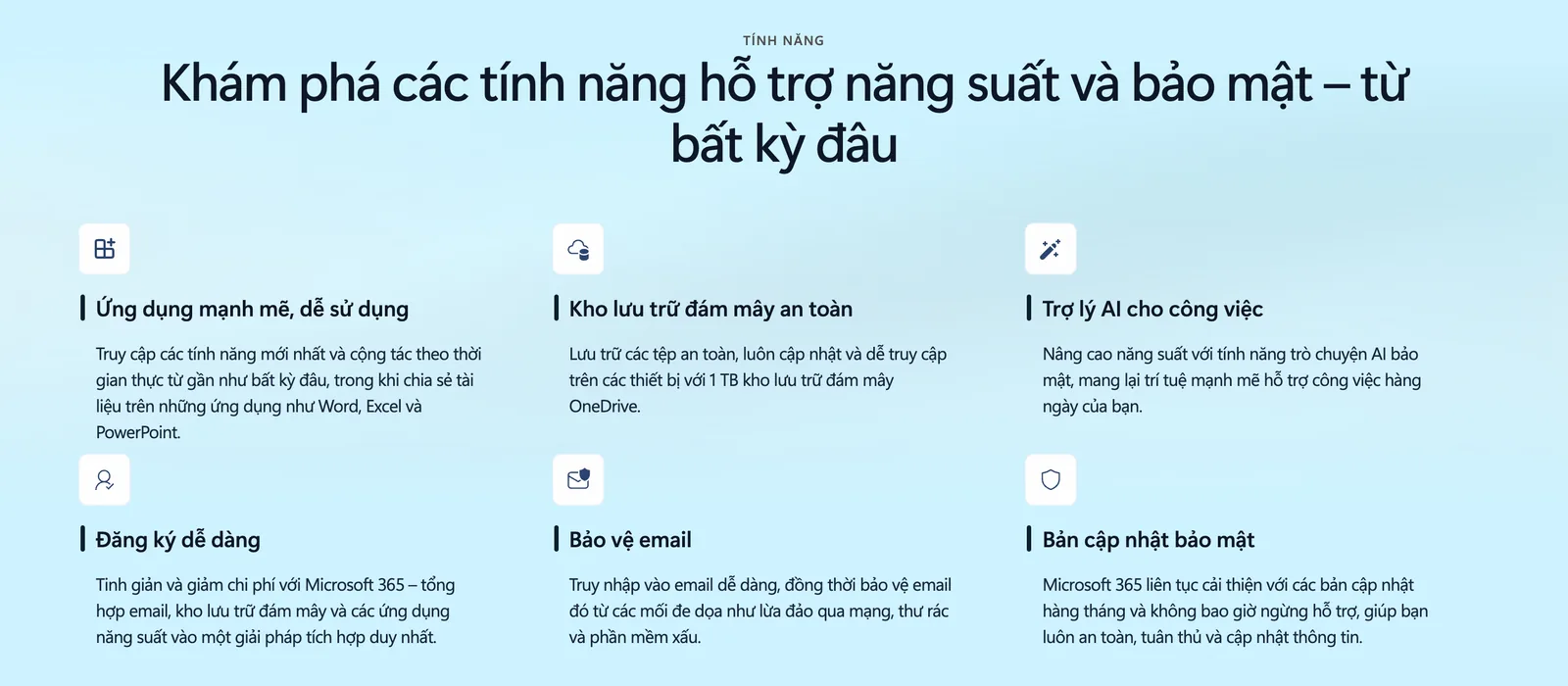
Microsoft 365 includes Outlook, Word, Excel, OneDrive, and Teams. It fits a company that meets in Teams and reads mail in Outlook.
Google Workspace
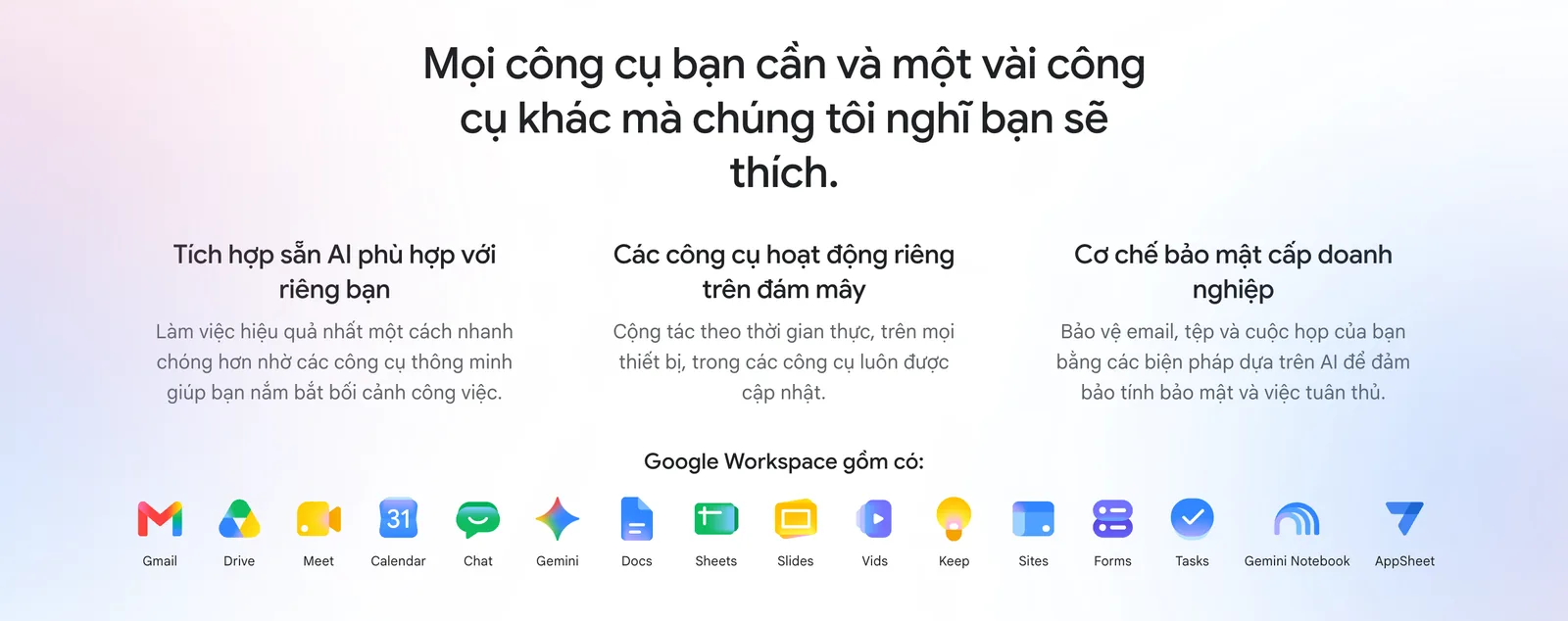
If the whole company already uses Google Docs, Sheets, Drive, and Meet, Google Workspace avoids a change of habit. Check each vendor’s own price list for the current plan prices. They can change.
Example: the company already owns Office licences and only lacks mailboxes on the company domain. An email server set up in Outlook still works. You do not have to move the whole company to Microsoft 365.
Moving to business email without losing mail
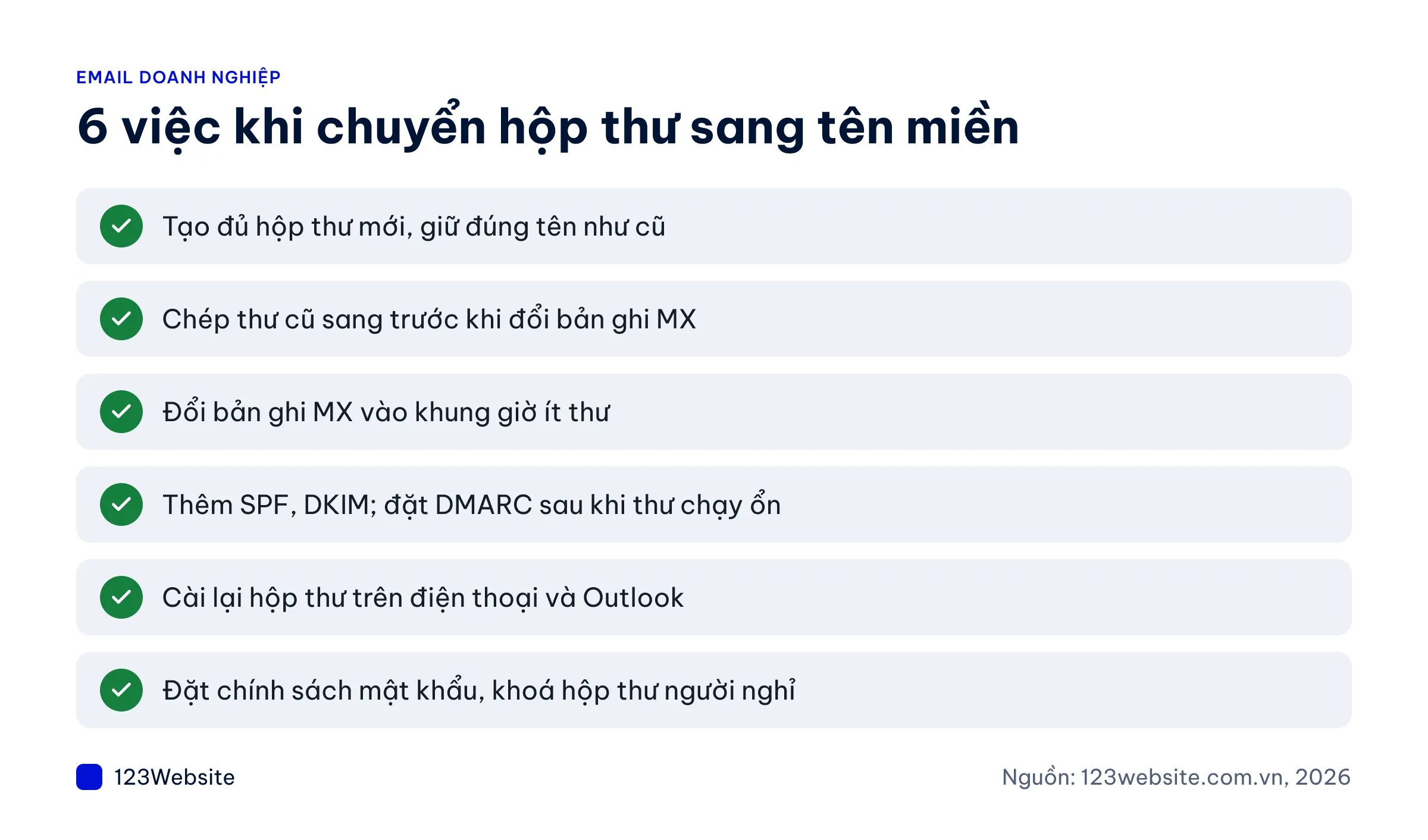
Do the steps in the wrong order and old mail disappears, or new mail goes to spam. We usually follow this sequence:
- Create every new mailbox with the same address as before.
- Copy the old mail across before you change the MX record.
- Change the MX record at a time when little mail is moving.
- Add SPF and DKIM. Add DMARC after mail is flowing reliably.
- Set the mailbox up again on phones and in Outlook.
- Set a password policy and lock mailboxes of people who have left.
Have the address list, access to the domain, and logins for the old mailboxes ready. DMARC (the record that says what to do with mail that forges your domain) should start in monitoring mode, then be tightened later.
Setting up mail at the same time as the website
The mailbox and the website share a domain. Do them together and you only set DNS up once. Also plan for:
- Website security: an SSL certificate for the website.
- Where the website sits: a small site is fine on managed hosting. Several separate applications may need a VPS.
- Lifetime support: this applies only when the website uses 123Website hosting.
- Building the website: see all-inclusive website design and website design pricing. Template sites start at VND 4.99 million (GOLD plan), with handover in 7 to 15 working days once we have the materials.
What to send us is covered in preparing for a business website, step by step.
Common questions
Roughly what does email on your own domain cost?
It depends on the type. 123Website’s email server is priced by plan: 8 plans from VND 100,000 (10 GB, 20 addresses) to VND 2,500,000 (2 TB, unlimited addresses). Monthly or yearly billing is confirmed when you talk to us. Google Workspace and Microsoft 365 charge per user per month. See each vendor’s own site for those prices. The domain is a separate cost.
If we already use personal Gmail, do we still need email on our domain?
You do once you start sending quotes, signing contracts, or hiring. An address such as name@yourcompany.vn tells the customer the message comes from the company, and the company can lock the mailbox and hand it over when staff change. With personal Gmail, the person who leaves takes the customer correspondence with them.
Will we lose mail if we move to a new provider?
Not if the order is right: create every new mailbox, copy the old mail across, and only then change the MX record when little mail is moving. Keep the old system for a few more days so nothing is missed while DNS updates. How long the move takes depends on the number of mailboxes. A specialist will tell you after looking at the setup.
Can an email server mailbox be set up on a phone and in Outlook?
Yes. Set the mailbox up over IMAP on iPhone, Android, and Outlook on a computer, and mail stays in sync across devices. At handover, 123Website sends the incoming and outgoing server settings and a step-by-step guide. If you want someone to set it up for you, call our hotline 0932 092 002 during business hours.
Can we use domain email to send bulk newsletters?
We do not recommend it. Each email server plan has a maximum number of messages per hour and per day, so the server keeps its reputation and ordinary work mail is less likely to hit spam. If you need to mail thousands of people, use a separate email marketing service.
In short
No single mailbox type fits every company. Answer two questions:
- Do you need mailboxes, or a whole office suite?
- How far will the number of users grow?
If you want help choosing a plan, call our hotline 0932 092 002 (Mon–Fri 8:00–17:30, Sat 8:00–12:00). You can also see the email server plans, the FAQ, or request a consultation.
Jollie specializes in business digitalization, advising on digital solutions and management software suited to each stage of a company's growth. With more than 5 years of experience running online marketing for…