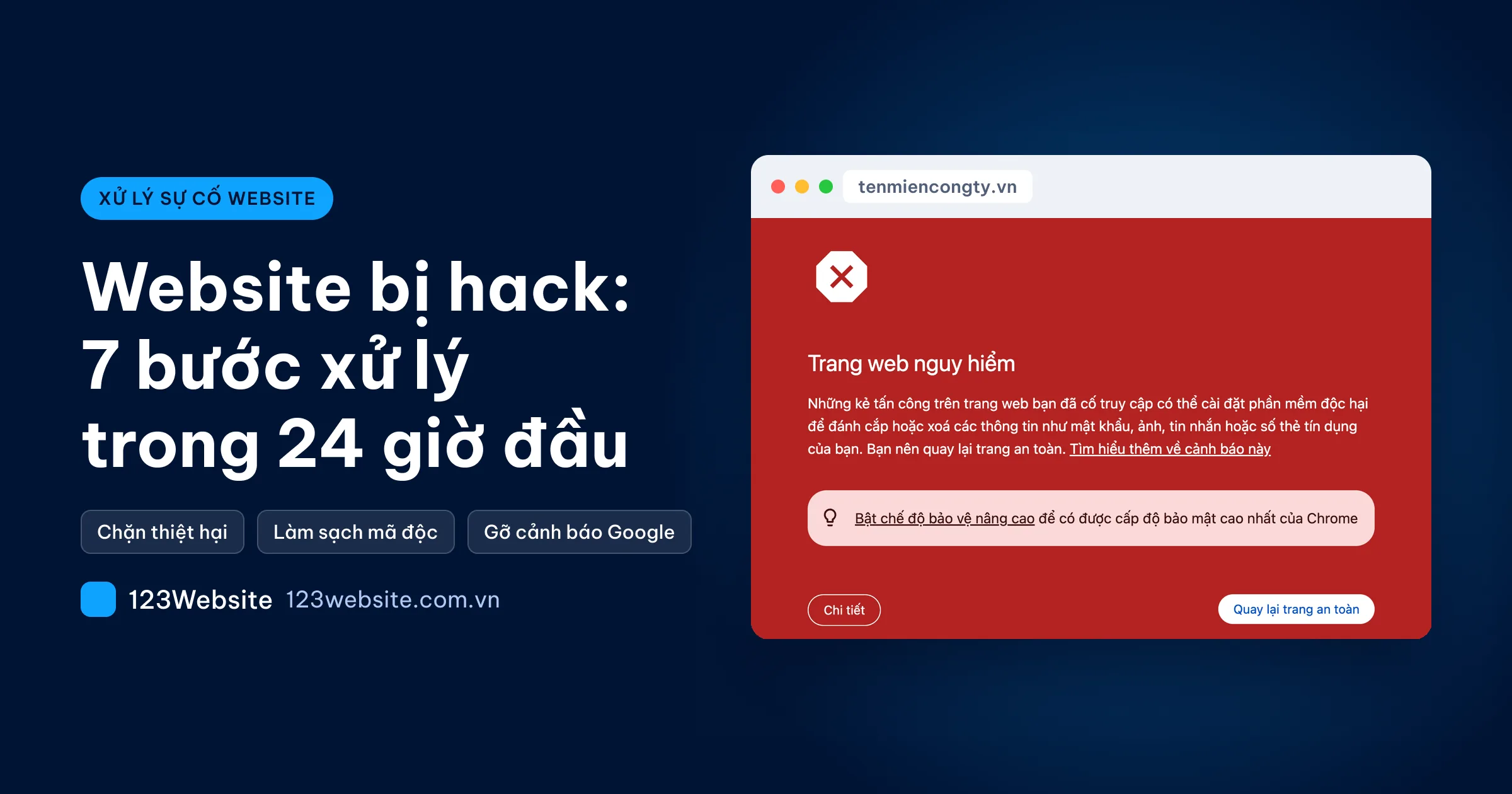
A customer says that clicking the company website on Google sends them to a gambling page, while typing the address directly still shows the normal site. That is a very common kind of hack. Hold off on deleting everything. Working through the steps in the right order is how you keep your data and avoid reinfection.
Quick summary
- The first hour: record the signs, take the site offline temporarily, change the passwords, and back up the site exactly as it is.
- The same day: restore a clean copy or clean the site, patch the vulnerability, and only then put it back online.
- After that: ask Google to remove the warning, and keep watching for a few more weeks.
Signs a website has been hacked, and mistakes that look similar
Malware rarely wrecks the homepage in a way everyone can see. The attacker wants to use the site for as long as possible, so the first person to notice is usually a customer, or Google.
- Customers are sent to a strange page when they click through from Google on a phone. Someone who types the address directly is not, so the owner often cannot see it themselves.
- Google shows “This site may be hacked” under the search result, or Chrome shows a red screen.
- Typing
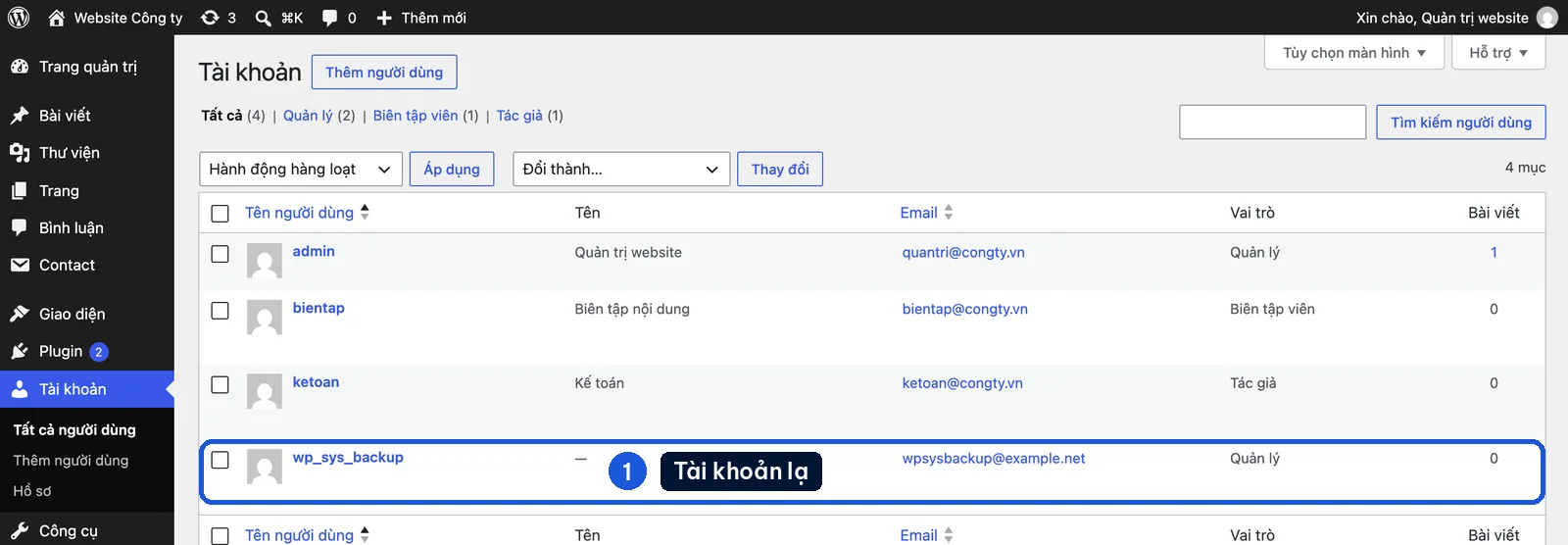
site:yourcompany.vninto Google shows strange pages: Japanese text, gambling, or pharmacy sales. - An unknown administrator account appears under Users in WordPress.
- The host locks the account because it found malware.
Note: a “Not secure” label in the address bar is usually an expired SSL certificate. A blank page after a plugin update is usually a conflict. Neither one means the site has been hacked. You can check SSL quickly with the free website checker.
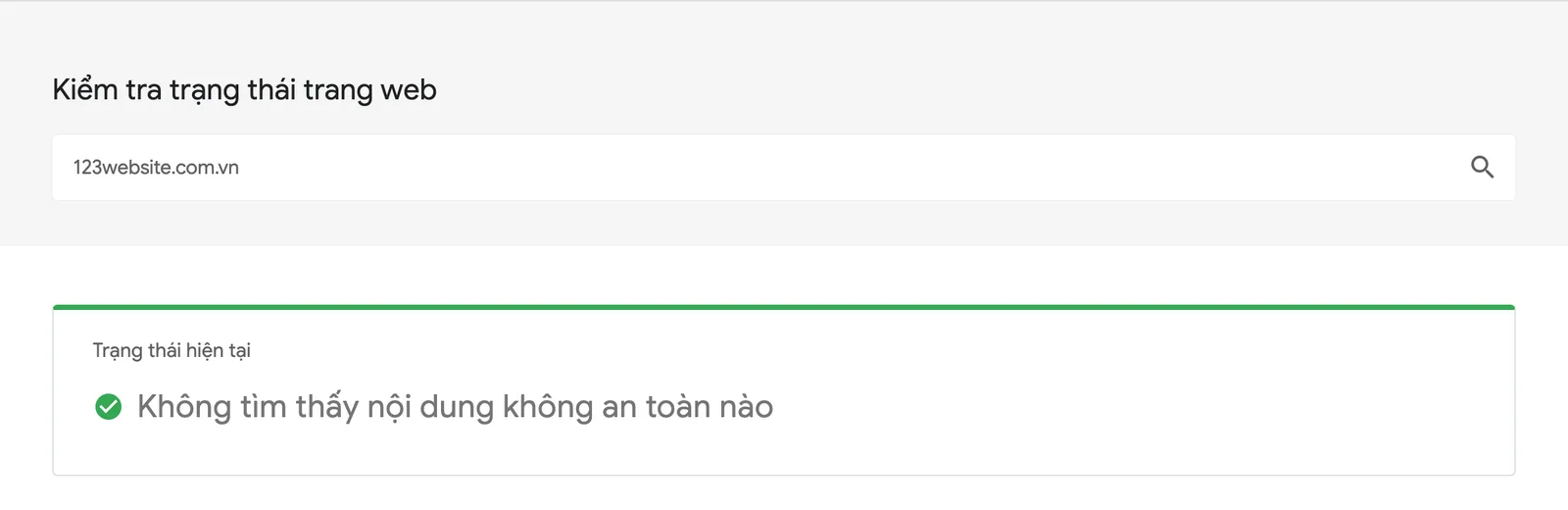
To be more sure, enter the domain on Google’s Safe Browsing site status check and see whether it is flagged as unsafe.
The first hour: contain the damage before you fix anything
The first four steps do not need deep technical skill. Finish them within a few hours, in this order.
Step 1: Record the signs, and do not delete anything yet
Screenshot the strange page and the warning, and note the time you found it, so a technician can trace the way in. Do not delete files or remove plugins yet. Deleting in a hurry only destroys the trail, and the backdoor (code that lets the attacker back in) is still in the source.
Step 2: Take the website offline if it is harming customers
If the site is sending customers to a scam page, take it offline or replace it with a maintenance page. A few hours of downtime is better than letting customers fall for it. Tell the host as well, so they can help lock it temporarily.
Step 3: Change the passwords and revoke access
Change them on a clean computer. Passwords often leak from the infected machine itself. Use a new password in each place:
- Hosting and FTP: the control panel, such as cPanel or DirectAdmin.
- The database: after you change it, update wp-config.php, or the site will show a connection error.
- WordPress: every Administrator account. Delete unknown accounts, and accounts of people who have left.
- Domain email, and the account at the domain registrar.
Step 4: Back up the site as it is, and keep the old clean copy
Back up the full source code and the database in the infected state, label it clearly as the infected copy, and store it separately. This copy keeps orders, new posts and the trail for the technician. Never restore it back onto the site.
Note: the host only keeps a limited number of backups, and the automatic schedule can gradually overwrite the last clean copy. Ask the host immediately, and download the copies from before the first sign.
The same day: clean the site, then patch the vulnerability
From this step on, someone who knows WordPress should do the work.
Step 5: Restore a clean copy, or clean the site in place
| Criterion | Restore a clean copy | Clean in place |
|---|---|---|
| Fits when | You have a backup from before the infection | You have no clean copy |
| Advantage | Fast, and you can be confident it is clean | Keeps orders and the newest posts |
| Risk | You lose data from after the backup date | A backdoor is easy to miss |
The backup itself may already be infected if the malware sat quietly for weeks, so pick a copy from before the first sign.
Step 6: Patch the vulnerability before you put the site back online
If the way in is still open, it will happen again within a few days, often in the same way.
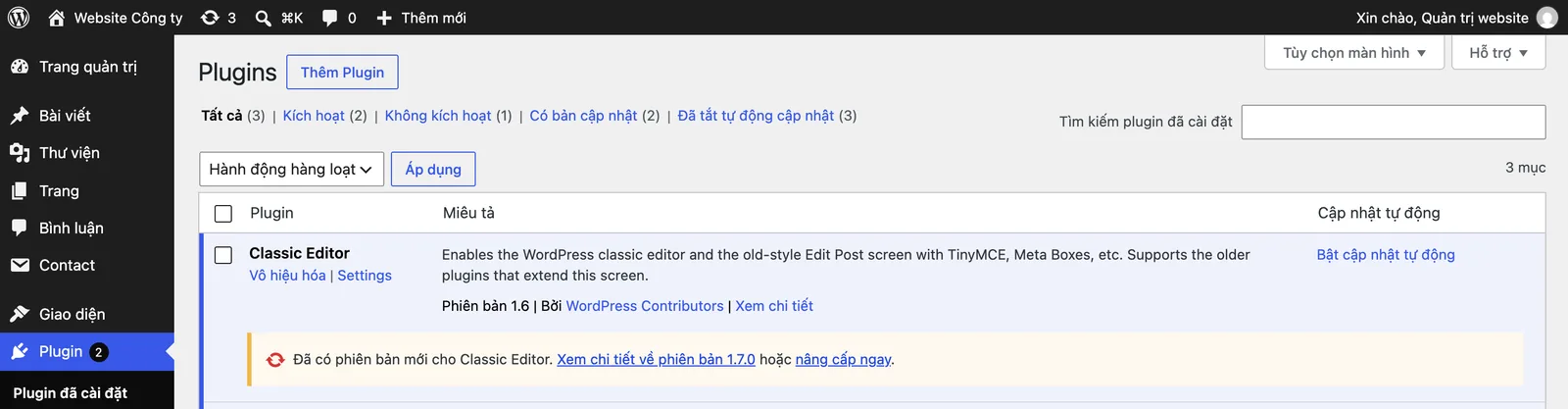
- Update WordPress core, the theme and the plugins to the latest version.
- Remove cracked (nulled) plugins and themes, and anything left un-updated for a long time. A cracked copy often comes with a backdoor already installed.
- Turn on two-factor authentication, and keep administrator access only for people who truly need it.
- Change the passwords again, in case the malware already recorded the new ones.
Finally, ask the technician: how did the malware get in? If that question has no answer, the job is not finished. Longer-term protection is covered in 7 ways to secure a website.
Put the hacked website back online, and ask Google to remove the warning
Step 7: Test it as a customer, then ask Google to review
Before you open the site fully, use a phone on 4G, in a private tab. Search the company name on Google and click through as a customer would. You are only done when the redirect is gone.
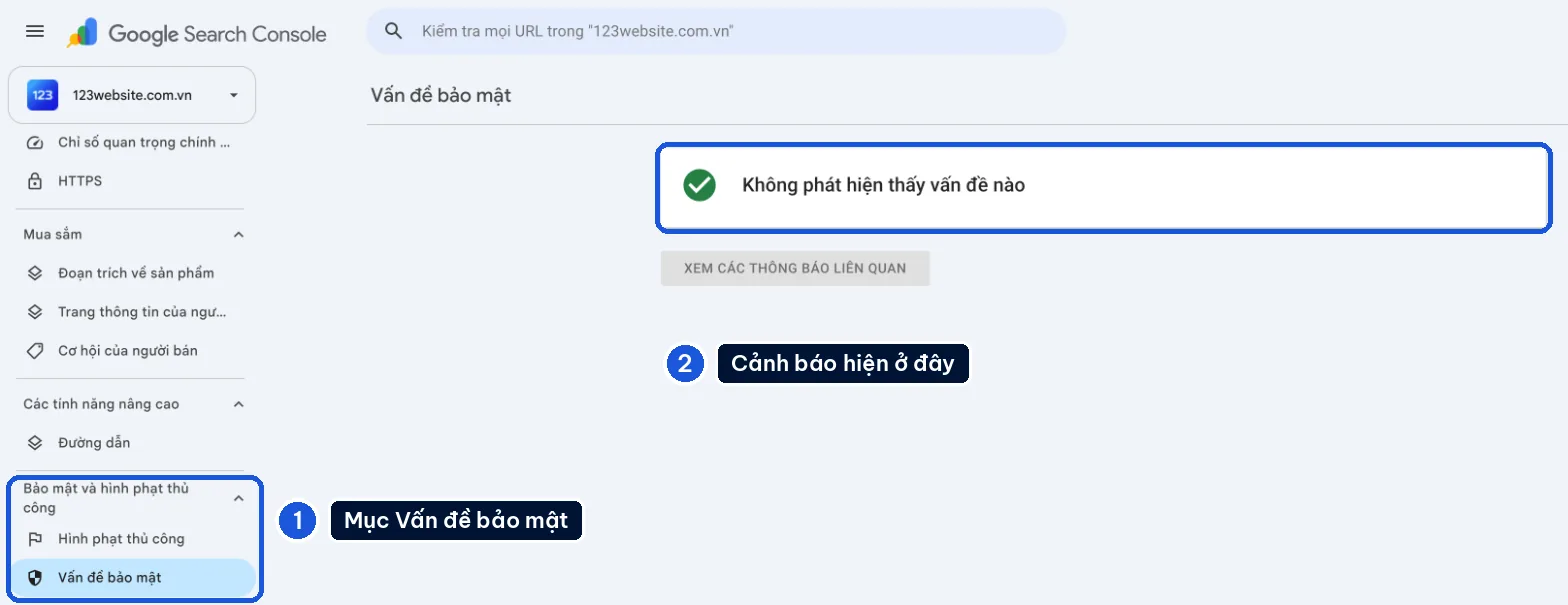
If Google has already added a warning:
- Open Google Search Console, go to Security & Manual Actions, and open the report that shows the warning.
- Send a review request in that same report. Keep it short: what the problem was, what you fixed, and what the result was.
- Make the spam pages return a 404 or a 410. Do not redirect them to the homepage. Then submit the sitemap again.
Google says the review usually takes a few days to a few weeks. If the real pages have dropped out of Google, see how to handle a website that has lost its index.
Malware often comes back through a backdoor that was left behind. For the first month, search site: once a week and check Users and Plugins again. Back up regularly, and keep an extra copy off the host, following the website backup guide.
When to hand it to a technician
You can do the first four steps yourself. Hand the cleaning to someone with experience when:
- There is no clean backup.
- The site has orders and customer accounts that must stay as they are.
- You cleaned it, and it came back a few days later.
- The host has already locked the account.
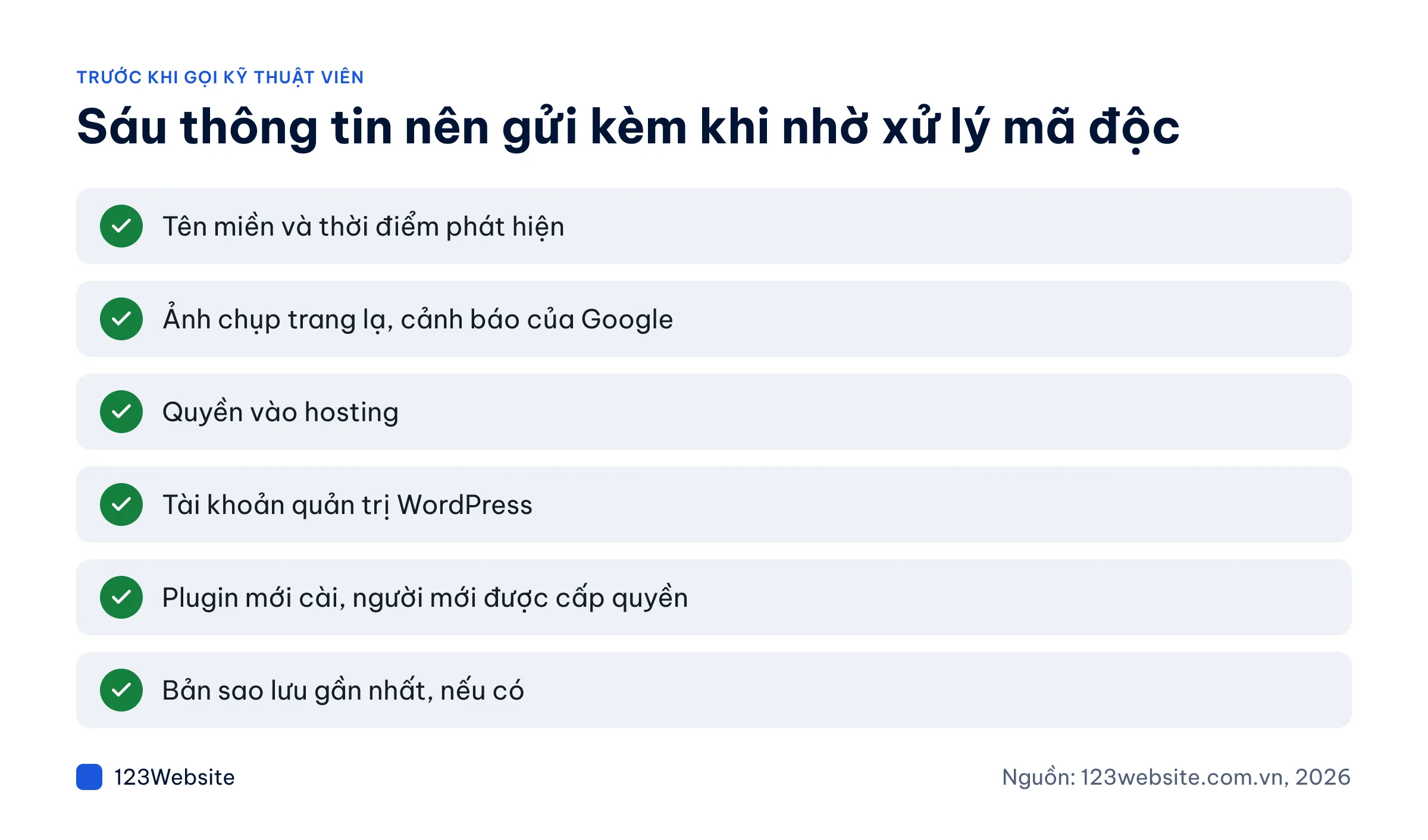
Send these six items up front to avoid back-and-forth. Send passwords through a separate channel, and change them again when the work is finished.
How 123Website can help
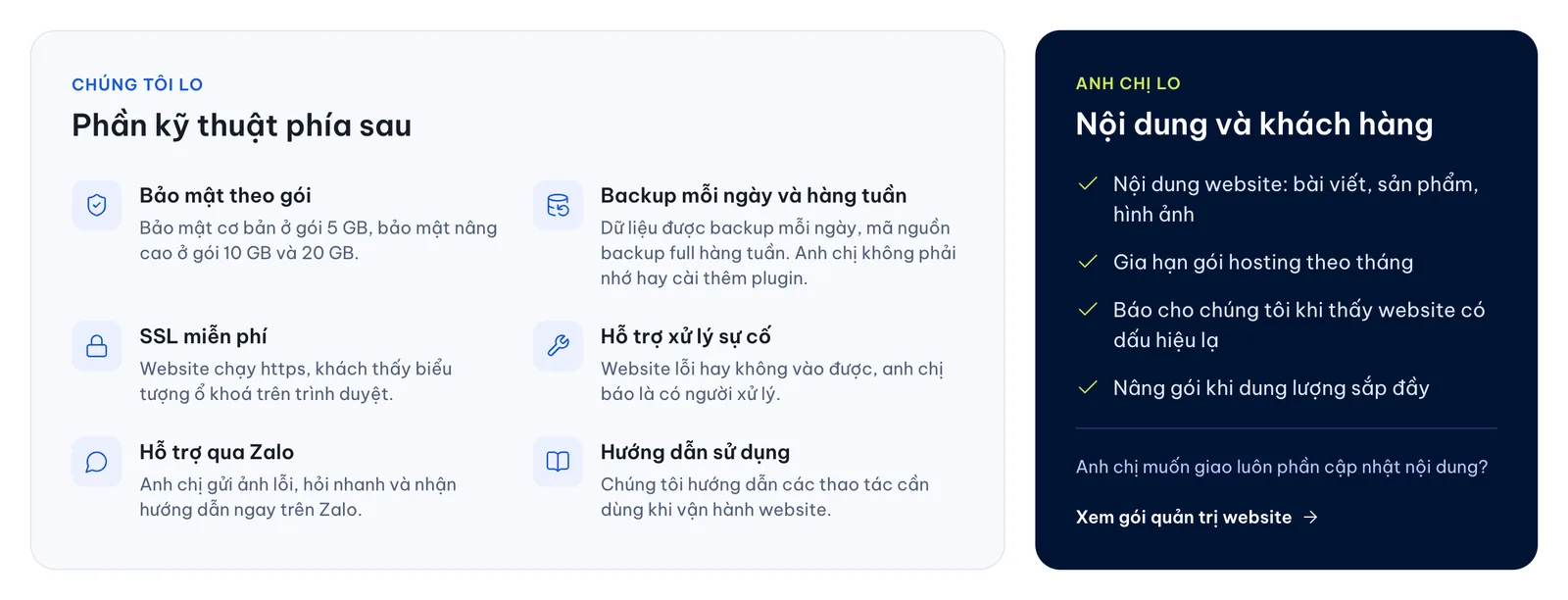
- A website built by 123Website and hosted with 123Website: covered by the warranty, plus lifetime support (with 123Website hosting). Data is backed up daily, and the source code weekly. To restore, call or message on Zalo (Vietnam’s most widely used messaging app) at 0932 092 002.
- Managed hosting: the 10 GB and 20 GB plans also include brute-force login protection and malware checks.
- Problems caused by installing plugins without following the proper process are not covered by the warranty. Work outside the scope is quoted before it starts.
- Website management plans: backups, updates and a monthly security check, from VND 2,200,000/month (QTV1).
- A very old site, or one on a cracked theme: rebuilding is often less costly than patching it indefinitely. A template website starts at VND 4.99 million (the GOLD package), and the first year of hosting is included. See the website design price list.
Common questions
How long does it take to fix a hacked website?
It depends on how far the infection has spread, and on whether a clean backup exists. Restoring a clean backup can be finished in a few hours. Cleaning the site in place usually takes longer. Google’s review, to lift the warning, adds anywhere from a few days to a few weeks.
Can a hacked website be recovered?
Usually, yes, if you still have access to the hosting or a clean backup. Losing the WordPress administrator account does not mean the site is lost, because someone with hosting access can create the account again. You have to rebuild from scratch only when both the hosting account and the backups are gone.
Is a security plugin enough?
Not on its own. A security plugin helps block password guessing and scan for malware, but it does not replace updates, strong passwords and regular backups. On a site that is already infected, a plugin scan is only a secondary step, because a carefully written backdoor can still slip through.
Does a hacked website affect SEO?
Yes. A warning on Google makes people hesitate to click, and injected spam pages can take the place of the real pages in search results. Once the site is clean and the warning is removed, visits usually return gradually. There is no fixed timeline.
Order matters more than speed
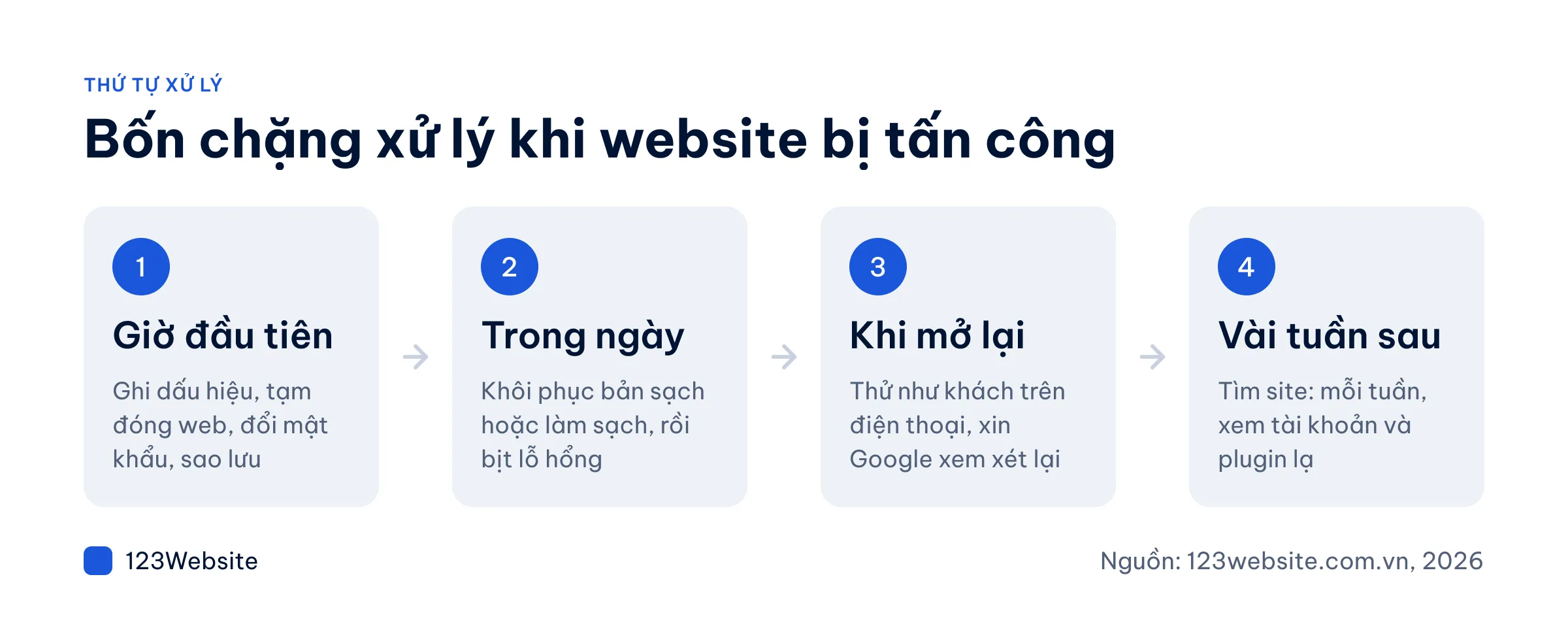
A hack is not the same as losing everything. Extra damage usually comes from rushing: deleting files before the backup, restoring before the passwords are changed, or putting the site back online while the vulnerability is still open. Over the longer term, one website maintenance session a month helps catch problems early.
If the website is showing strange signs, call 0932 092 002 during working hours and we will look at it with you, or leave your details on the consultation request page.
Jollie specializes in business digitalization, advising on digital solutions and management software suited to each stage of a company's growth. With more than 5 years of experience running online marketing for…