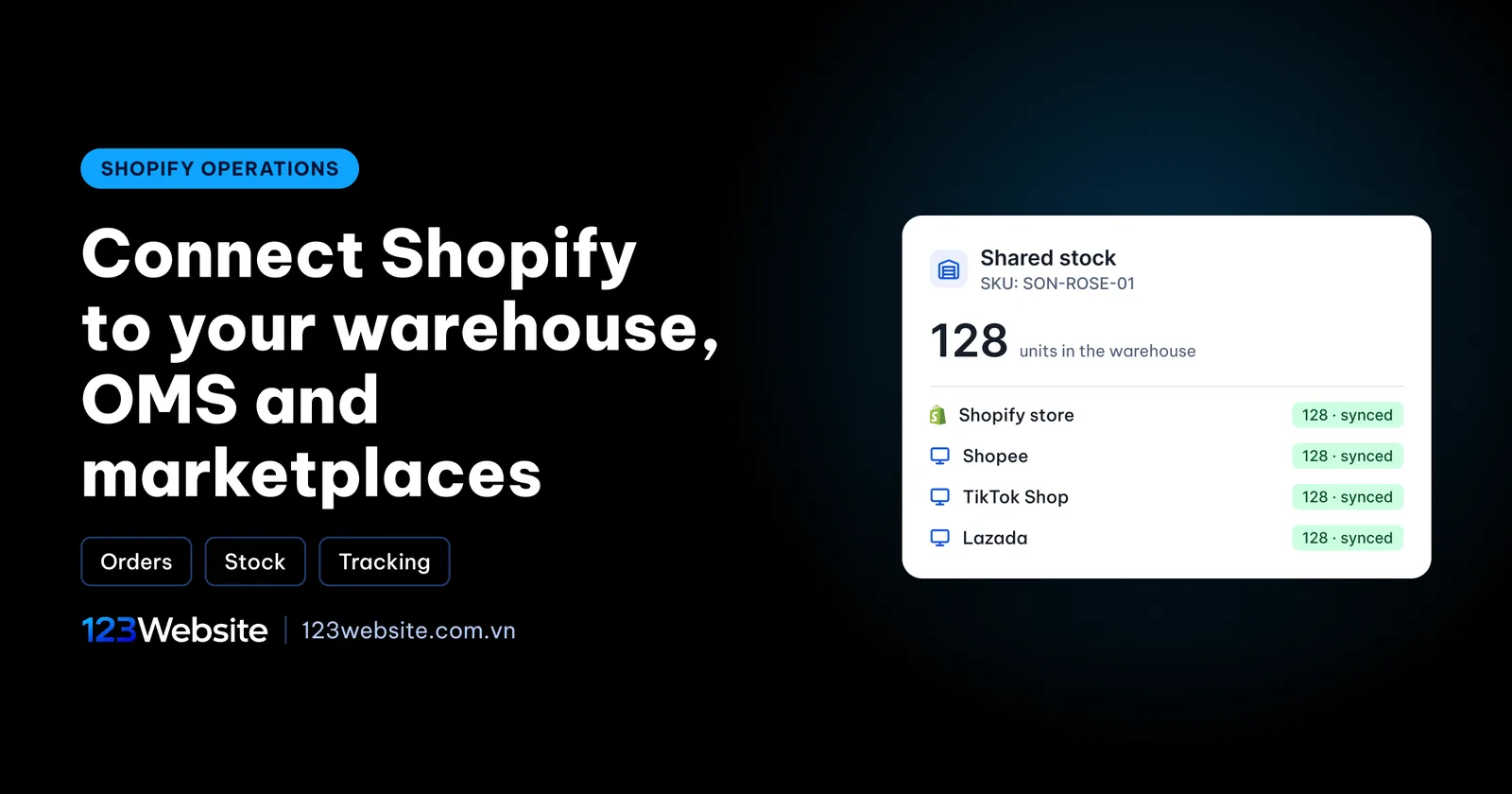
A brand sells on Shopee, TikTok Shop and its own Shopify store at the same time, with stock held in an outsourced warehouse. Every morning someone copies orders from Shopify into the warehouse software, every afternoon someone corrects stock on each channel, and still, every week, a customer orders something that has already sold out. Connecting Shopify to the warehouse and an OMS properly puts an end to that. This guide walks through it piece by piece: what an OMS is, the ways to connect, what to ask your warehouse and the steps to follow.
Quick summary
- The goal: orders from every channel reach the warehouse on their own, stock is one shared number, and tracking flows back automatically.
- Three routes: a marketplace connector app, an OMS with a Shopify connector, or a custom integration through the API.
- What decides success: matching SKUs across every system and test orders before going live.
Why multichannel order sync matters
When you sell on a single channel, Shopify’s built-in order management is enough: the customer orders, you pack, you ship, you mark it fulfilled. Problems start when the same stock is sold in several places. Each channel keeps its own stock count, and if nothing ties them together you update them by hand after every order. Forget once, and a marketplace customer buys an item the website has just sold out of.
The damage goes beyond one cancelled order. On marketplaces, cancellations for being out of stock usually count against the shop’s performance score. On the website, a customer who has already paid by bank transfer and then hears there is no stock loses both the item and their trust in you. Keying orders by hand from Shopify into the warehouse system also leads to wrong addresses, shades and quantities, mistakes that are hard to trace once you handle dozens of orders a day.
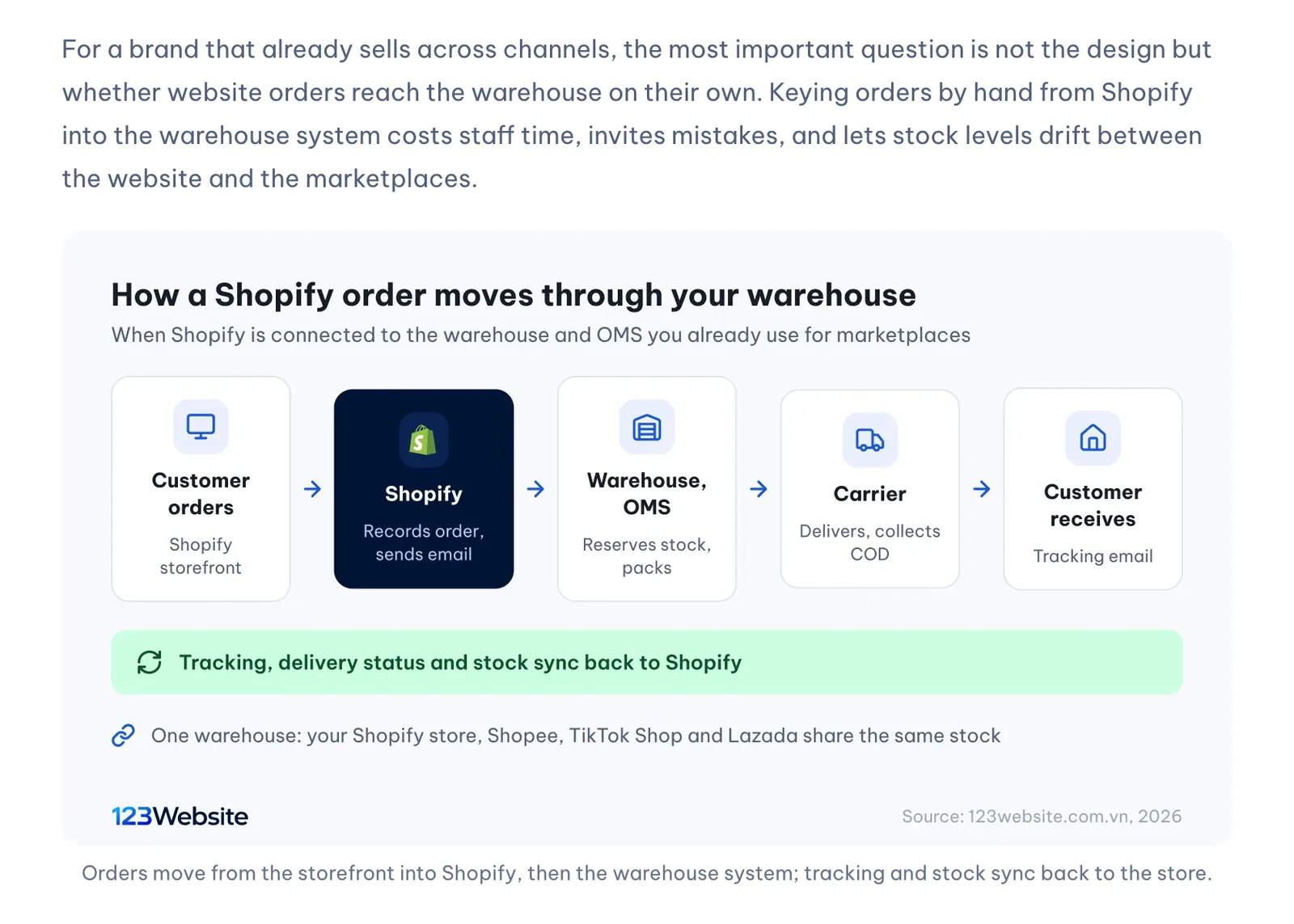
Connecting the store to the warehouse fixes exactly this: website orders flow to wherever they are picked, stock is deducted once for every channel, and tracking numbers and delivery status come back to Shopify so customers get tracking emails. Staff only deal with exceptions instead of copying orders all day.
What is an OMS, and how is it different from a WMS?
Before choosing how to connect, it helps to separate three kinds of software that are often mentioned together, because each does a different job and many businesses use all three.
An OMS (order management system) pulls orders from every sales channel into one place: the Shopify store, Shopee, TikTok Shop, Lazada, orders from Facebook or Zalo. It decides which warehouse handles which order, tracks delivery, handles cancellations and returns, and keeps a shared stock count that it pushes back to every channel. In other words, the OMS is the order dispatcher.
A WMS (warehouse management system) handles what happens inside the warehouse: which shelf each item sits on, what comes in and goes out, and how orders are picked and packed. Outsourced fulfilment providers usually run their own WMS, and many give merchants an OMS login so they can follow their own orders.
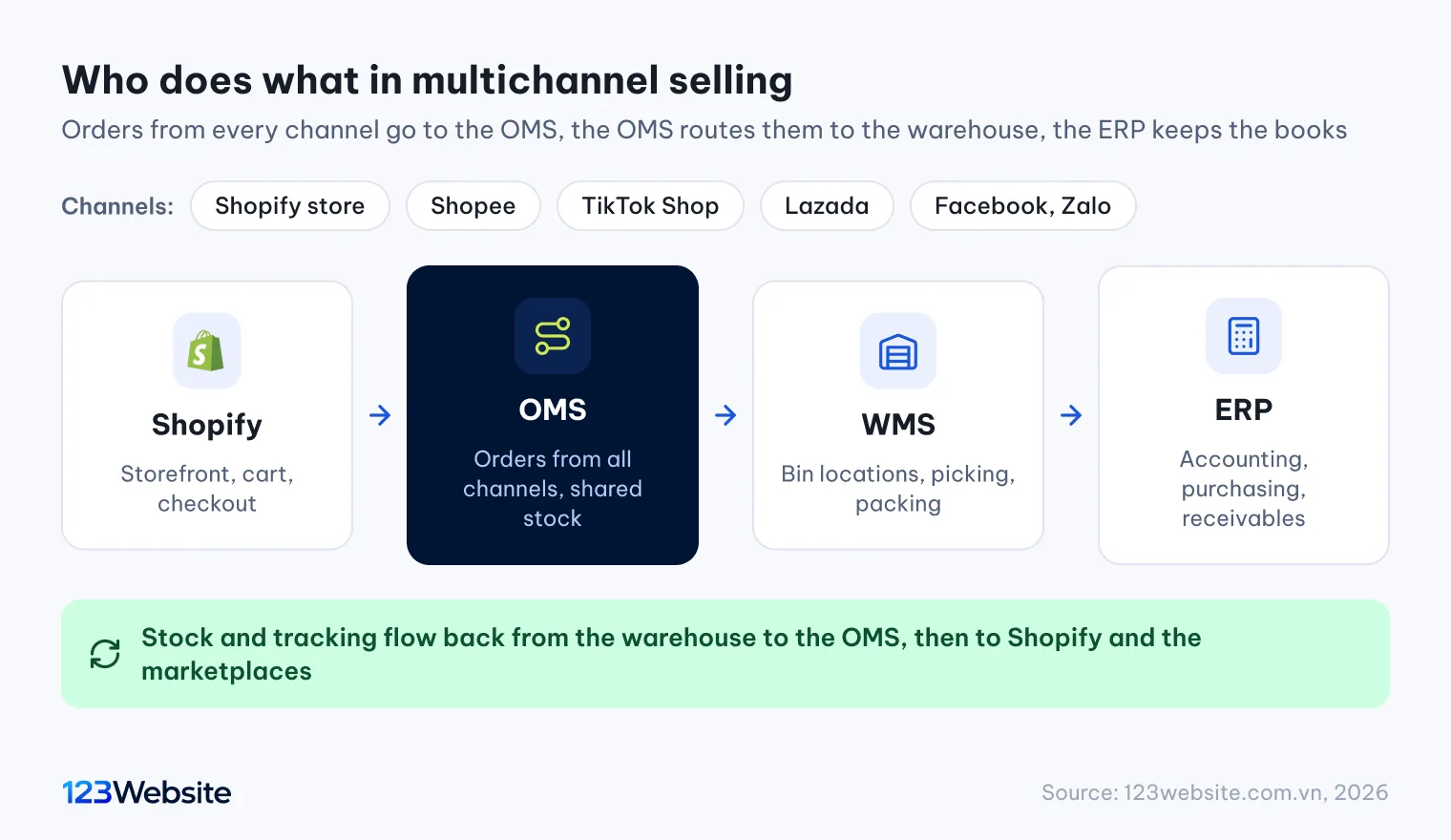
An ERP (enterprise resource planning) system runs the wider business: accounting, purchasing, HR and receivables. It usually takes order and stock data from the OMS or WMS for bookkeeping and rarely receives orders straight from Shopify. The table below sums up each system’s role:
| System | What it handles | Who usually uses it |
|---|---|---|
| Shopify | Storefront, cart, checkout, orders placed on the website | Sales and marketing |
| OMS | Orders from all channels, routing to warehouses, shared stock, returns | Order operations |
| WMS | Bin locations, inbound and outbound, picking and packing | Warehouse staff, fulfilment providers |
| ERP | Accounting, purchasing, receivables, management reports | Accounting, management |
Which data needs to sync between Shopify and the warehouse?
A complete connection does more than send orders out; several kinds of data have to move in both directions. Knowing the list in advance helps you ask the warehouse the right questions.
From Shopify to the warehouse, the most important item is each new order: customer name, phone number, address, products, quantities, payment method and the amount to collect if it is cash on delivery. Cancellations on Shopify must reach the warehouse too, or it will pack and ship the order anyway. If the warehouse has special handling, customer notes such as delivery times or gift wrapping should travel with the order.

In the other direction, three things need to come back from the warehouse to Shopify: real stock levels after every inbound or outbound movement; the tracking number and carrier once a parcel ships; and the delivery status, whether delivered or returned. When the tracking number reaches Shopify, the order is marked fulfilled and the customer receives a tracking email. If the connection only sends orders out and brings none of this back, staff are still updating things by hand.
Finally there is the product catalogue. Products are usually created in Shopify, and the warehouse only needs the SKU, name and weight. Some OMS platforms work the other way round: you create products once in the OMS and push them to Shopify and the marketplaces. Either approach works, as long as there is one single source of truth.
Three ways to connect Shopify to your warehouse and marketplaces
Depending on your size and the systems you already use, there are three main routes. Each has different costs and flexibility, and none is right for every business.
A marketplace connector app from the Shopify App Store
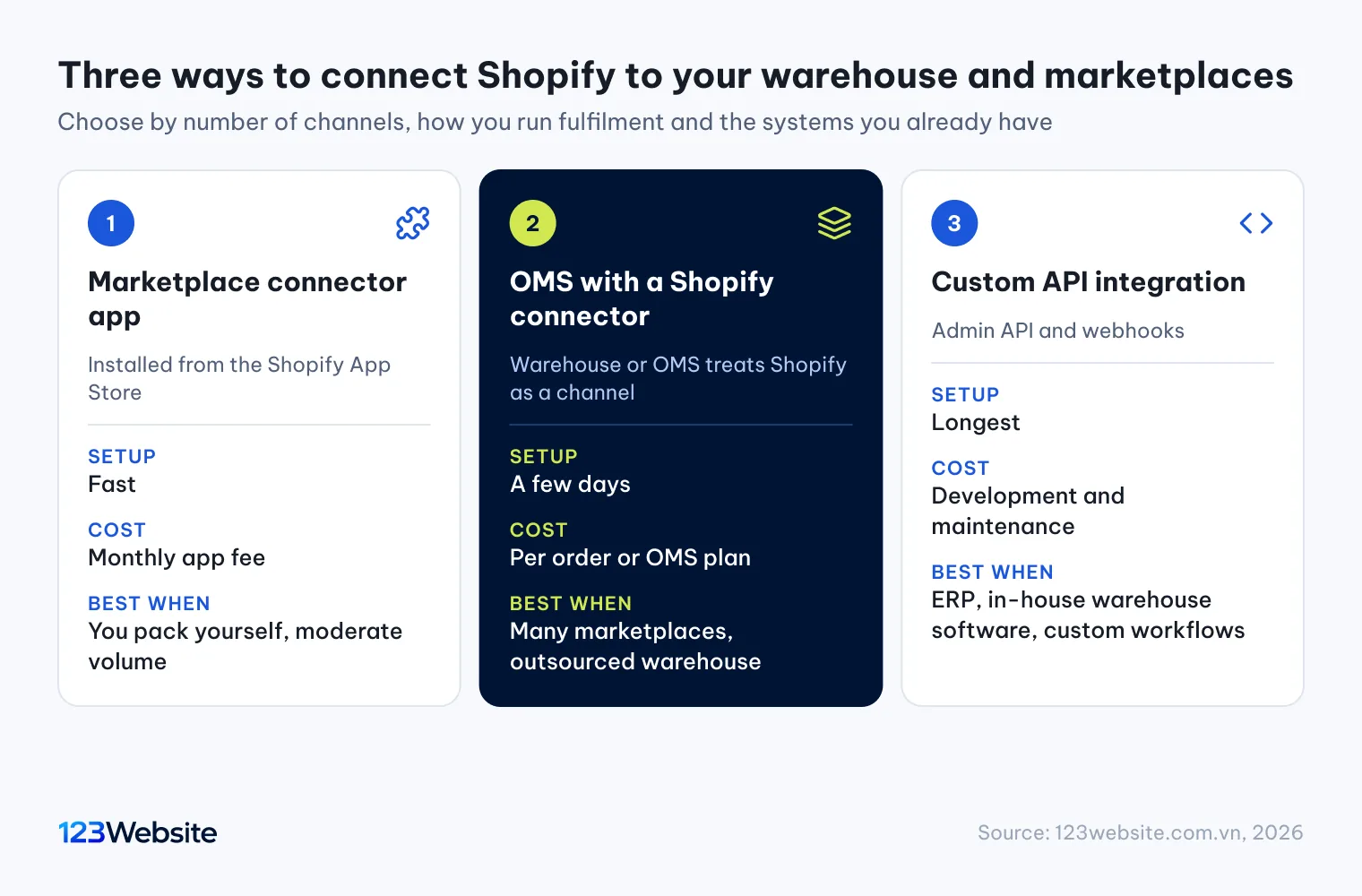
The quickest route is installing a marketplace connector from the Shopify App Store. Searching “Shopee”, “Lazada” or “TikTok Shop” returns many apps that sync products and stock and pull marketplace orders into Shopify. Shopify then becomes the shared order hub, and marketplace stock is deducted from Shopify’s count. This suits stores that pack their own orders, handle moderate volumes and do not yet use an outsourced warehouse.
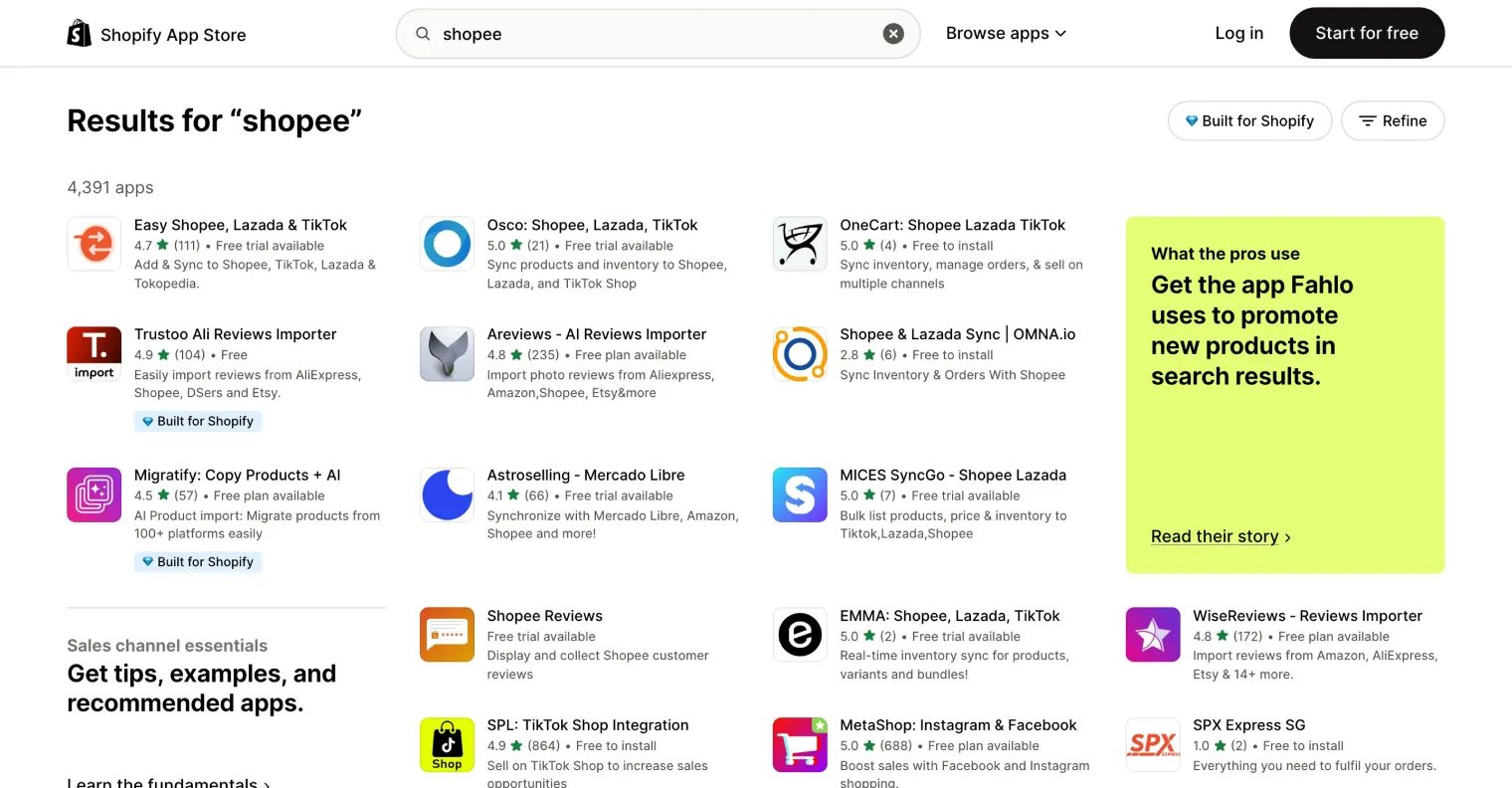
The catch is that each app syncs something slightly different: some only push stock, some also pull orders, some handle returns and some do not. Most charge a monthly fee based on orders or products. Read the feature list and reviews carefully, use the free trial, and place a few real orders before dropping your old process.
An OMS or a Shopify fulfillment service
Once you sell on several marketplaces and use an outsourced warehouse, an OMS is usually the better choice. Many OMS platforms and fulfilment providers in Vietnam already offer a Shopify connector: you grant the OMS access to your store, map the SKUs, and Shopify orders arrive in the OMS just like marketplace orders. The OMS then routes orders to the warehouse, gets tracking numbers, reconciles COD and pushes shared stock to every channel.
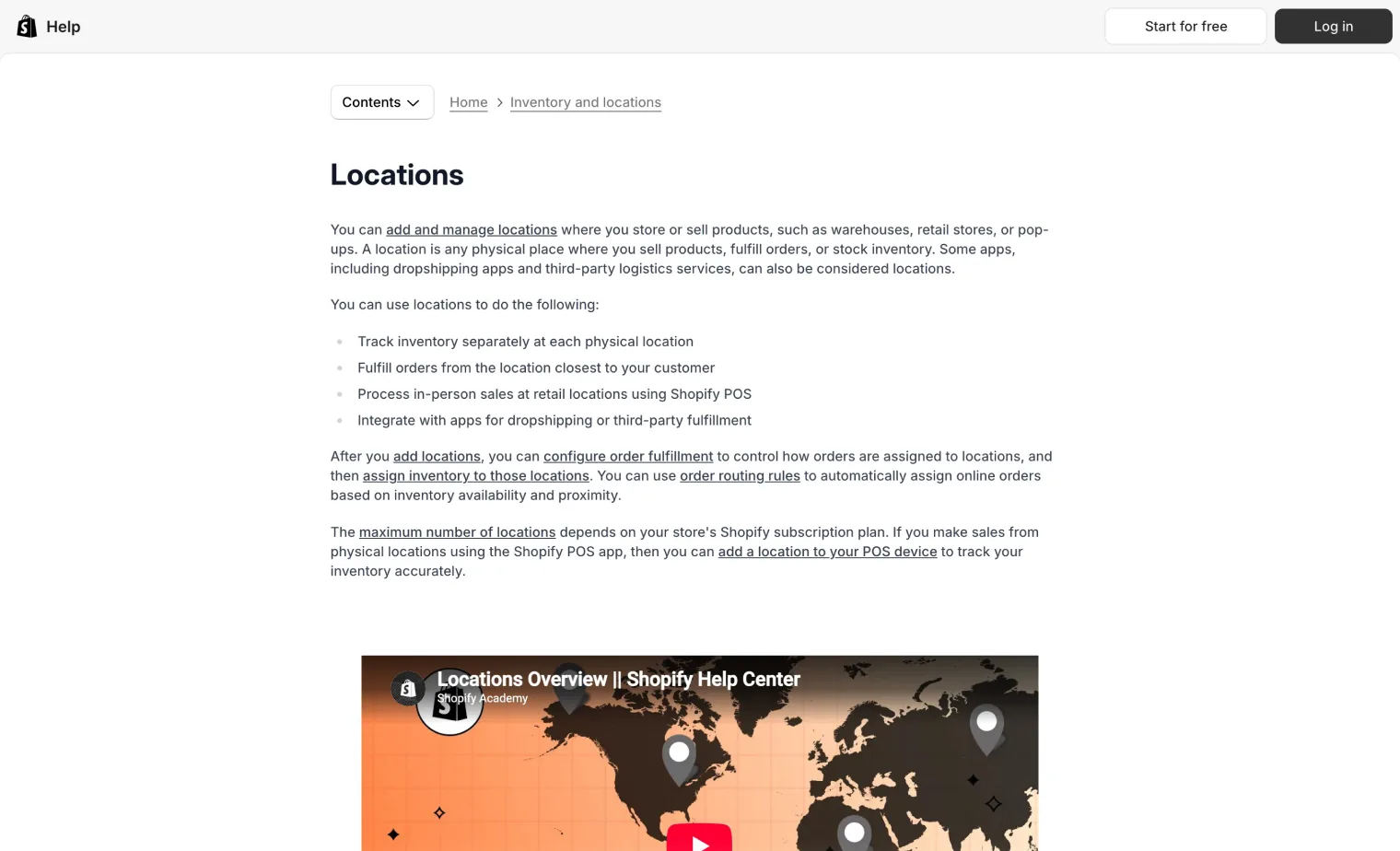
In Shopify, an outsourced warehouse usually appears as a location with its own stock, or as a fulfillment service that receives fulfilment requests and returns tracking numbers. According to Shopify’s help center on locations, each location holds its own inventory and you choose which locations fulfil online orders. Knowing this helps you read the OMS documentation properly: which location it uses, and where that location’s stock comes from.
A custom integration through the Shopify API
When the warehouse system, ERP or in-house software has no Shopify connector, you can build a private app that links the two through Shopify’s Admin API and webhooks. A webhook is Shopify notifying another system whenever something happens, such as a new order or a cancellation, so data moves almost instantly. This is the most flexible option and can follow your exact workflow, but it costs more to build and maintain.
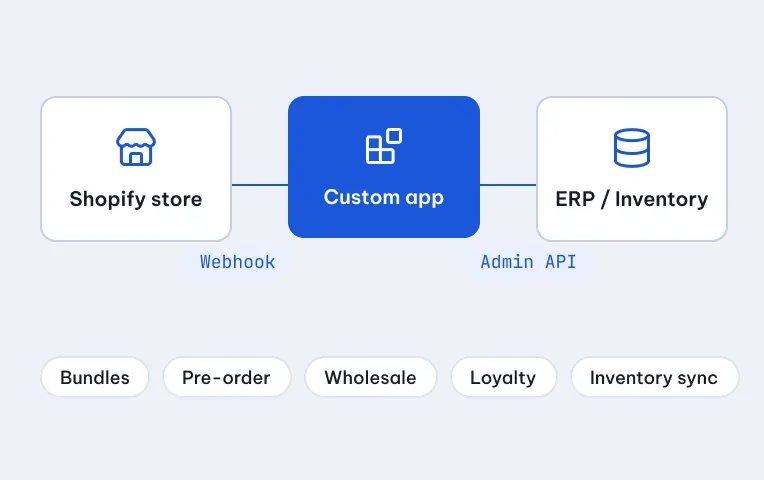
Choose a custom integration only when the first two routes fall short, for example when prices must follow dealer price lists in the ERP or the warehouse runs software built in-house. Before starting, you need the warehouse system’s API documentation and a technical contact on their side.
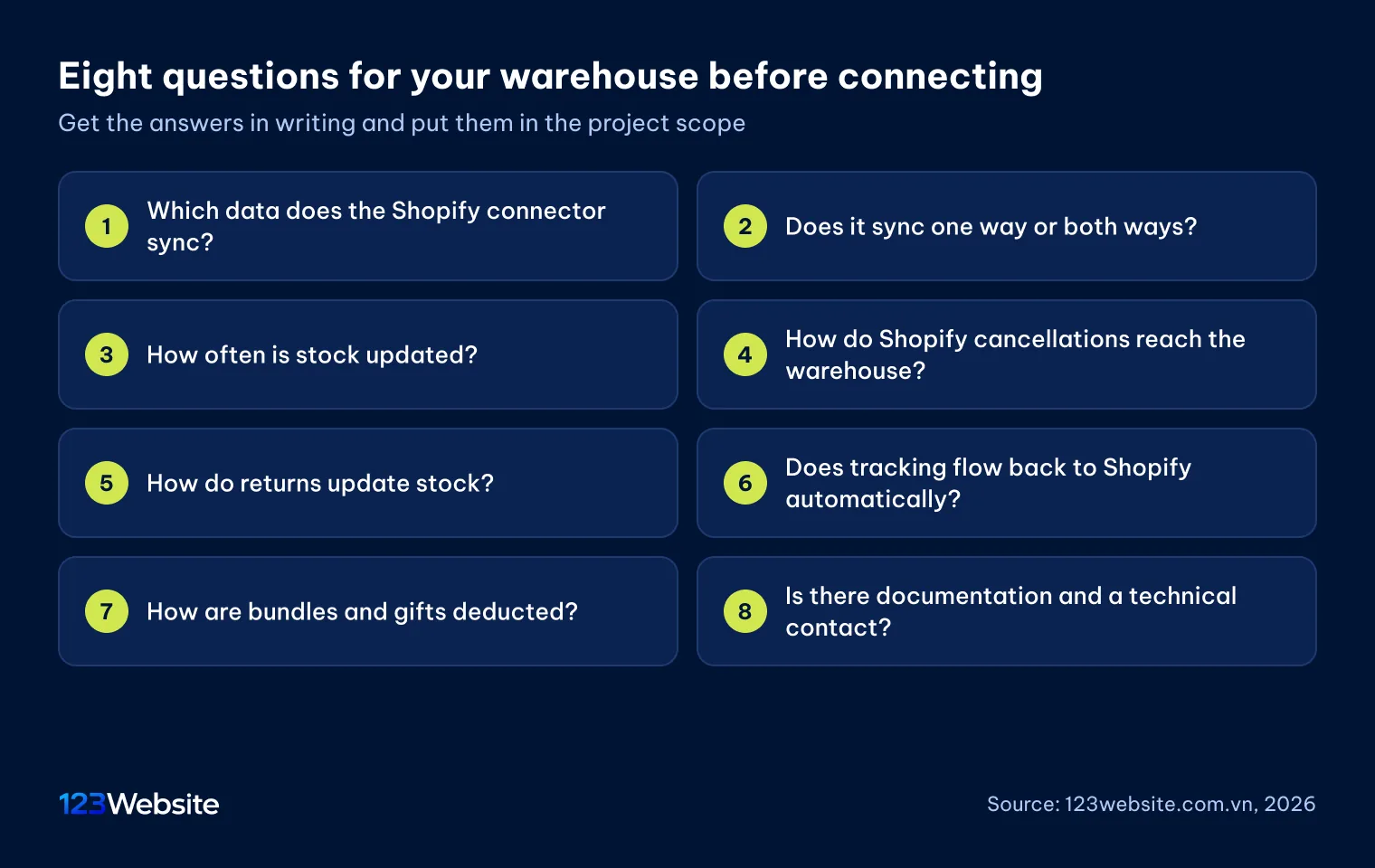
The 123Website view: We recently worked with a local brand that already used an outsourced warehouse. Its warehouse system listed Shopify among its integrations, but the public documentation did not say what it actually synced. So before quoting, we sent the warehouse a specific list of questions about orders, stock, tracking and returns, then wrote the confirmed scope into the specification. Anything the warehouse did not support was flagged to the client at the start, not at handover.
Syncing Shopify stock with Shopee, TikTok Shop and other marketplaces
Stock sync is where most errors happen when connecting Shopify with Shopee, TikTok Shop and other marketplaces, because the same item can be ordered on two channels within the same minute. Understanding how the systems count stock helps you avoid overselling.

The basic rule is that only one place holds the master stock number, usually the warehouse or the OMS, and every channel simply receives that number. If Shopify, the marketplaces and the warehouse can all edit stock, the numbers will keep overwriting each other. Ask about the sync interval as well: some systems update as soon as an order comes in, others only every few minutes or hours. For fast-selling items, long intervals are a common cause of cancellations for being out of stock.
Many OMS platforms let you hold back safety stock, pushing a number slightly lower than the real one to the channels. When stock runs low, that buffer stops two channels selling the last unit. For big marketplace campaigns, you can also allocate a fixed quantity to the marketplace so the website does not run out along with it.
SKUs: the small detail that decides whether the connection works
Every link between Shopify, the OMS and the warehouse relies on SKUs to know both sides mean the same item. If the codes differ, orders still reach the warehouse but cannot be matched to real stock, and inventory is not deducted correctly.
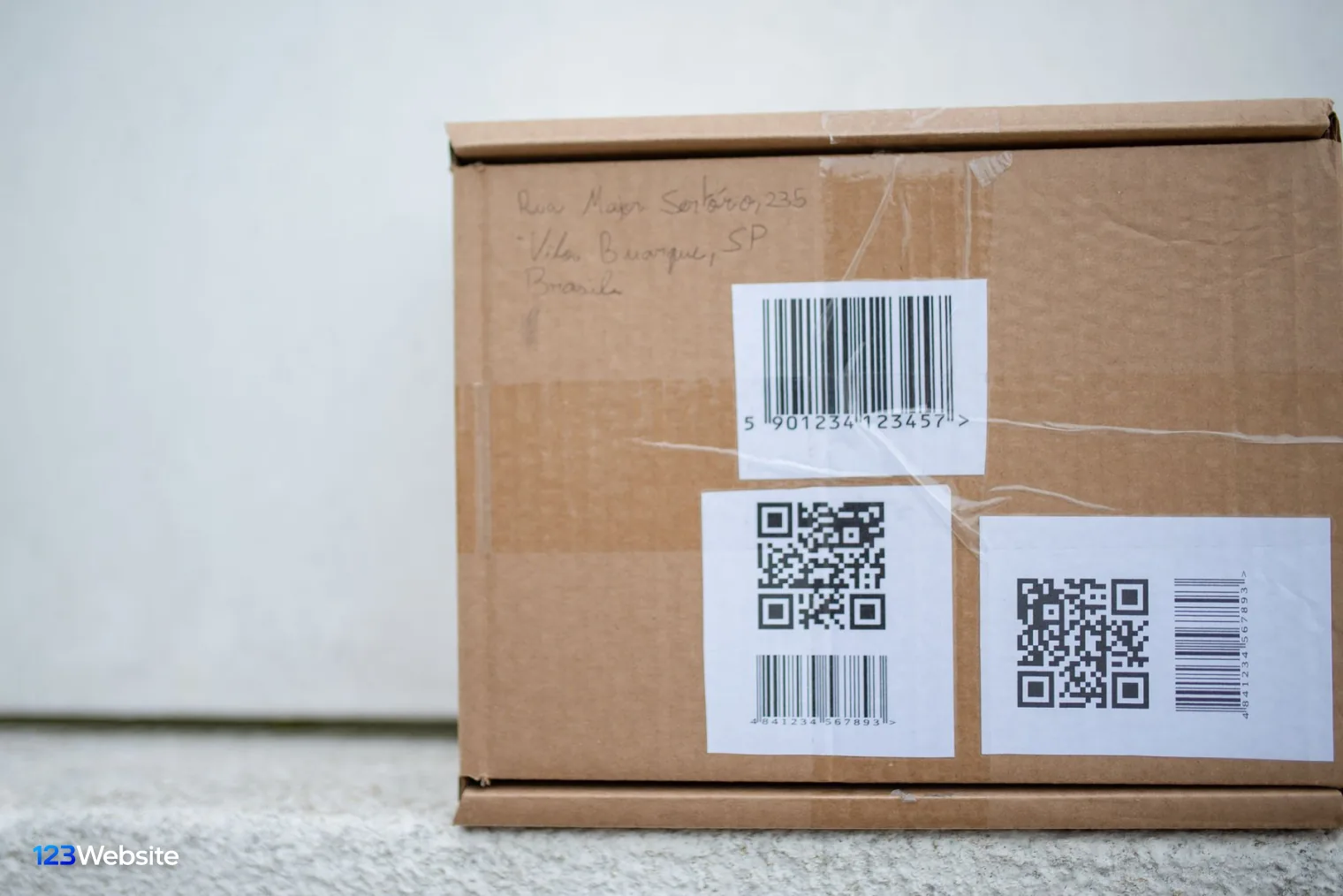
Each variant needs its own SKU: one lipstick shade is one code, one shirt size is one code. The code must be identical in Shopify, the OMS, the warehouse and the marketplaces, down to capital letters and hyphens. If each channel used its own codes in the past, build a mapping table before connecting, pick one standard set and update every channel to match. It takes effort once but saves errors for a long time.
Bundles and gifts need special handling. A website bundle of three products means the warehouse must deduct three component SKUs, not a bundle code that does not physically exist. Ask the OMS how it handles bundles before you sell them, and place at least one test bundle order.
Steps to connect Shopify to your warehouse and OMS
Whichever route you choose, follow the order below to catch mistakes early without disrupting sales.

- Agree the sync scope with the warehouse: which data moves which way, how often, and how cancellations and returns work, all in writing.
- Standardise SKUs: one code per variant, identical across every system, with a mapping table if needed.
- Grant access: install the app or authorise the OMS to access the Shopify store using the company’s own account.
- Set up the location and stock: choose the warehouse location in Shopify, push opening stock from the warehouse and check it against real counts.
- Match payments and shipping to the warehouse: COD orders must carry the correct amount to collect, and Shopify shipping rates should reflect the warehouse carrier’s real costs.
- Place every type of test order: COD, bank transfer, a bundle, a cancellation and a return; check that each reaches the warehouse and that tracking comes back.
- Run in parallel for a few days before switching off the old way: watch orders and stock daily and fix any drift before scaling up ads.
Step six is often rushed: one successful order and the job is called done. In practice, errors hide in cancellations and returns, the cases nobody tests until a real customer triggers them.
Common mistakes when connecting Shopify to a warehouse
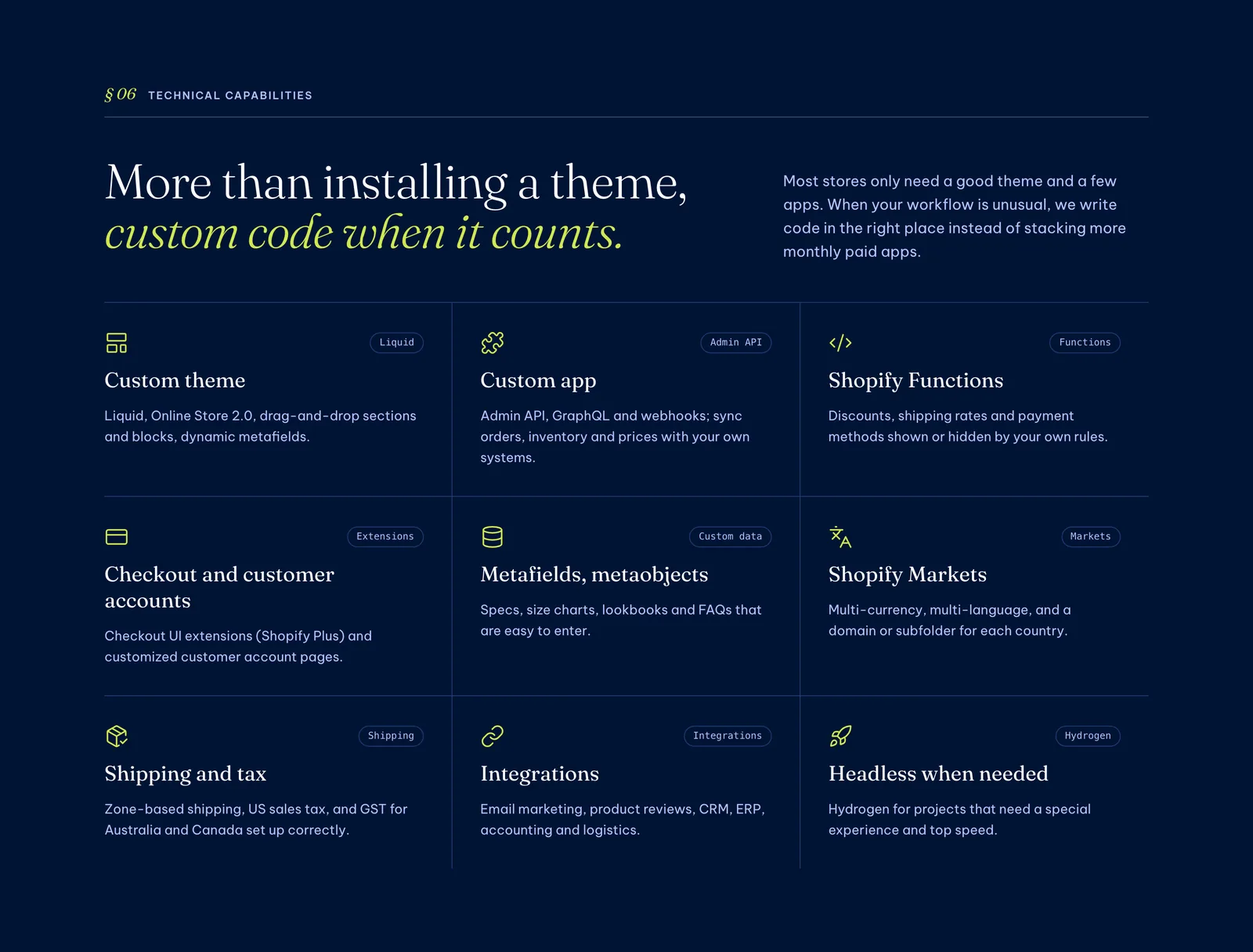
Most problems after connecting come not from the software but from how it is set up and run. A few mistakes to avoid:
- Letting several places edit stock, so numbers in Shopify, the marketplaces and the warehouse overwrite each other.
- Not passing cancellations to the warehouse, so it still packs and ships, paying shipping both ways.
- Using different SKUs across channels, so orders reach the warehouse without matching products.
- Running a marketplace connector app and an OMS for the same job, so both compete to deduct stock.
- Connecting with a staff member’s personal account, so access is lost when that person leaves.
All of these are avoidable if the scope is written down at the start and every order type is tested. If you run several channels and nobody checks the connection daily, a website maintenance plan can cover regular checks.
What connecting Shopify to a warehouse and OMS costs
The cost has three parts, and it is worth estimating each to compare the routes. First is software: marketplace connector apps usually charge monthly in Shopify, OMS platforms charge per order or by plan, and outsourced warehouses often bundle the OMS into storage and handling fees. Second is setup work: granting access, mapping SKUs, setting locations and placing test orders. Third applies only to custom integrations: development and ongoing maintenance whenever either system changes.
For a new store, the connection is best quoted together with the store build so the work is done once. For a first estimate of what a sales website costs in general, try the website cost calculator. How Shopify charges plan and transaction fees when selling in Vietnam is covered in detail in Shopify in Vietnam: selling locally, payments and costs.
Shopify integration by 123Website
If you are building a new Shopify store or need to connect an existing one to your warehouse, 123Website offers Shopify website design including warehouse and OMS integration. We confirm the sync scope with the warehouse before quoting, standardise SKUs, set up locations, place test orders and hand over with training. If you need a WordPress website instead, see our website design pricing and website design process.
Frequently asked questions
Does Shopify connect to Shopee and TikTok Shop on its own?
No. Shopify does not connect to marketplaces in Vietnam out of the box, so you need a marketplace connector from the Shopify App Store or an OMS that supports both Shopify and the marketplaces. Orders from every channel then arrive in one place and stock is deducted once.
How is an OMS different from Shopify’s built-in order management?
Shopify only manages orders placed on Shopify. An OMS collects orders from the website, marketplaces and social channels, routes them to the warehouse, tracks delivery and keeps one shared stock count. For one channel Shopify is enough; for several, an OMS saves a lot of work.
How long does it take to connect Shopify to a warehouse?
If the warehouse or OMS already has a Shopify connector, setup, SKU mapping and test orders usually take a few working days. A custom API integration takes longer and depends on the warehouse system’s technical documentation.
Is stock sync instant?
It depends on the connection. Some systems push stock almost as soon as it changes, others only every few minutes or hours. When items sell fast across several channels, long intervals easily lead to overselling.
Can I sell on several channels with Shopify without an OMS?
Yes, while volumes are small: use a marketplace connector to share stock and process orders in Shopify. Once volume grows or you use an outsourced warehouse, picking, printing labels and reconciling COD by hand takes too many people, and it is time for an OMS.
One order flow, one stock number
Connecting Shopify to your warehouse, OMS and marketplaces is worth doing as soon as you sell on two or more channels. Choosing the right route, standardising SKUs and testing every order type are what decide whether the connection runs smoothly.
If you would like someone to look at the warehouse system you use and suggest the right way to connect, we are happy to talk on +84 932 092 002 (phone, Zalo or WhatsApp), or you can leave your details on our contact page. You can also browse our past projects and website design services first.
Jollie specializes in business digitalization, advising on digital solutions and management software suited to each stage of a company's growth. With more than 5 years of experience running online marketing for…