
Availability and an instant estimate
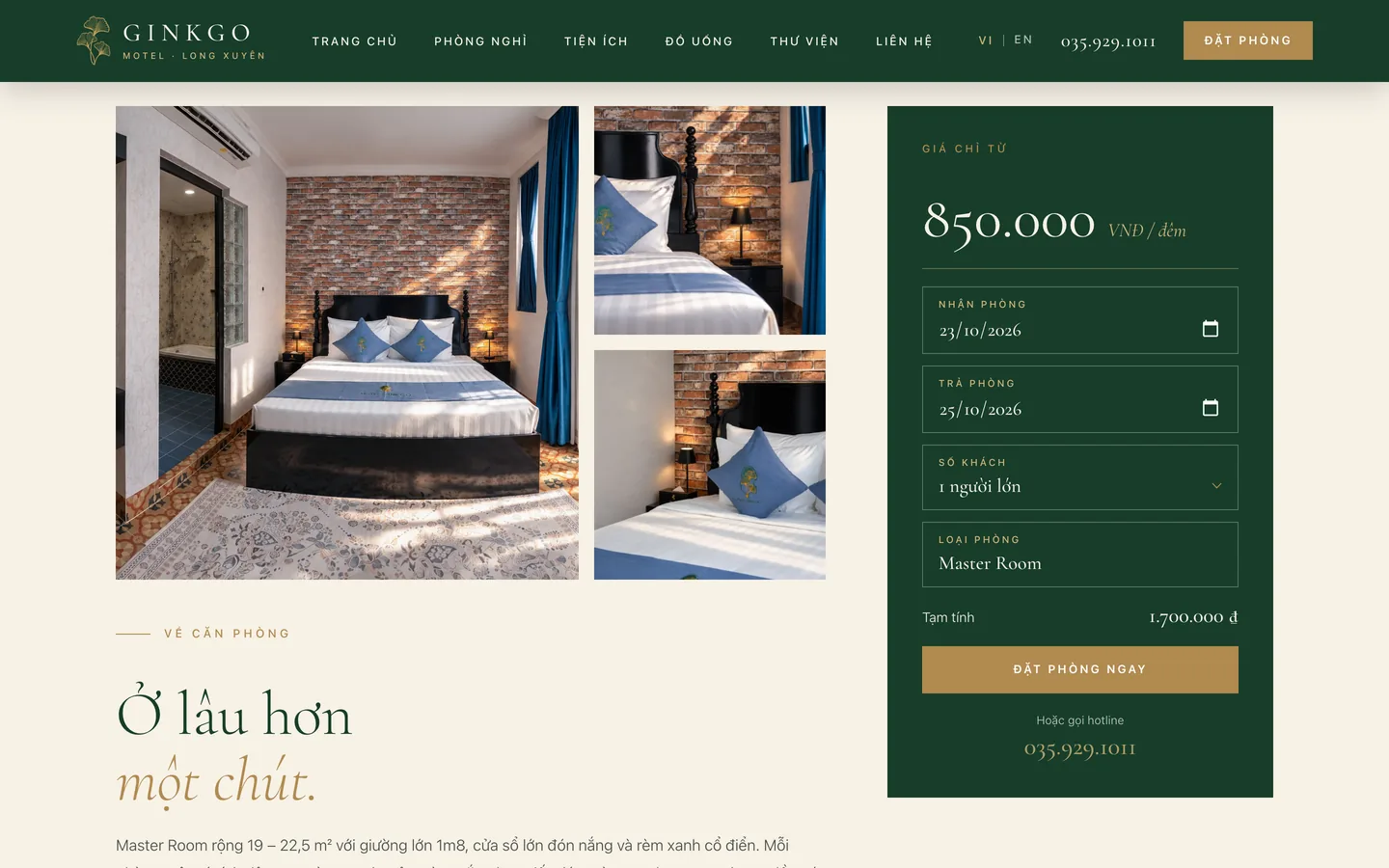
Change the dates and the estimate changes with them. The system checks that the room is free for the dates the guest chose before it goes on the order.

 Accommodation · Booking website
 Ginkgo Motel is a boutique motel in the center of Long Xuyen. 123Website built a website that takes bookings directly: choose the dates, see availability and an estimate by the number of nights on the page, confirm the booking, then pay at check-in, with an English version for international guests.
Clients
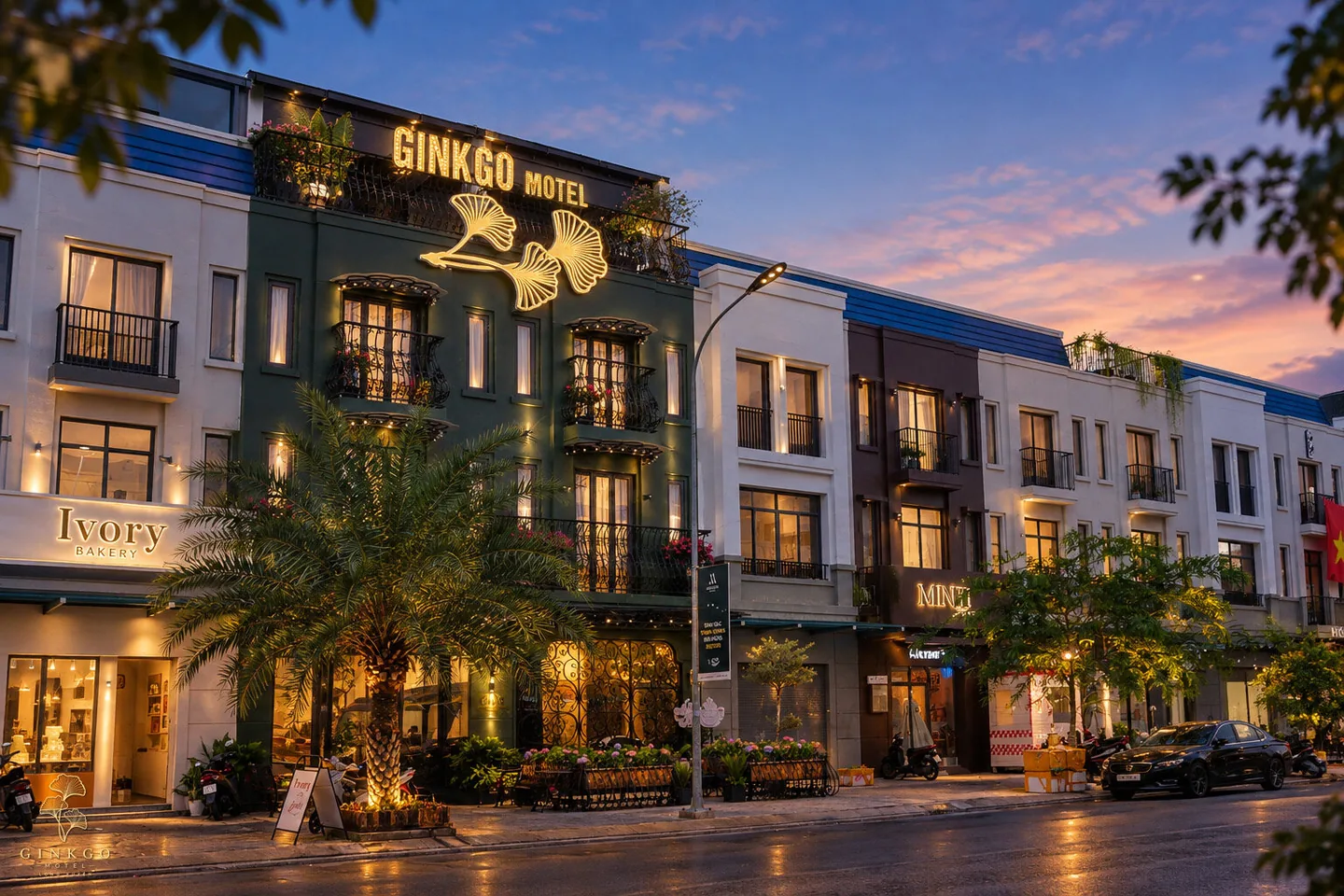
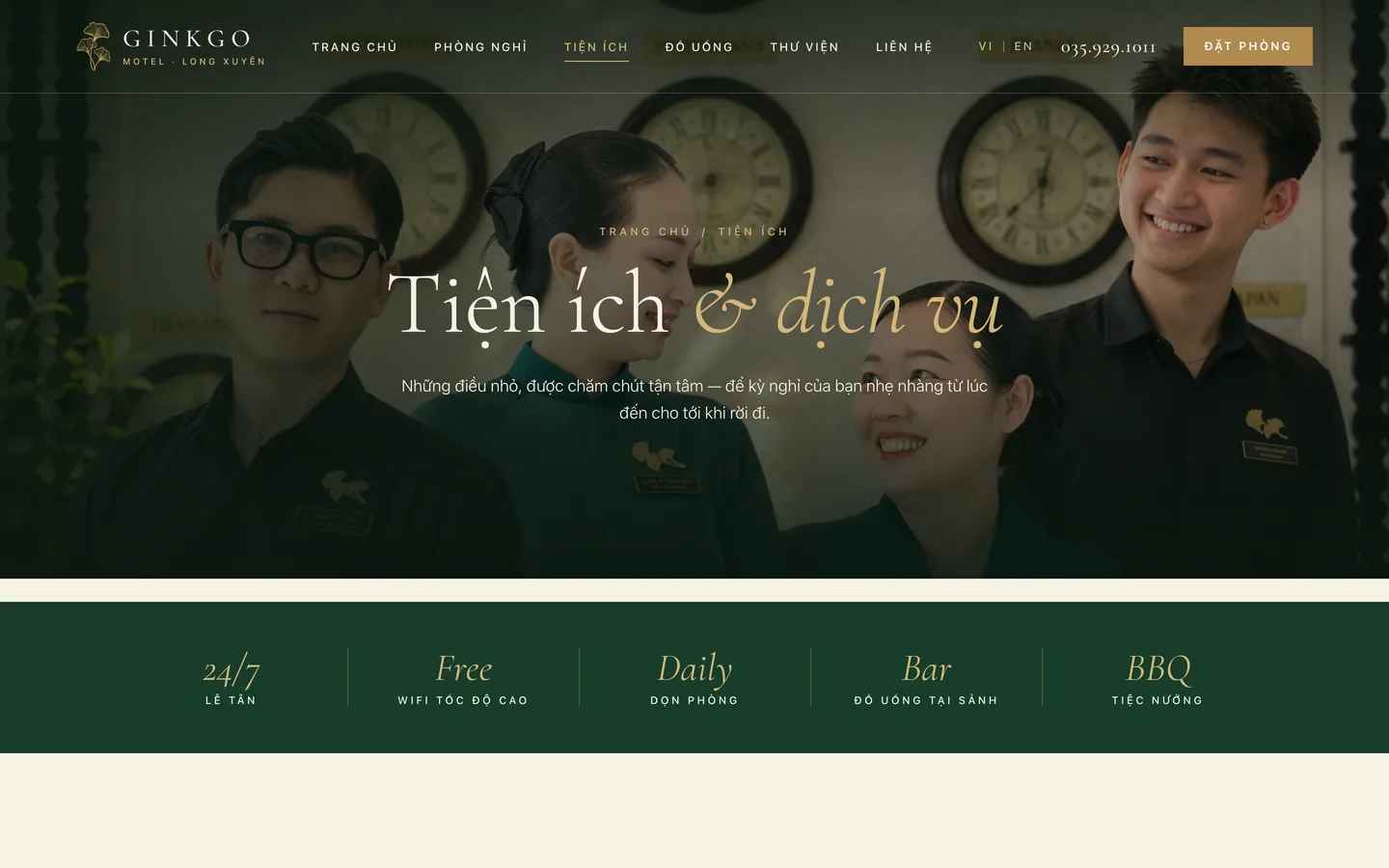
Ginkgo Motel is a small motel in central Long Xuyen, in an Indochine style: a lobby with a black-and-white checkerboard floor, classical columns, emerald green and antique gold, and receptionists in ao dai on duty 24/7. Besides the rooms, there is a drinks counter in the lobby and a BBQ corner.
The problem
Guests usually look at the photos and the price before they call. The website has to show Ginkgo's Indochine atmosphere as it is, state each room type's price clearly, and let guests book without waiting for a reply to a message.
01
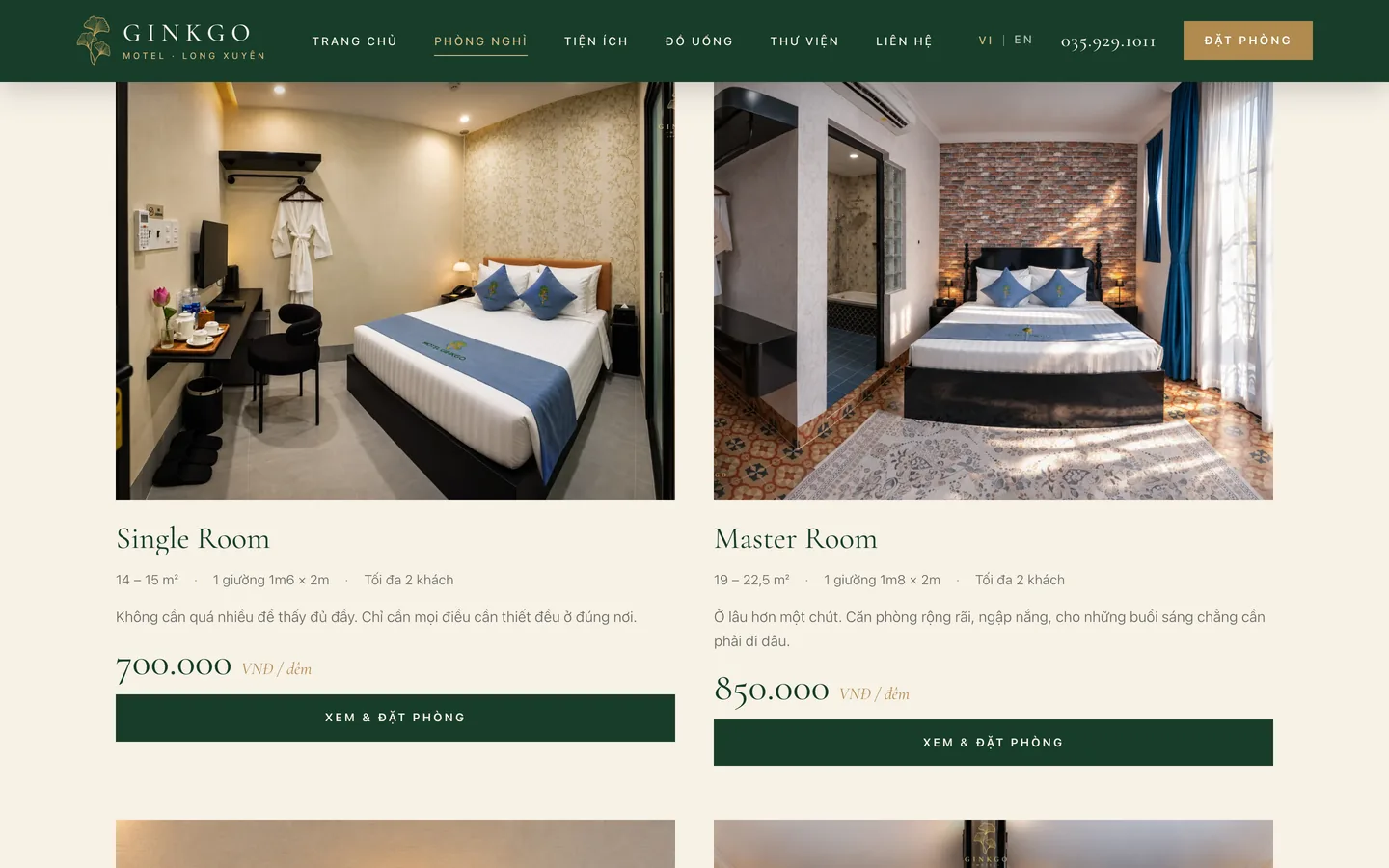
Area, bed type, capacity, nightly rate and the amenity list for all 5 room types.
02
Choose the check-in and check-out dates and the number of guests; the system shows which rooms are free and estimates the cost by the number of nights.
03
An English version for the menu, rooms, amenities and the Book now button.
04
Serif type, large photos, a photo-magazine page about Long Xuyen: the website is part of the experience too.
Guest experience
From the facade photo to the confirmation screen, the guest does not leave the website or message anyone to ask the price.
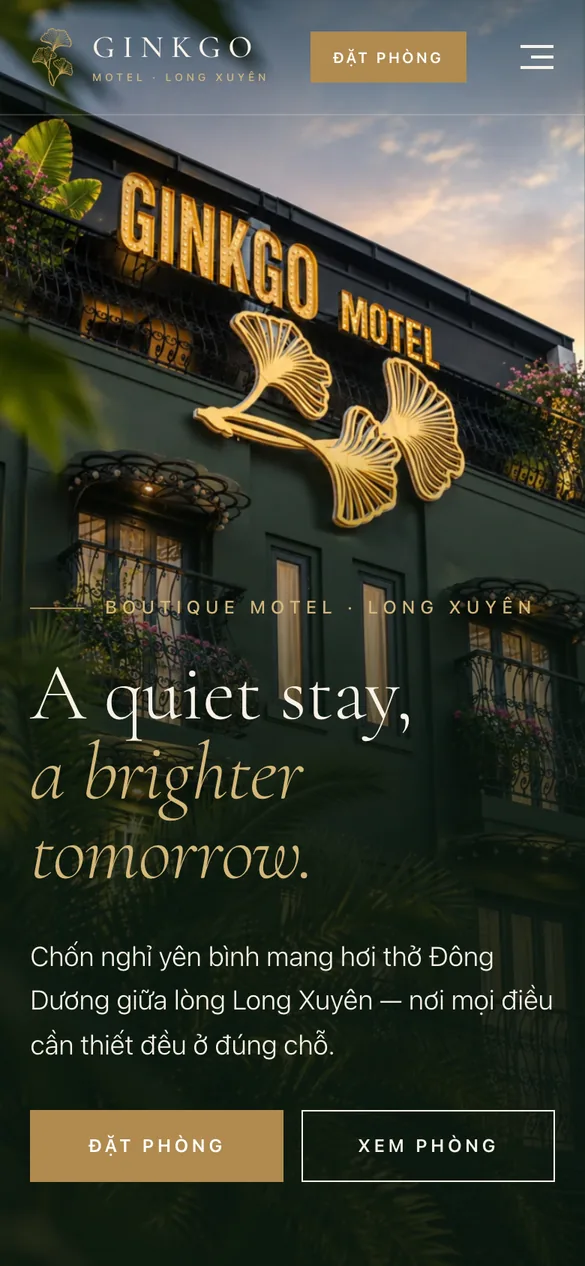
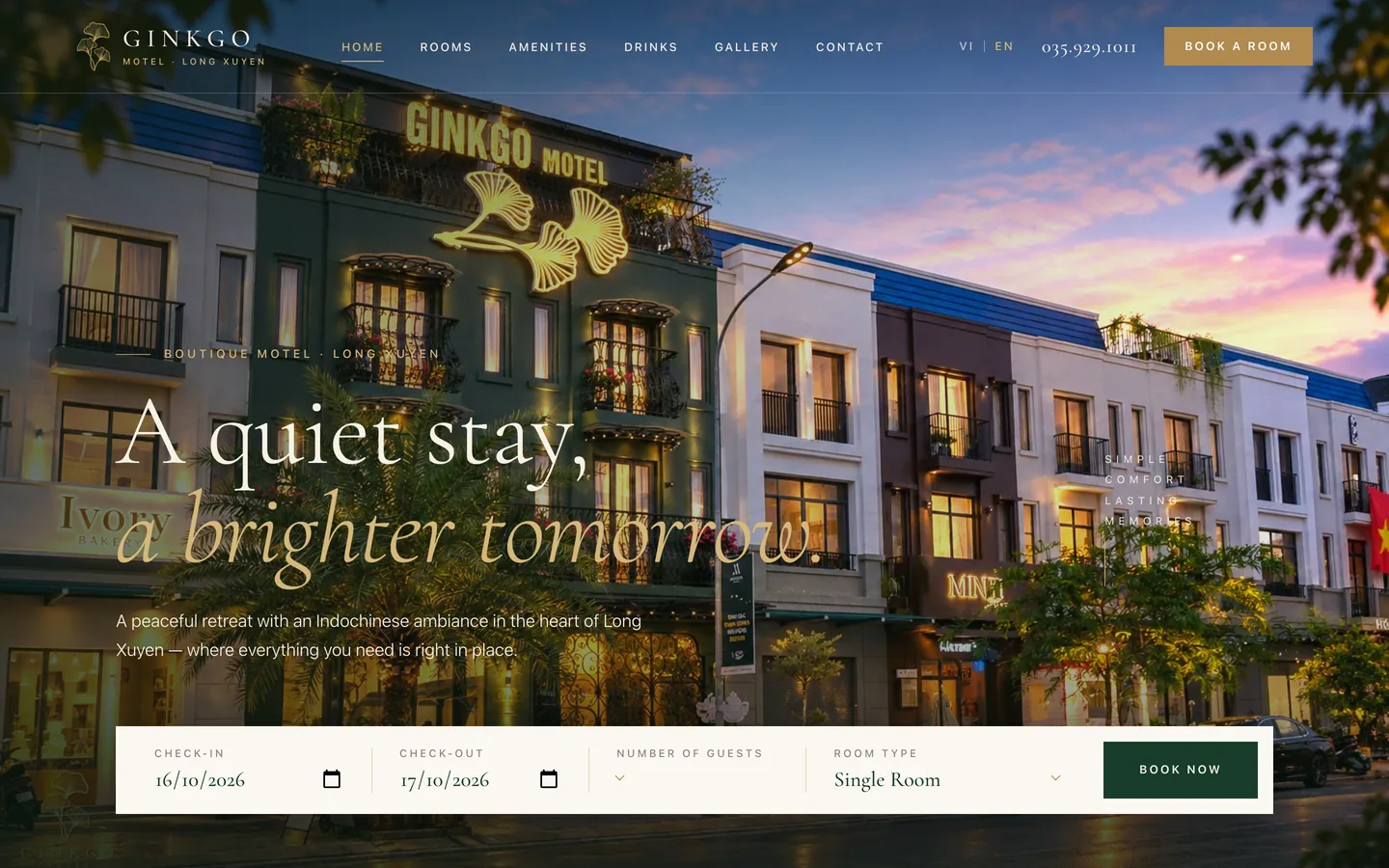
The facade with the lights on, and Book a room and View rooms on the first screen.
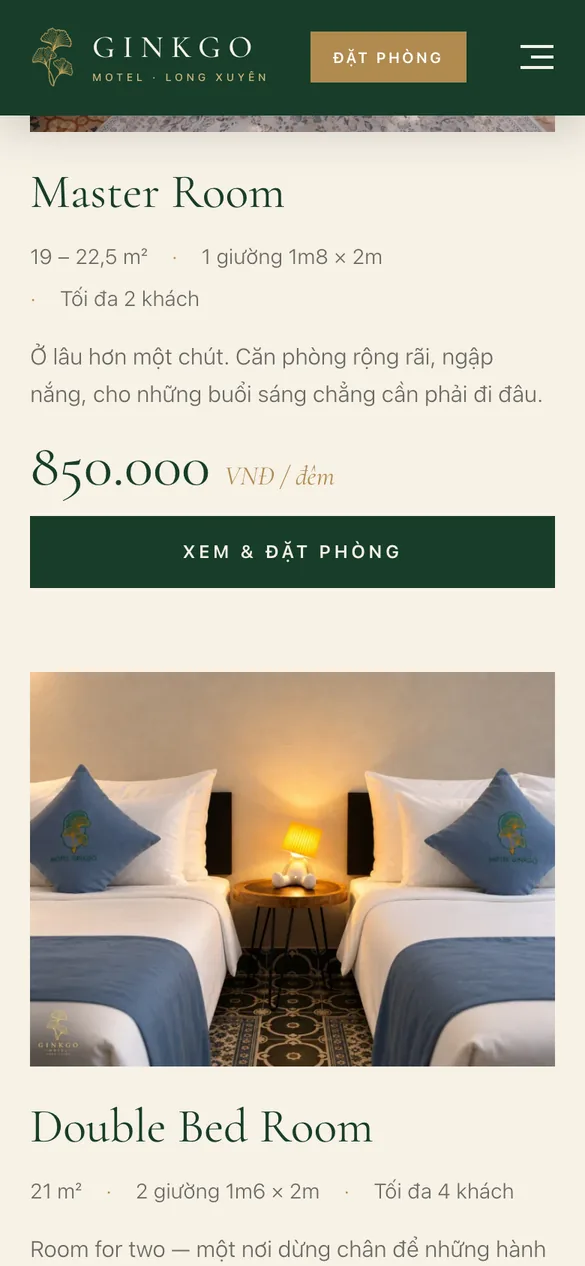
Area, bed, capacity and nightly rate on each room card.
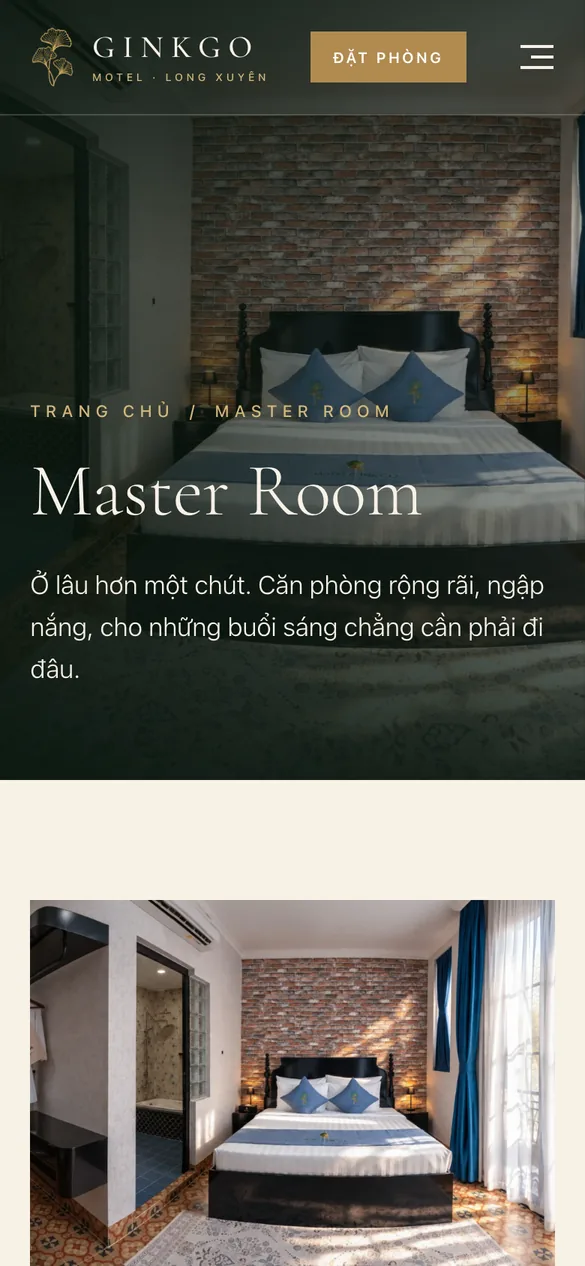
A large photo, a description, amenities, check-in and check-out rules, and an album of real photos.
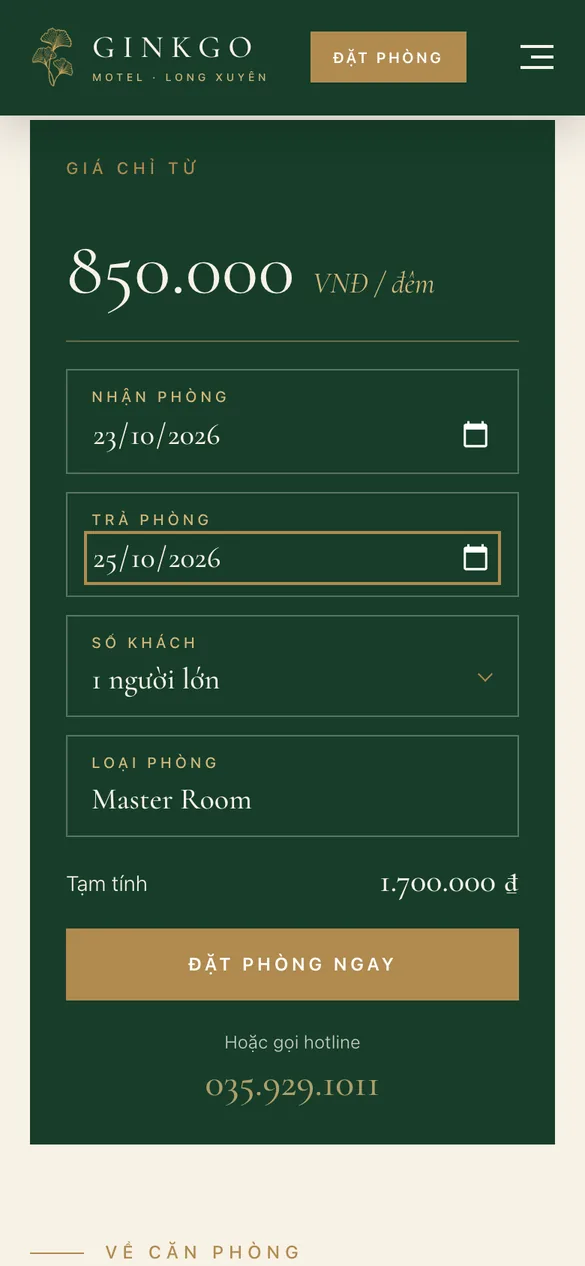
Enter the check-in and check-out dates and the number of guests; the estimate updates itself.
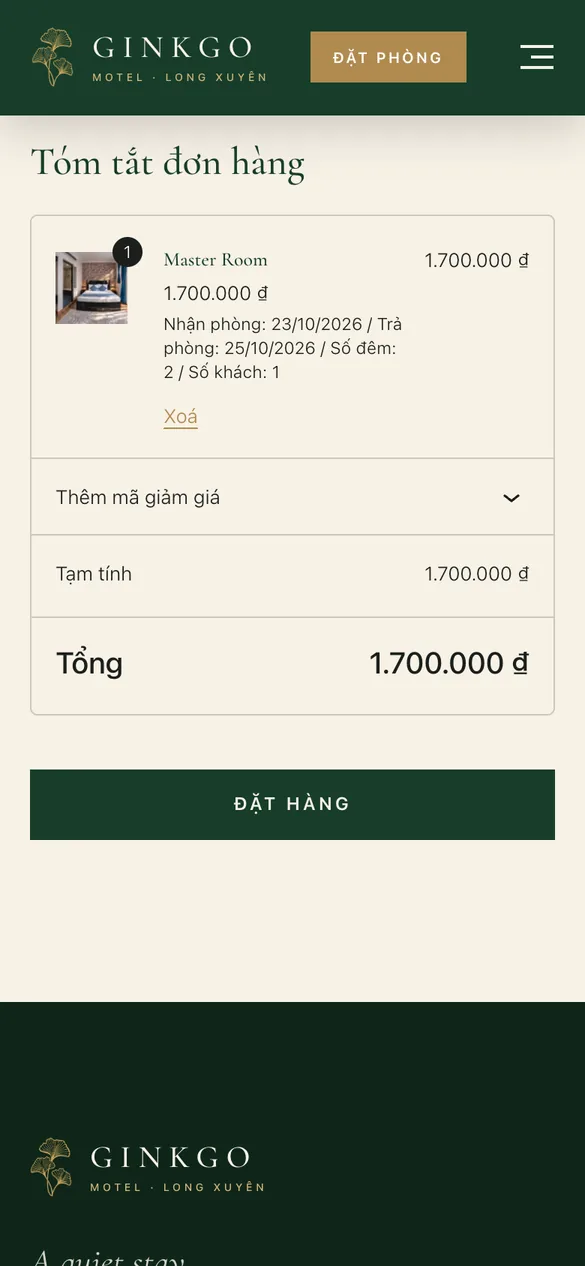
A summary of the stay dates, nights, guests and total; pay at check-in.
Features
Booking runs on WooCommerce: each room type is a product with its own stay dates, guest count and extra bed.
Change the dates and the estimate changes with them. The system checks that the room is free for the dates the guest chose before it goes on the order.
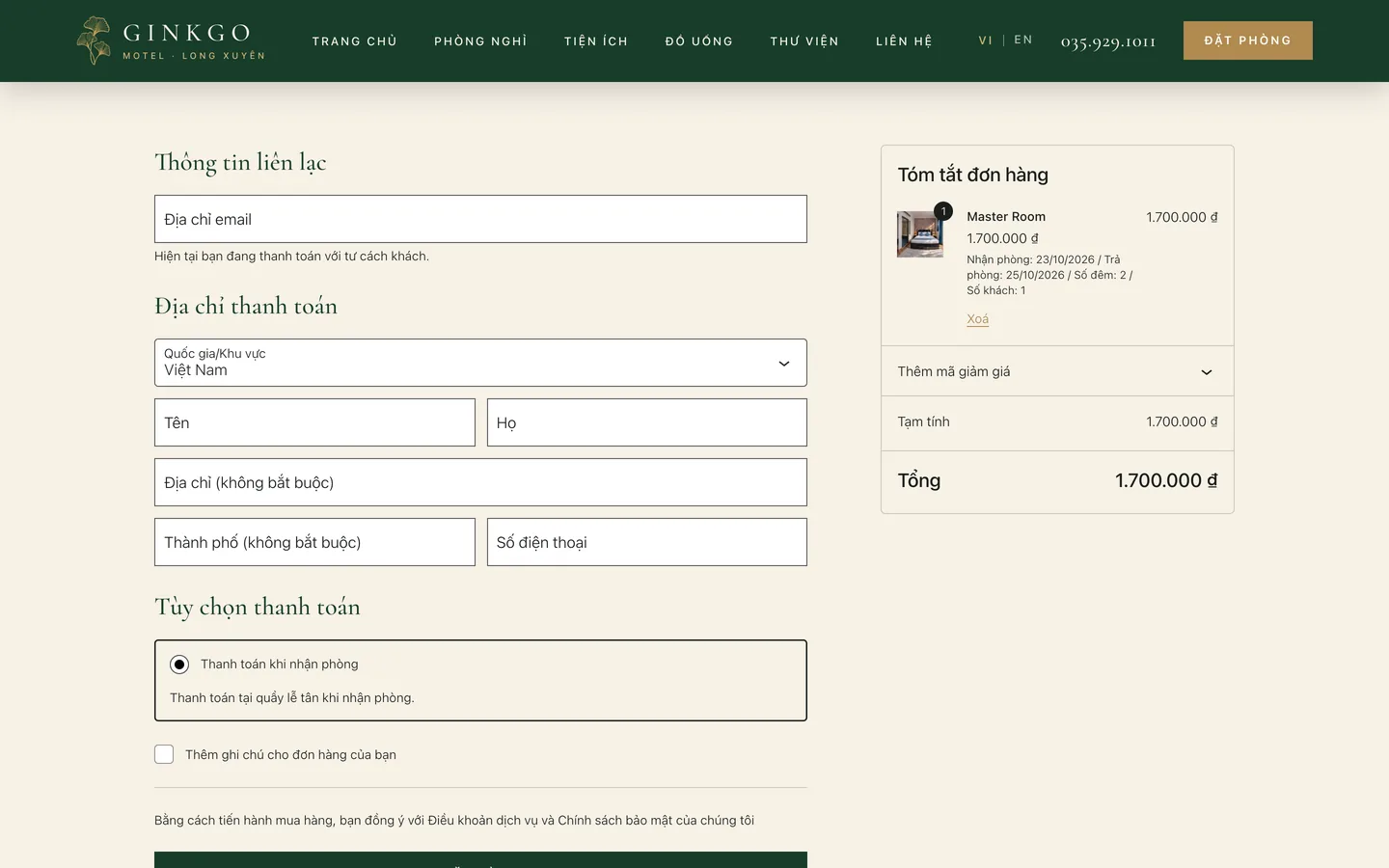
Contact details, and an order summary with check-in, check-out, number of nights and number of guests. Pay at the counter at check-in.
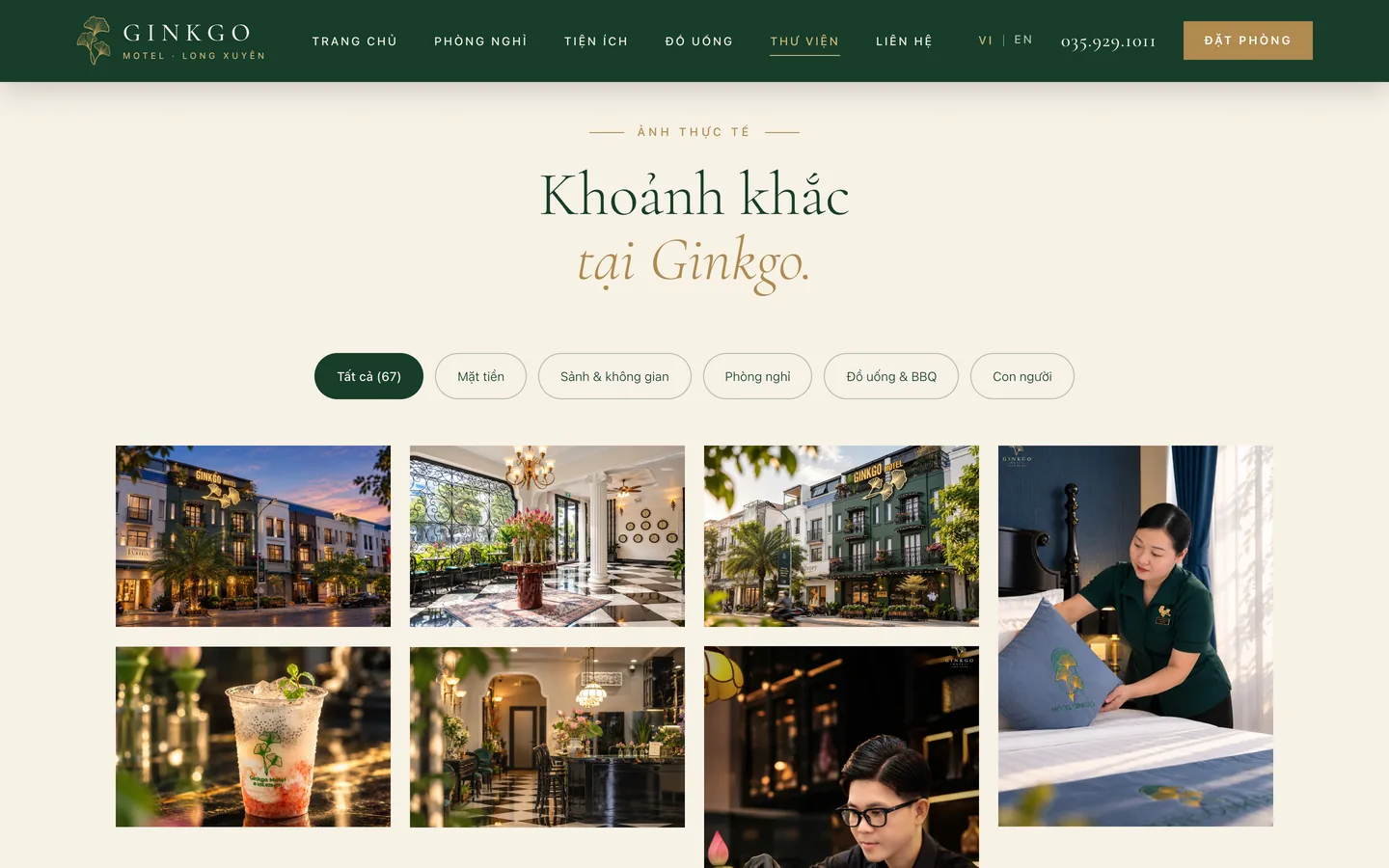
Facade, lobby, rooms, drinks and BBQ, people: guests look at the part they care about.
Switch VI and EN at the top of the page. The English version has its own path, /en/.
Family rooms can add an extra bed, and the price is added automatically.
The guest count can be set within each room type's capacity.
Full name, phone and stay dates; reception calls back to confirm.
Call or message on Zalo from the top of the page and from the contact page.
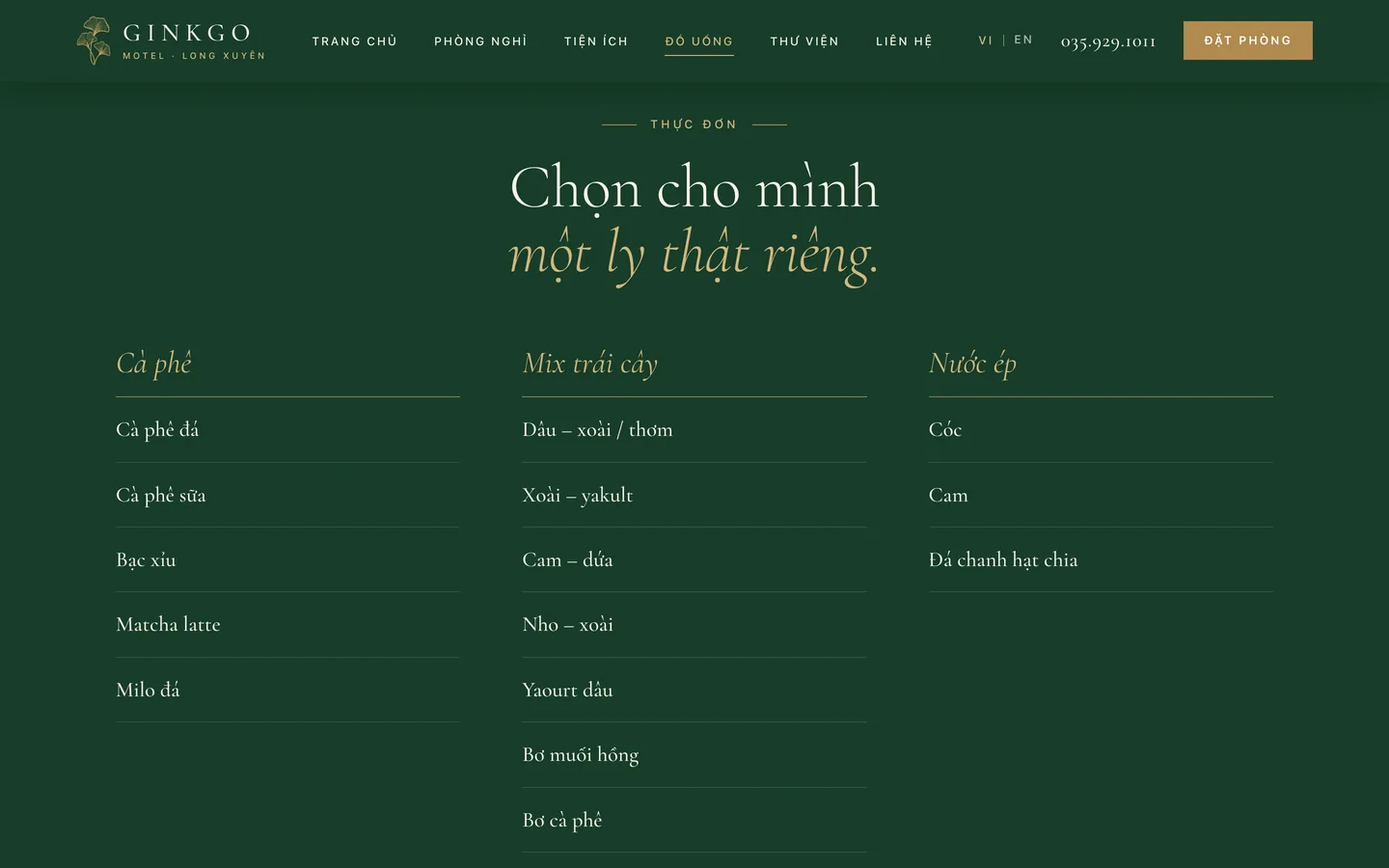
The Ginkgo Drinks page has opening hours and a menu grouped by type.
A button that opens Google Maps right on the contact page.
Check-in and check-out times, and how to book, change or cancel.
Admin system
Room types are WooCommerce products. Each booking carries the check-in date, check-out date, number of nights and number of guests, and can be viewed in the familiar admin.
Technology
A custom Ginkgo theme, paired with WooCommerce to take orders and a separate pricing API (ginkgo-booking) that checks availability for the dates the guest chooses.
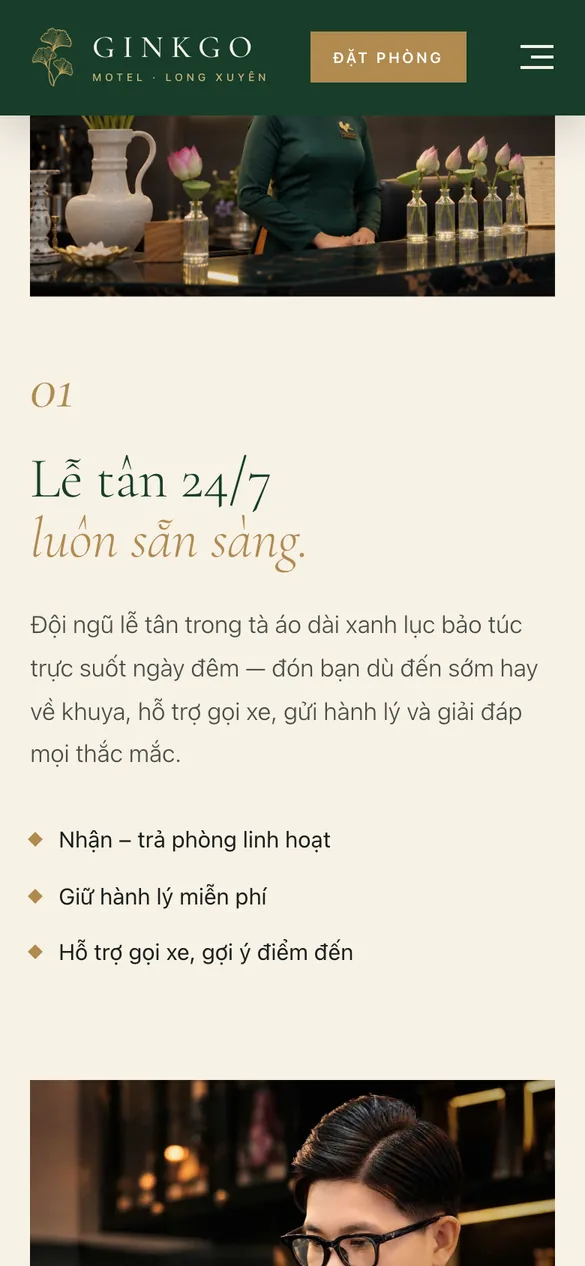
A shortened menu, a Book a room button always at the top, and the booking panel laid out in large tiles that are easy to tap.
How 123Website built it
The website is built around Ginkgo's real photos first, and only then the booking flow.
The live site
Screenshots from ginkgomotel.com on 16 October 2026.

Related projects
From beach resorts and holiday villas to tour companies selling tours online.

Travel
The 4-star Sandunes Beach Resort Mui Ne website: a background video introducing the resort, a separate page for each room category and villa with rates, online booking, and three languages — Vietnamese, English, and Russian.
Built with: WordPress · 3 languages
View projects
Travel
A villa booking website for S-Solution Phu Quoc on the south of the island: a villa list with a nightly rate, room search by date and number of guests, bilingual in Vietnamese and English.
Built with: WordPress · Vietnamese–English
View projects
Travel
Tour-booking website for Sen Travel in Vinh City: domestic and international tours grouped by region, a tour search by price and type, tour pages with itineraries, a booking form, and a shop for regional specialties.
Built with: WordPress, WooCommerce · bilingual Vietnamese and English
View projectsTalk to us
Leave your details and we will call you back. Together we look at how your guests book rooms, then suggest a website that fits.
Get a free consultation
Your information is used only to advise you on our services.
Request received
Our consultant will call you back during business hours with industry templates and a package quote.
Talk to an expert Mon–Fri 8:00–17:30 · Sat 8:00–12:00
Or reach us directly
Free advice, no spam, your data stays private
Need advice on your website?We're here to help
Talk to an expertMon–Fri 8:00–17:30 · Sat 8:00–12:00
Free advice, no spam
Leave your details and we'll call you back
Business hours: Mon–Fri 8:00–17:30, Sat 8:00–12:00.
Your information is kept private and never shared with third parties.
Request received!
Our consultant will call you back during business hours to go over the details.
