


292 Ung Van Khiem, Thanh My Tay Ward, HCMC

info@123website.com.vn Support 0283 510 6868 VietnameseEnglish

Kitchen furniture · Catalog and survey registration

Gleno

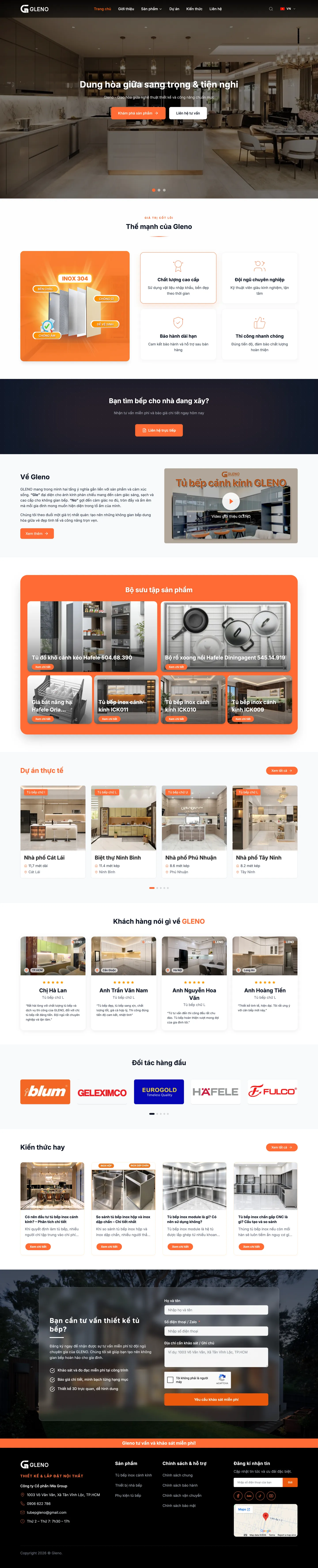
Gleno is the modular stainless-steel glass-door kitchen cabinet brand of IWa Group Joint Stock Company in Ho Chi Minh City. 123Website built the website on WordPress with a custom theme: a filterable catalog of kitchen cabinets, wine cabinets and accessories, a library of real projects filtered by cabinet type, and a site-survey form on every page.

Industry
Kitchen cabinets, kitchen furniture
Website type
A product catalog, and survey requests
Platform
WordPress + WooCommerce, custom theme
Location
Ho Chi Minh City
  • 22kitchen-cabinet, wine-cabinet and accessory designs, each with its own page
  • 4price bands in the product filter
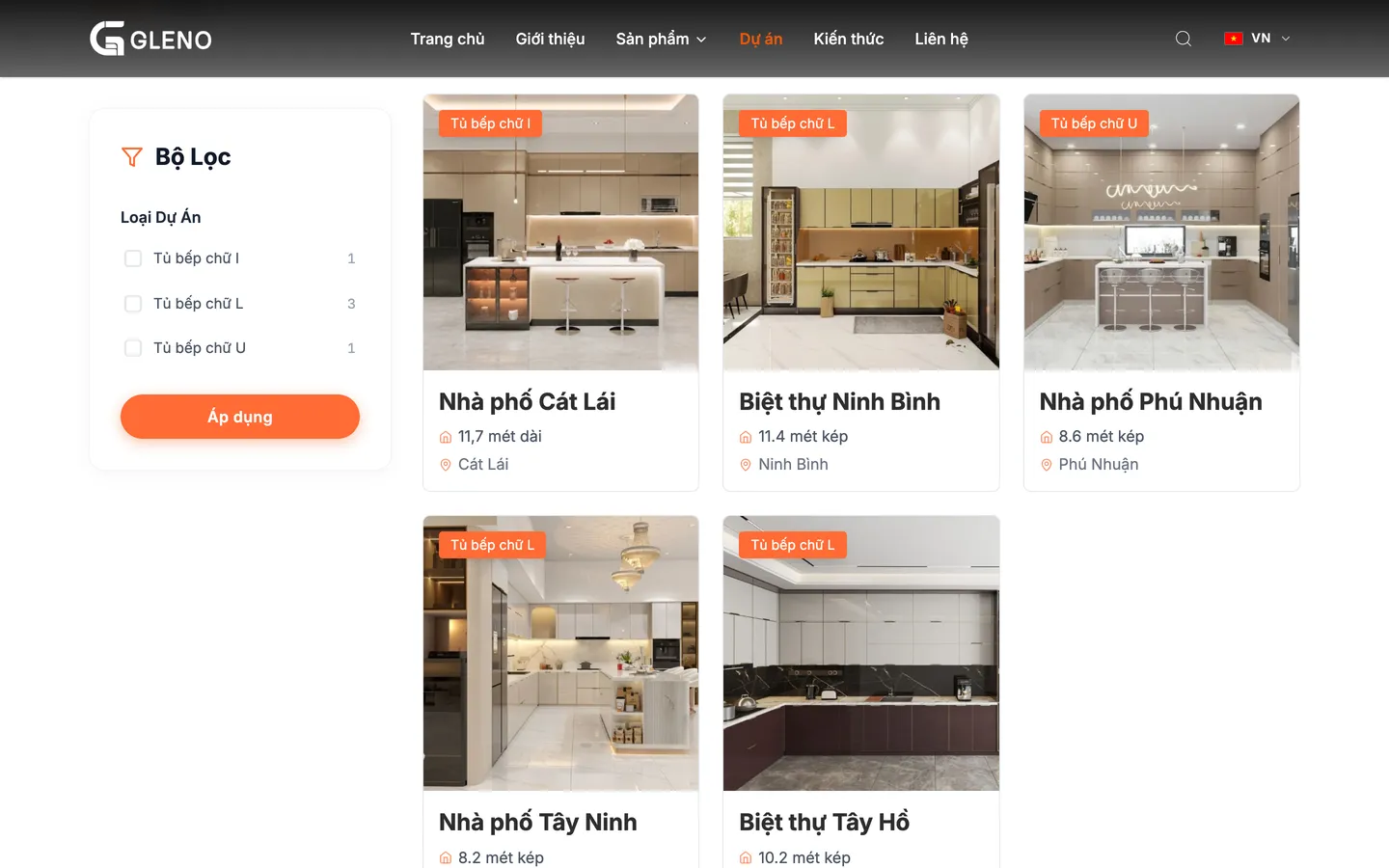
  • 3I-shaped, L-shaped and U-shaped kitchens, used to filter projects
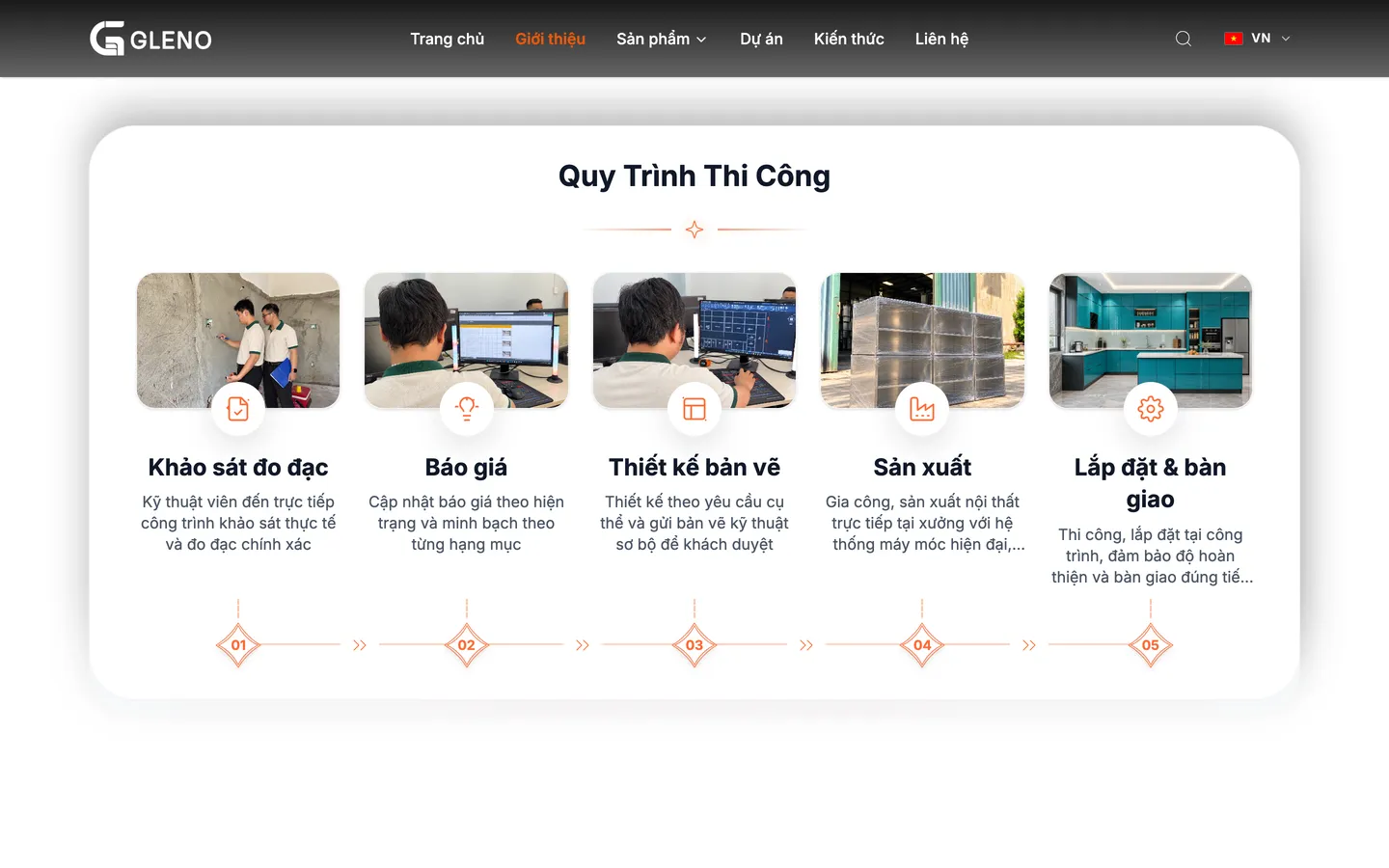
  • 5steps in the process from survey to handover
Gleno

Clients

Who Gleno is

Gleno specializes in modular stainless-steel kitchen cabinets with glass doors: a 304 stainless-steel cabinet body fabricated in the workshop, tempered-glass doors, sized to each kitchen and then installed on site. The brand belongs to IWa Group Joint Stock Company, and has built kitchens for townhouses and villas in Ho Chi Minh City, Tay Ninh, Ninh Binh and Hanoi.

  • Office1003 Vo Van Van, Tan Vinh Loc Commune, HCMC
  • ManufacturingFabricate the stainless-steel cabinet body in the workshop from the approved drawings
  • ProductsStainless-steel glass-door kitchen cabinets, glass-door wine cabinets and kitchen-cabinet accessories
  • ClientsFamilies in townhouses, villas and apartments who are fitting a new kitchen

The problem

For a made-to-measure kitchen, the customer needs to see designs before calling

Stainless-steel glass-door kitchen cabinets are not sold off the shelf. Each set is measured to the kitchen, and the price depends on the running length and the materials. Customers need to see enough designs, see work already completed and understand the process, and only then leave a phone number to request a survey.

  • 01

    A catalog complete enough to choose a style

    Each kitchen-cabinet and wine-cabinet design has its own page: form, materials, style and a detailed description of each part.

  • 02

    Real projects that build trust

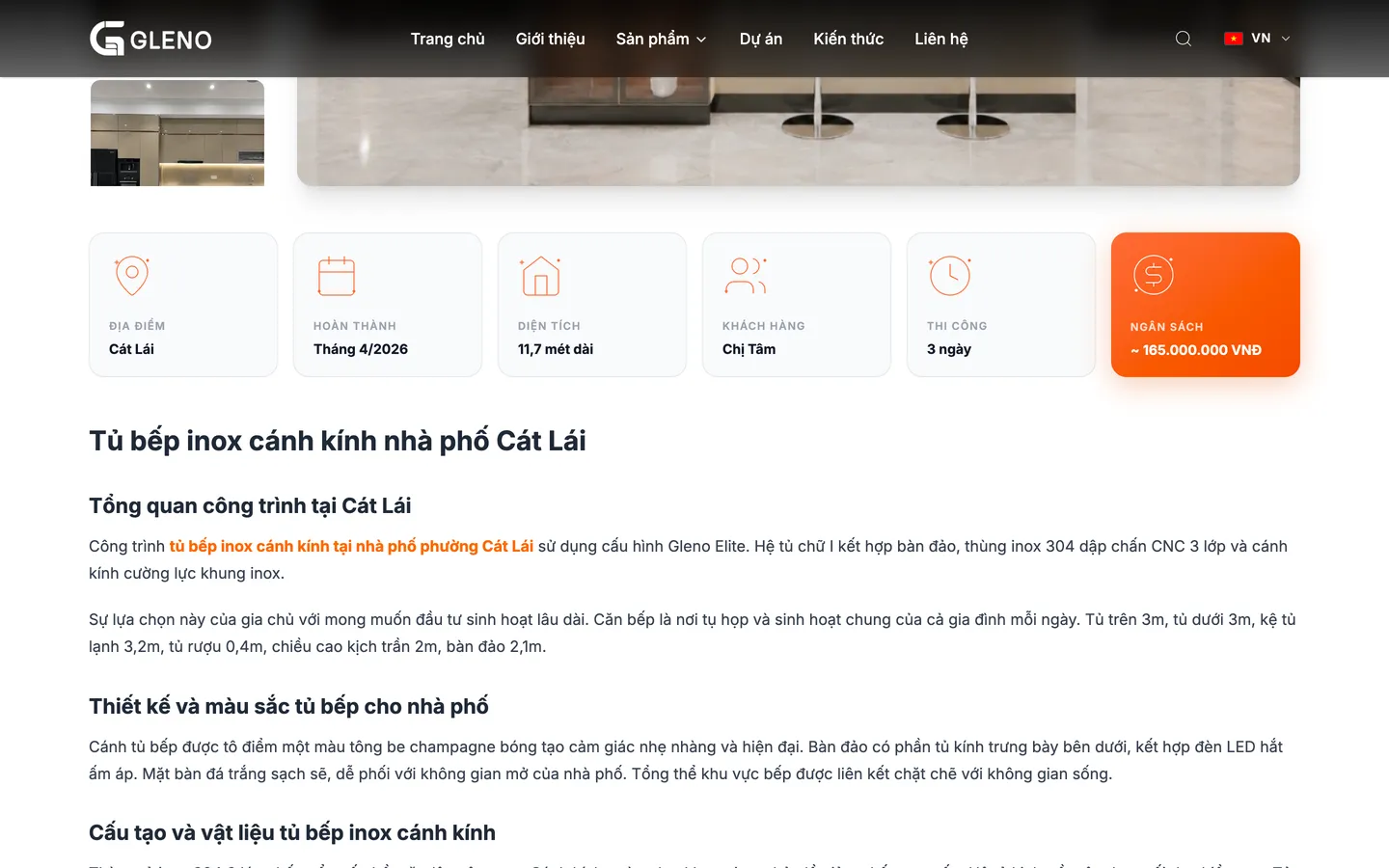
    Each project lists the location, completion time, dimensions, build time, and the materials and appliances used.

  • 03

    A clear process before an order

    A measurement survey, a quote, drawings for approval, workshop production, installation and handover.

  • 04

    A way to get in touch on every page

    The survey form, the quote button, Zalo and a phone call stay within reach, especially on mobile.

What the kitchen customer goes through

From viewing a design to booking a survey, on mobile

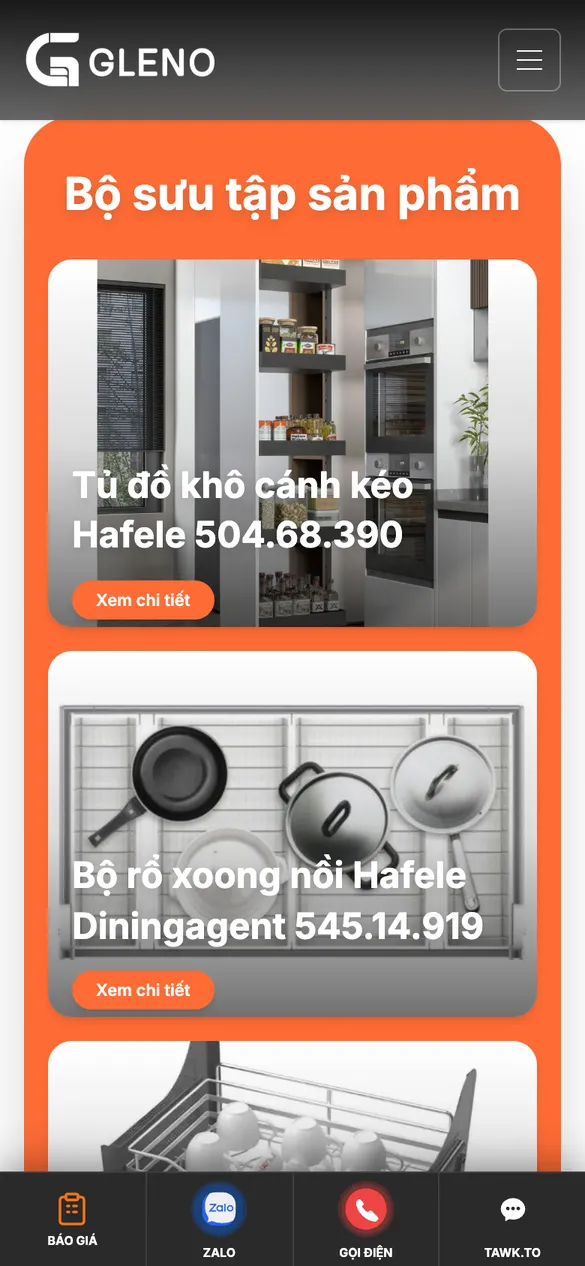
The bottom bar always has Quote, Zalo and Call, so a visitor can get in touch from whichever design they are viewing.

  1. Browse the collection on mobile
    Step 1

    Browse the collection

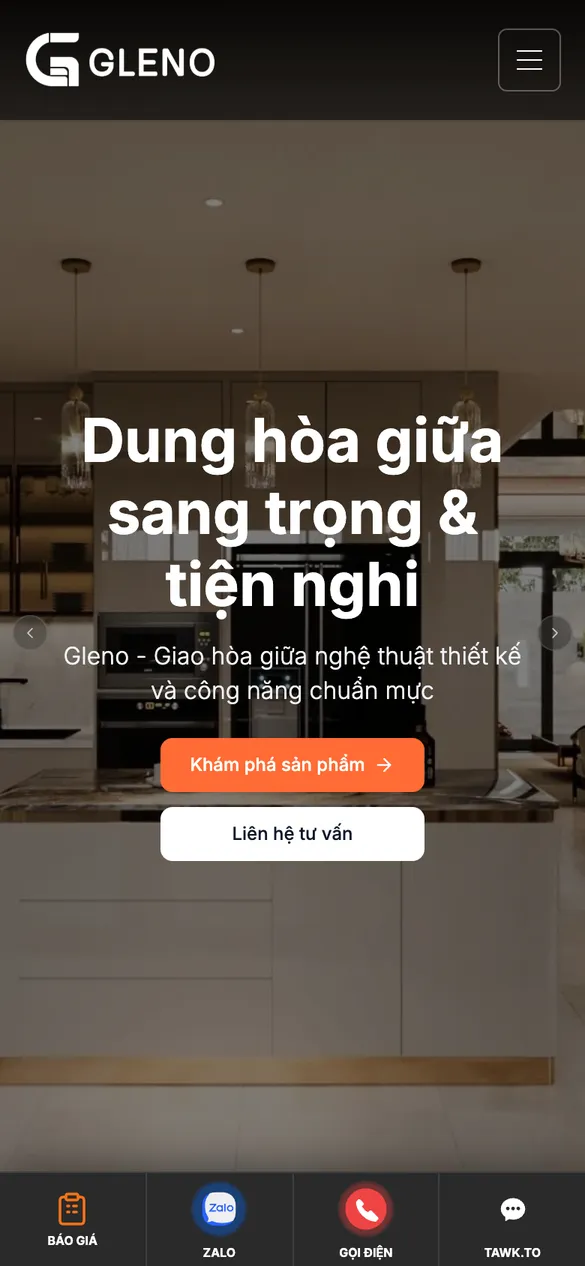
    The homepage puts featured kitchen cabinets and accessories directly after the introduction.

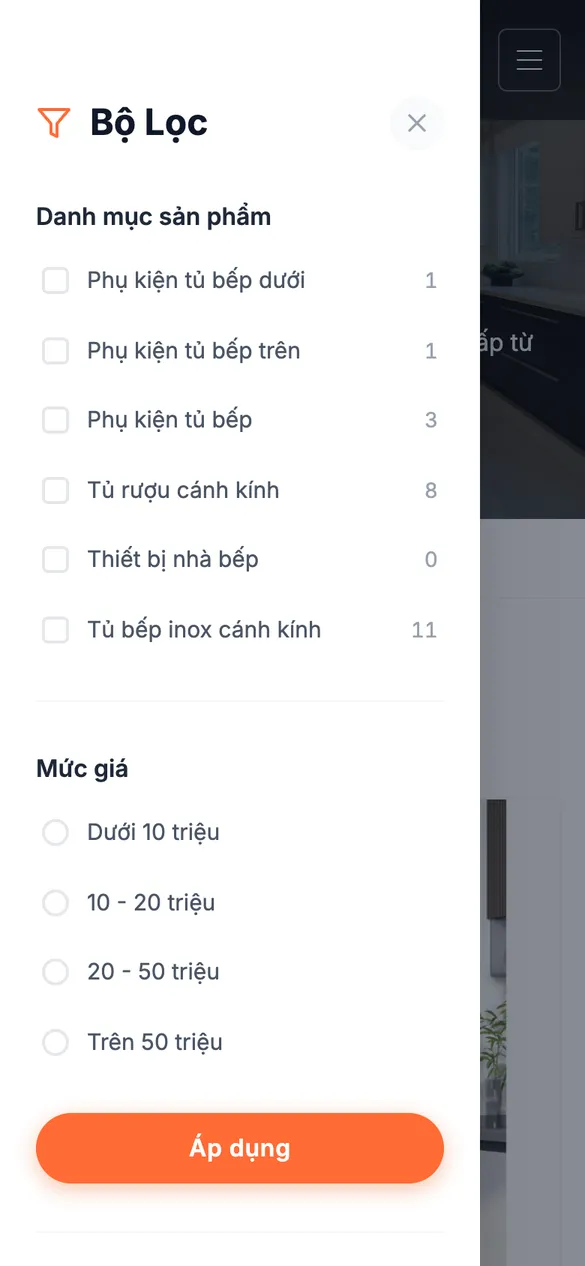
  2. Filter matching designs on mobile
    Step 2

    Filter matching designs

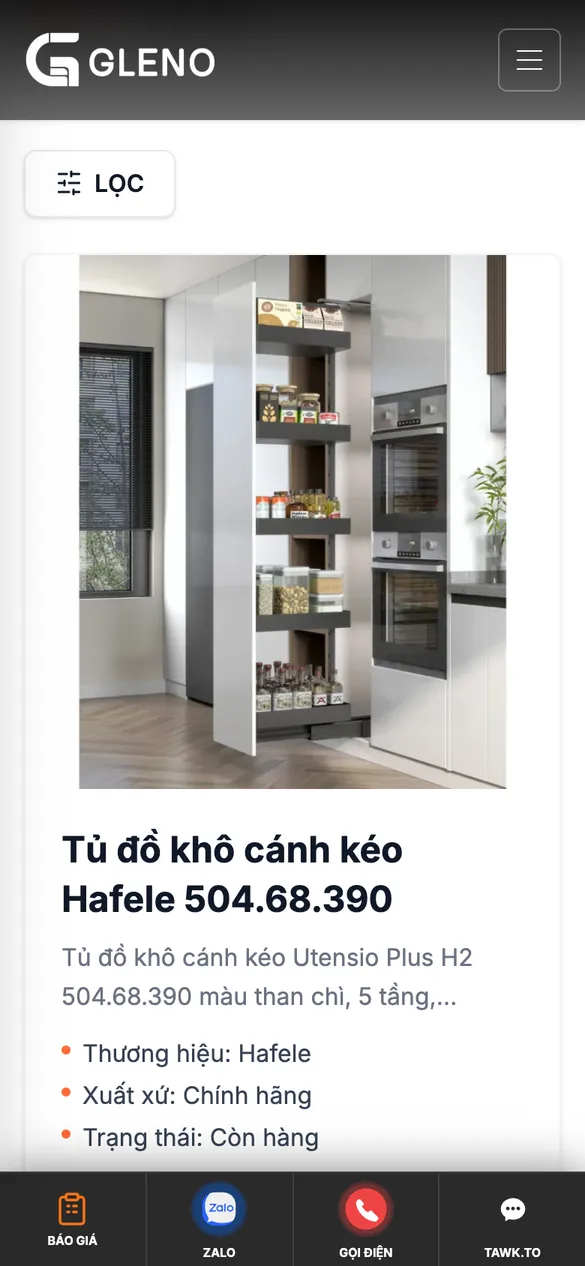
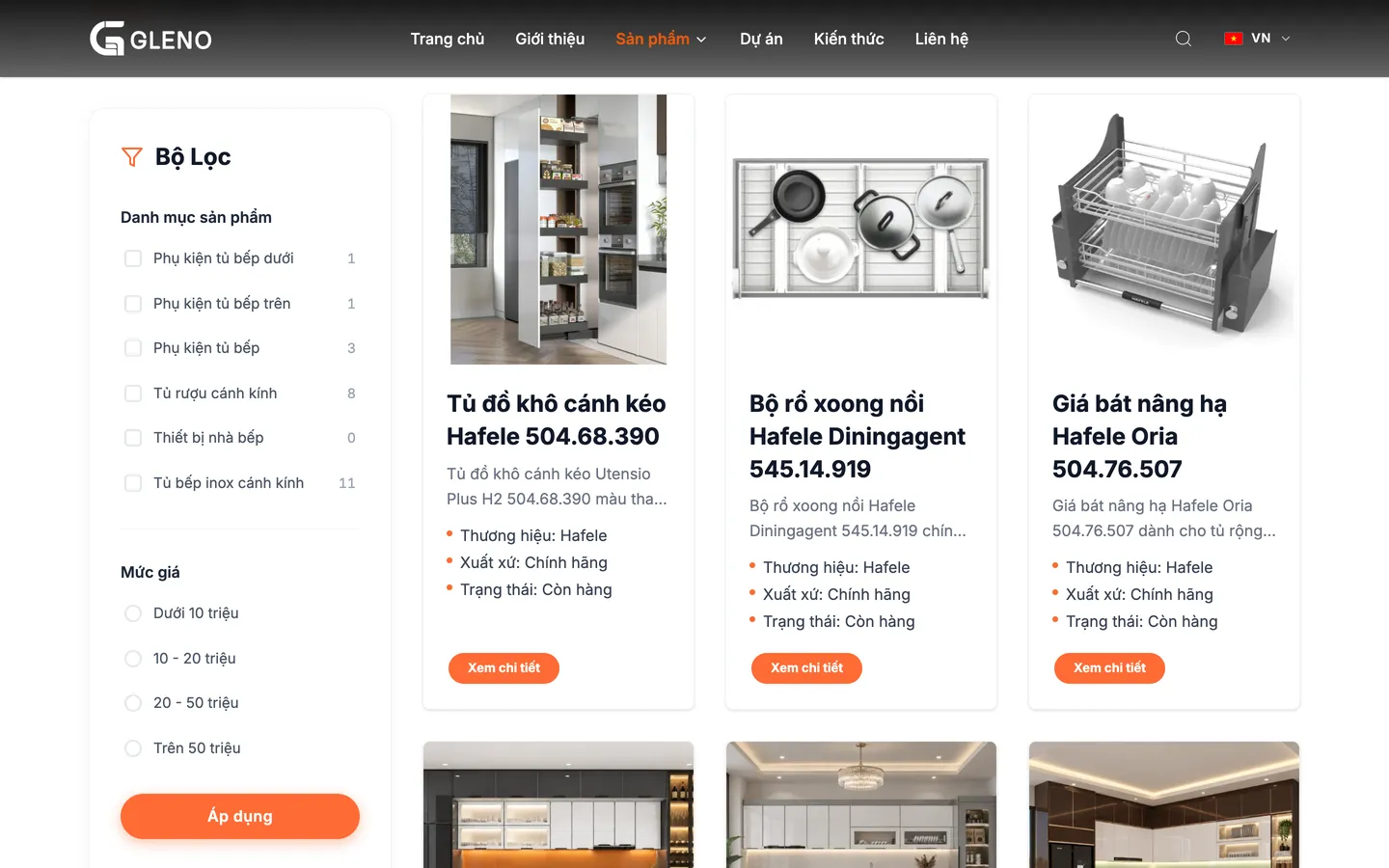
    A filter panel slides in from the edge of the screen: choose a category and a price band, then apply.

  3. View the design on mobile
    Step 3

    View the design

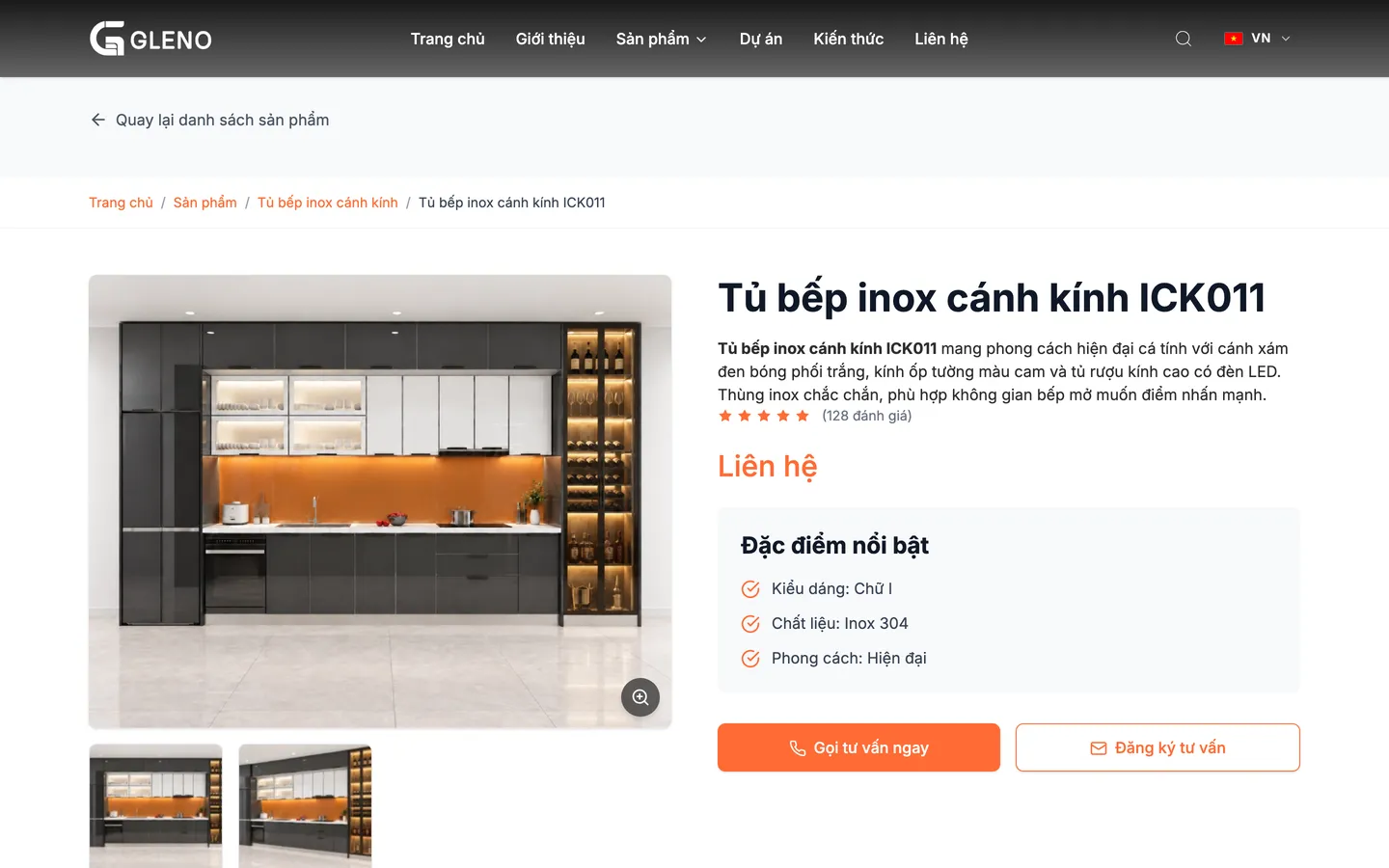
    Form, materials and style, with Call for advice and Register for advice buttons.

  4. View real projects on mobile
    Step 4

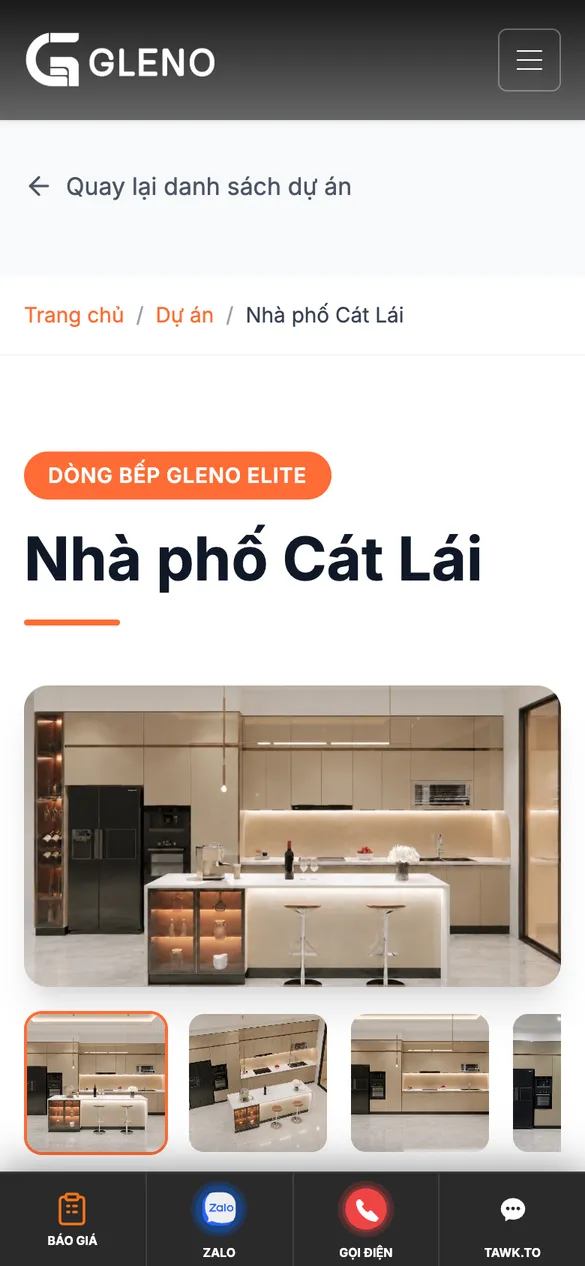
    View real projects

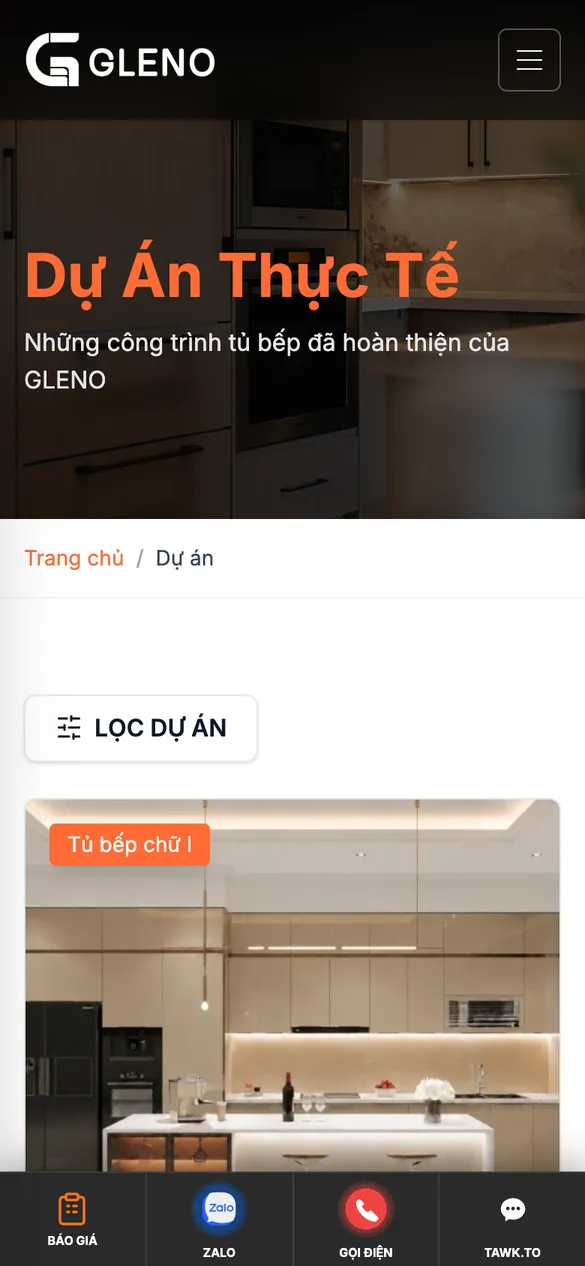
    Photos of each part of the kitchen, the project specifications, and the materials and appliances used.

  5. Register for a survey on mobile
    Step 5

    Request a site survey

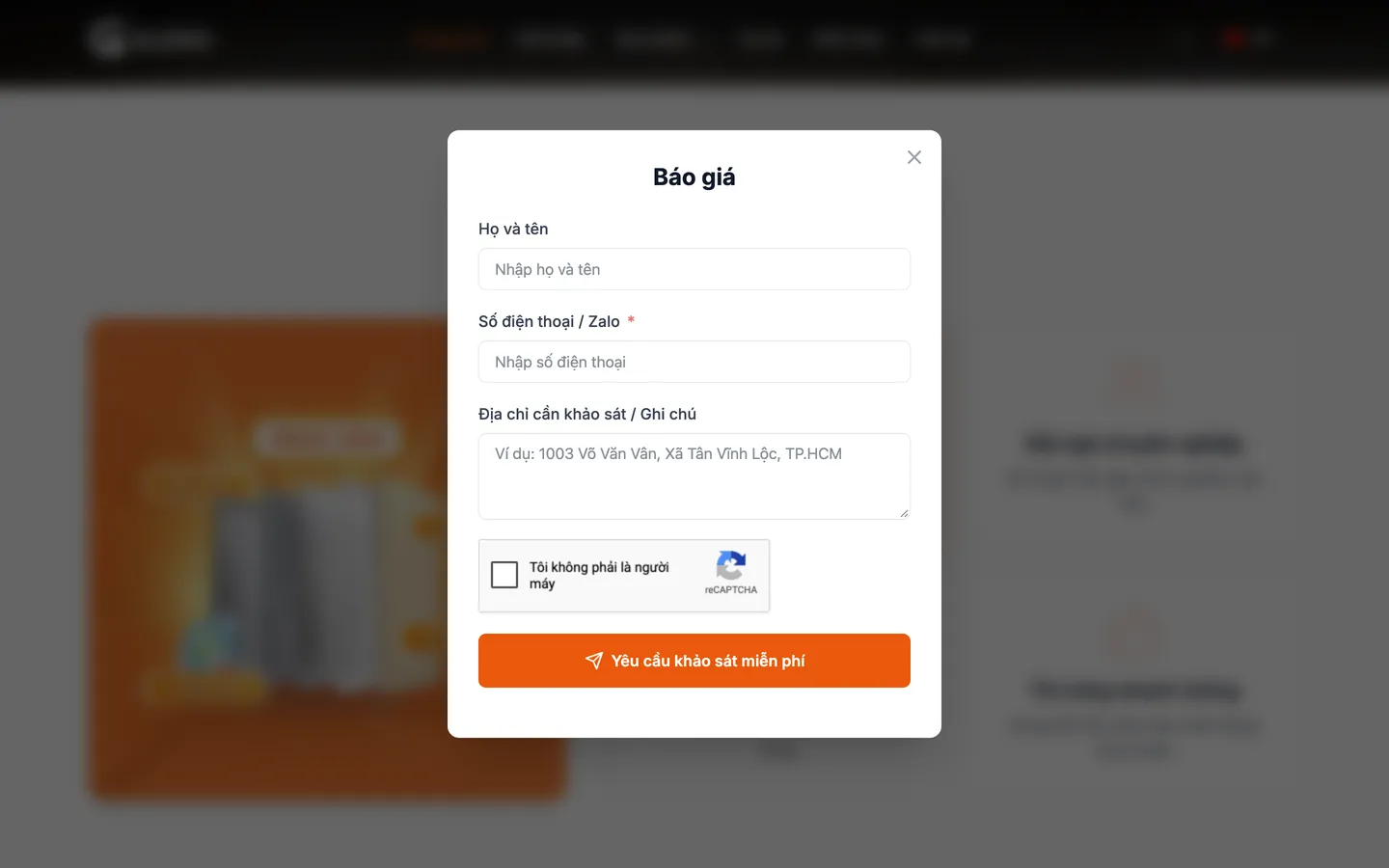
    Full name, phone number or Zalo, and the address to survey, sent in one tap.

Features

What gleno.vn does for people fitting a kitchen

Products are managed in WooCommerce, and projects are a custom content type. The interface, the filters and the registration windows are code 123Website wrote into the Gleno theme.

Design pages lead straight to a consultation

A large photo that can be enlarged, and thumbnails to change the angle, plus key features and specifications. Made-to-measure kitchen cabinets show a Contact price. Accessories show a price and whether they are in stock.
Design pages lead straight to a consultation

Category and price-band filters

The left filter column shows how many designs are in each category, and four price bands. On mobile the filters collapse into a FILTER button.

Category and price-band filters

Real projects with specifications

Each project records the location, the month it was finished, the dimensions and the build time, plus the challenge, the solution, the materials and the appliances.

Real projects with specifications

A survey and drawings before production

The form on the website asks only what is needed to start: a name, a phone number or Zalo, and the address to survey. A technician then measures on site, sends a quote by line item and drawings for the customer to approve. Only after approval does the job go to the workshop.

  1. Survey
  2. Approve the drawings
  3. Installation

Measure on siteA quote by line item3D drawings for approvalProduction in the workshop

  • A contact bar at the bottom of the screen

    Quote, Zalo, Call and chat stay visible on mobile.

  • Download the catalog PDF

    A button to download the Gleno catalog, right on the Products page.

  • A multi-level product menu

    Kitchen cabinets, wine cabinets, appliances, and accessories for upper and lower cabinets.

  • A 5-step build process

    The About page runs from the measurement survey through to installation and handover.

  • Warranty policy by component

    A warranty-period table for the cabinet body, hinges, glass finish and accessories.

  • Site-wide search

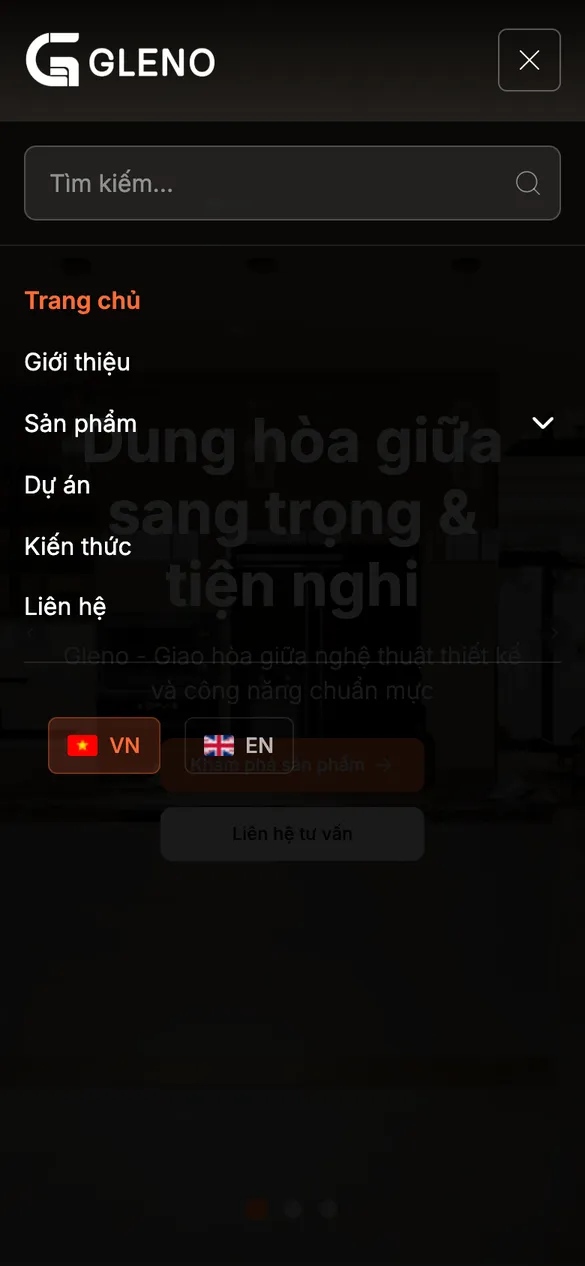
    A search box at the top on desktop, and inside the menu on mobile.

  • Introduction video

    A video of a Gleno glass-door kitchen plays right on the homepage.

  • Switch to English

    Switch between Vietnamese and English with a flag on the top bar.

Admin system

Products, projects and articles, each in its own area of WordPress

Staff add a new design in WooCommerce, choose a category and enter the form and materials. Projects are a custom content type grouped as I, L and U. The public pages, the filters and the count in each category update on their own.

  • AdministratorFull control of products, projects, menus and website settings.
  • Edit the contentWrite knowledge articles, and publish new designs and new projects.
  • The customer views the websiteFilter designs, view projects, and send a survey request by form, Zalo or a phone call.
  • Products by WooCommerce category
  • Price and stock status
  • Projects by I, L and U cabinet type
  • A Fluent Forms site-survey form with reCAPTCHA
  • Email sent through FluentSMTP
  • SEO with Yoast
  • Sped up with WP Rocket
  • English version with TranslatePress

Technology

WordPress, WooCommerce and the custom Gleno theme

The Gleno theme builds the interface in Tailwind, with no page builder. WooCommerce holds the library of product designs. Contact goes through the survey form, Zalo and phone, instead of a cart.

  1. UserFamilies fitting a kitchen DesktopMobile
  2. InterfaceGleno theme (custom) TailwindFiltersRegistration window
  3. DataProducts and projects WooCommerceProject content type
  4. PlatformWordPress WP RocketYoast SEO
  • Fluent Forms, FluentSMTPSite-survey, quote and newsletter forms; email sent via SMTP
  • Zalo, a phone call and chatA contact button fixed to the bottom of the phone screen
  • Google Site Kit, Google AdsTrack visits and conversions from ads
  • Google MapsAn office map in the footer
  • A form with spam protection

    The survey forms use Google reCAPTCHA, which limits fake requests sent automatically.

  • An SEO base for each design and article

    Each product, project and knowledge article has its own URL and its own SEO tags through Yoast.

How 123Website built it

Let the customer see enough before asking for a phone number

The website is built around one job: turning someone who is browsing kitchen designs into a booked site survey.

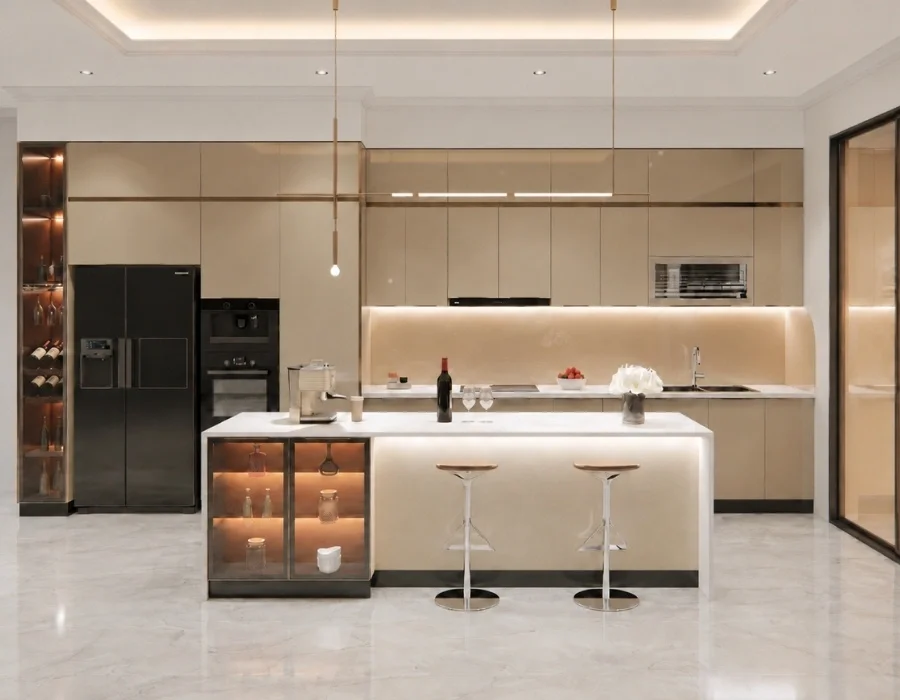
  • Kitchen photos come firstA large kitchen-photo banner, a product collection laid out as a photo grid, and projects with a gallery of each angle.
  • A custom theme on WooCommerceThe product page replaces the cart with a call button and a consultation sign-up, and projects have their own filter.
  • A sign-up wherever you are on the siteButtons on the banner, a block mid-page, a form at the bottom of the page, and a contact bar at the bottom of the phone screen.

The live site

Your website on desktop and mobile

Screenshots from gleno.vn on 21 October 2026.

Open gleno.vn
Gleno homepage, full page
  • Completed projects
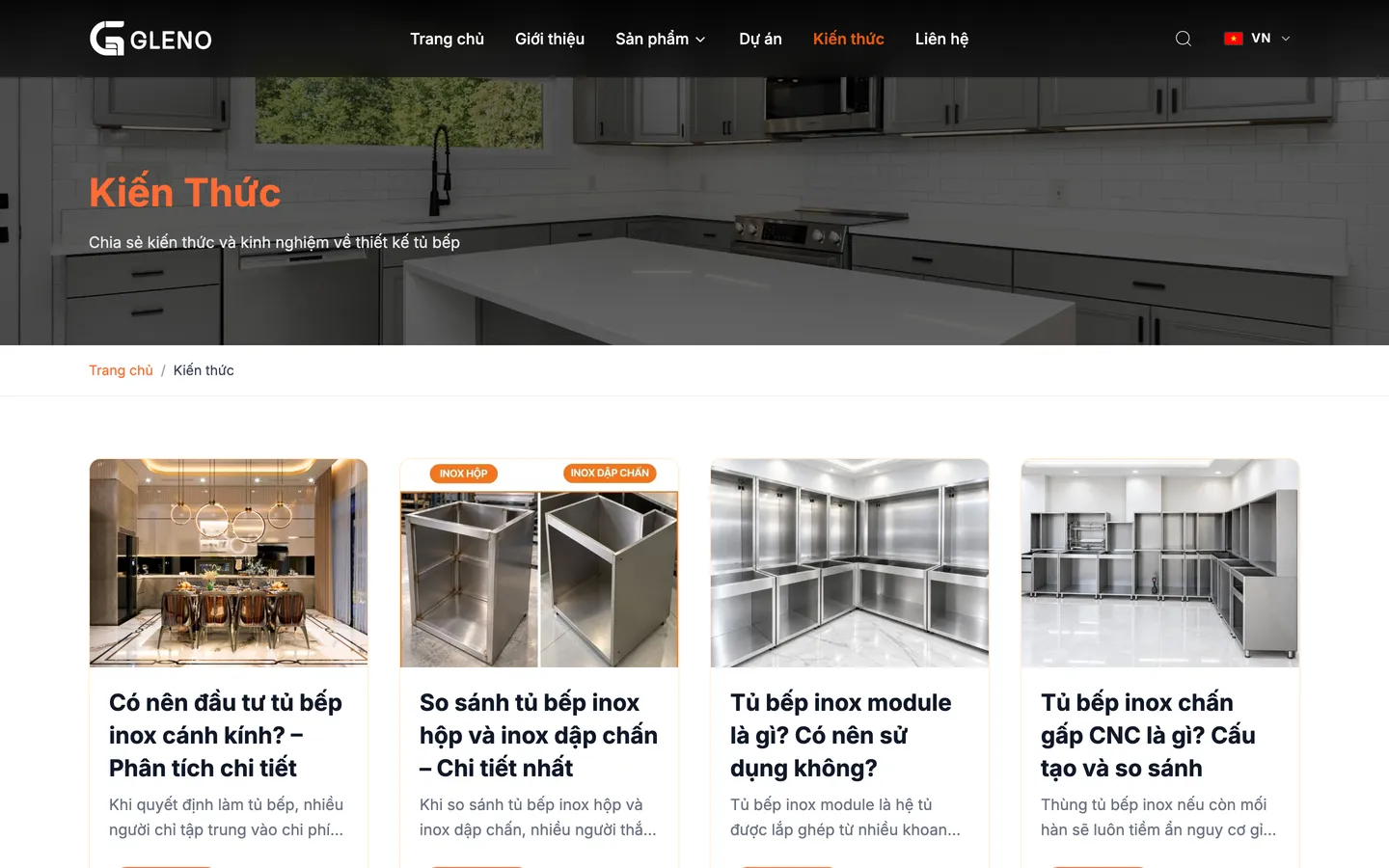
    Completed projectsFilter projects by I-shaped, L-shaped and U-shaped kitchens. Each card shows the dimensions and the location.
  • The build process
    The build processFive steps from the measurement survey to installation and handover, with a real photo of each step.
  • Quote window
    Quote windowThree fields and a button to send a survey request, opened from every quote button.
  • Insights
    InsightsArticles on how the cabinets are built, the materials, how running meters are priced, and the price of stainless-steel kitchen cabinets.
  • Homepage on mobile
    Home
  • Products on mobile
    Products
  • Projects on mobile
    Projects
  • Mobile menu on a phone
    Mobile menu

Talk to us

Need a product-catalog website that also takes survey requests? Get advice on a solution

Leave your details and we will call you back. Together we look at what your customers usually ask before they order, then suggest a site structure that fits.

  • Office 1st Floor, 292 Ung Van Khiem, HCMC
  • Hotline 0932 092 002

Get a free consultation

2026 pricing consultation (Odoo)

Your information is used only to advise you on our services.

Call now